
How to Manage Multiple Social Media Accounts Without the Chaos
By Guo Fan — covers matrix account operations and multi-account efficiency
Lin runs matrix accounts for a cross-border consumer electronics brand, managing 18 accounts single-handedly: TikTok, Instagram, and Facebook for each of 6 sub-brands. He started out confident, but by the second week things fell apart — he'd just finished scheduling posts for Brand A in the morning, only to realize that afternoon he'd forgotten Brand B's new product launch was due that day; swapping the profile picture on three TikTok accounts meant logging in and out one by one; and by Friday, when it was time to report results, he burned an entire afternoon just pasting screenshots of views and engagement from every account into a spreadsheet. It wasn't that he wasn't trying hard enough — he was throwing more effort at a problem that a system should have solved instead.
If you're also juggling several — or even dozens — of social accounts at once, this article is about turning that scramble into something you can actually follow. It's not about working longer hours; it's a practical system for grouping, scheduling, collaborating, and reviewing results.
TL;DR
Keeping multiple social accounts under control isn't about memory or overtime — it's about turning repetitive work into a process, grouping accounts, and centralizing publishing so the system remembers "who needs to post what" for you.
- Group first: Organize accounts into clear groups by brand, platform, or market — don't try to hold them all in your head.
- Centralize publishing: Batch-schedule from one dashboard instead of logging in and out account by account.
- Reuse a master version: Create one master piece of content, then adapt it per platform instead of rewriting from scratch.
- Unify engagement: Route comments and DMs into a single inbox instead of bouncing between apps.
- Review regularly: Let data roll up automatically so you spend time on judgment calls, not screenshots.
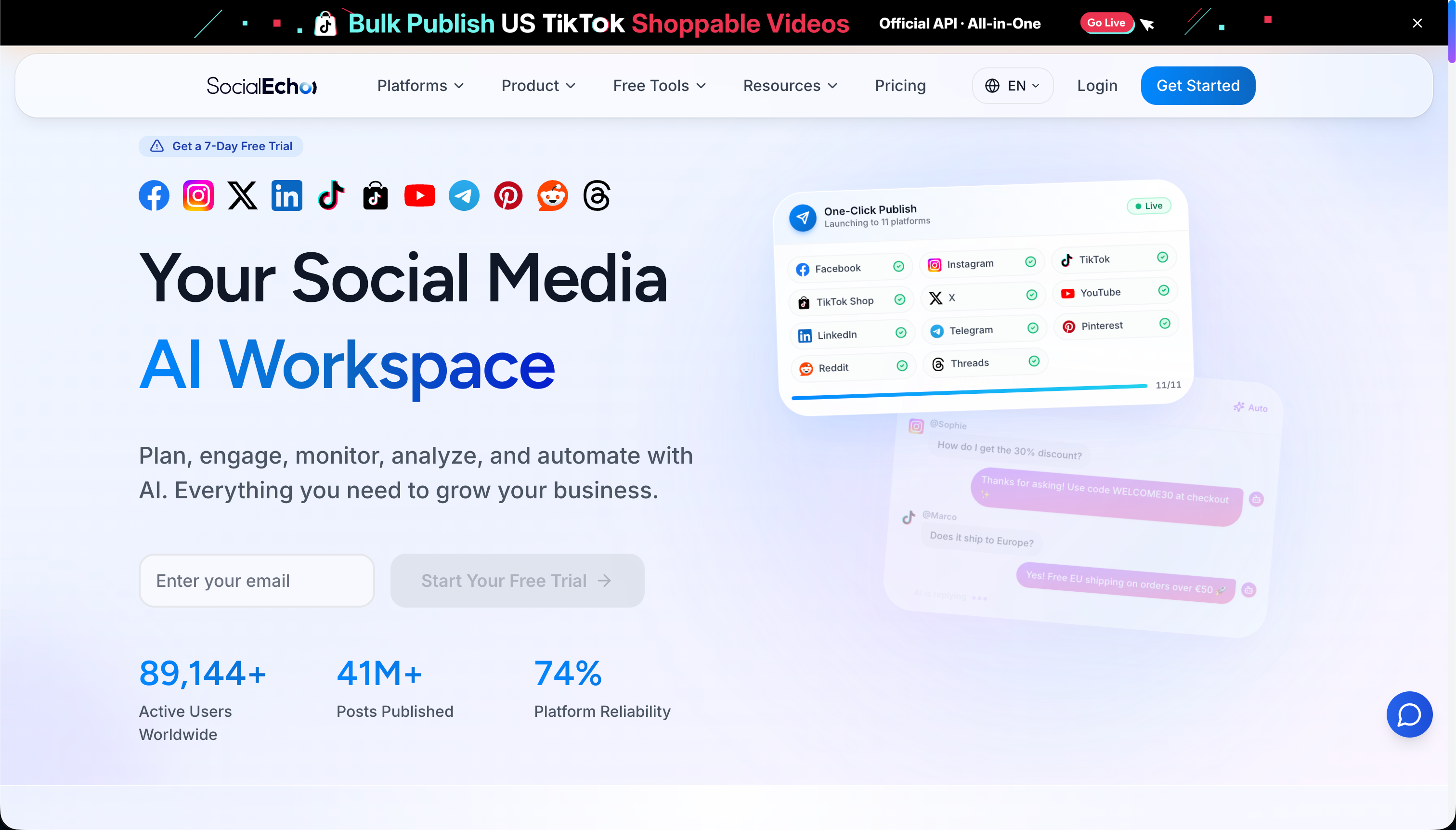
Before we get into the system, here's where SocialEcho fits in: for multi-account scenarios, it positions itself as a social media AI workspace for going global that centralizes publishing, creation, engagement, and analytics for 11 platforms into a single dashboard, so one person can run an account group that used to require constant app-switching from a single workflow. Let's first look at why multi-account management breaks down, then walk through the system.
Why Does Everything Fall Apart Once You Have Too Many Accounts? Three Root Causes
Multi-account management rarely breaks down because someone isn't capable enough — it's almost always three structural problems stacking on top of each other: memory overload, switching costs, and collaboration blind spots. As account count climbs, these three compound non-linearly. Understanding the root causes is what tells you where to build the system.
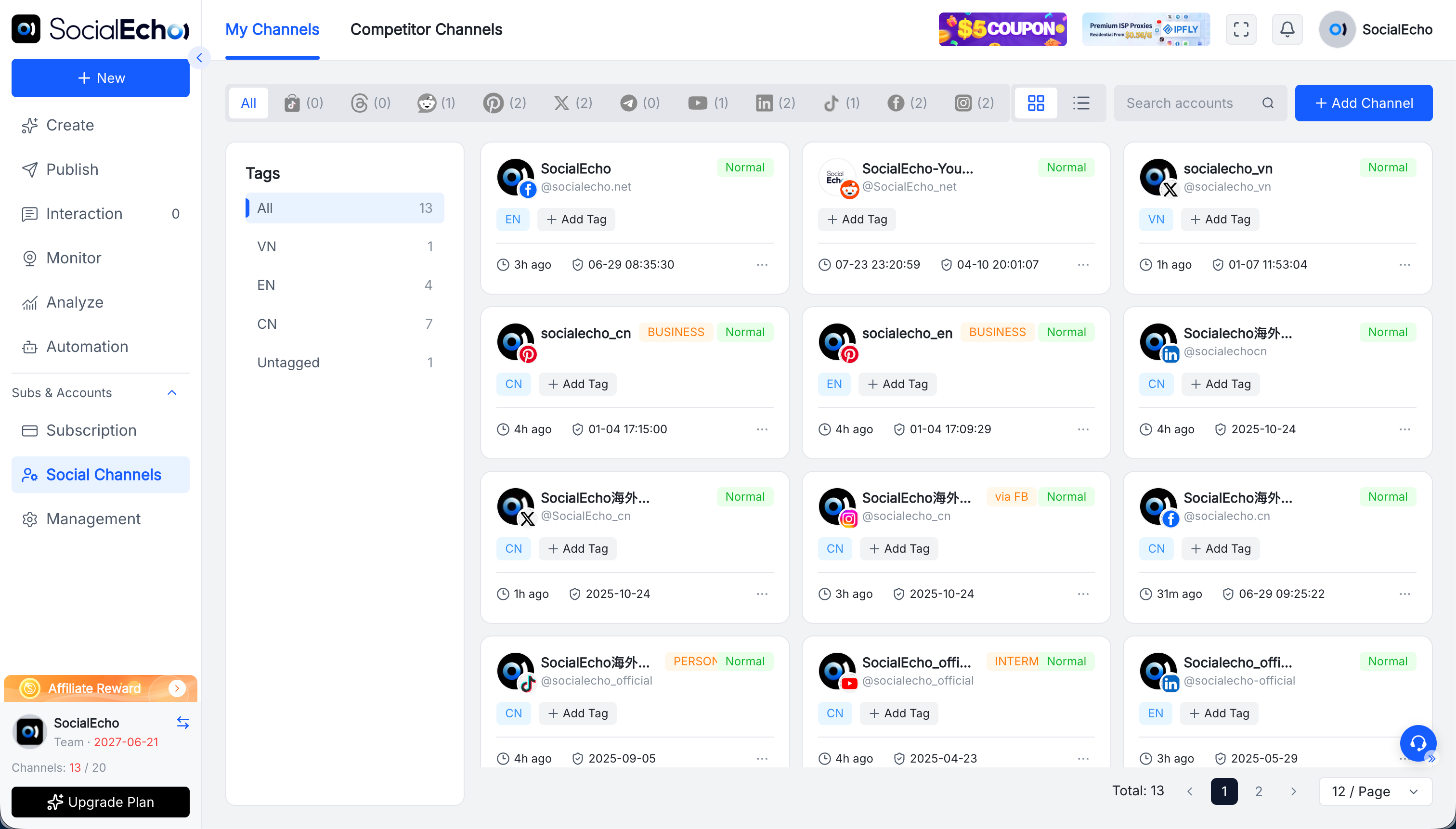
The first is memory overload. With three or five accounts, you can still keep track of who needs to post what in your head. Once you hit a dozen or twenty, questions like "did this account post today?" and "which platform does this caption fit?" exceed what human memory can reliably hold — missed posts and mismatched posts become a matter of time, not chance. The second is switching cost: logging into one platform, logging out, then logging into the next looks like it only costs two minutes each time, but multiply that by dozens of times a day and it adds up to large blocks of time chopped into pieces — and switching back and forth makes it easy to post to the wrong account. The third is the collaboration blind spot: when multiple people manage multiple accounts without a clear division of labor or review process, who changed whose schedule and which post nobody claimed ends up relying on ad hoc messages, and the error rate climbs with headcount.
Together, these three point to one conclusion: you can't solve multi-account chaos by being "more careful." You solve it by handing memory off to a tool, folding switching into a single dashboard, and turning collaboration into an explicit process.
Step 1: Group Your Accounts — Don't Keep Them All in Your Head
The first thing to do when managing multiple accounts is to set up a clear grouping logic — sort accounts by brand, platform, or target market so each one has a defined home and cadence instead of being thrown into one big pile. Grouping is the foundation everything else — scheduling, collaboration — is built on.
There are three common ways to group accounts, and you can layer them: by brand/client (one group per brand, then split by platform within it), by platform (all TikTok accounts in one group, which makes it easier to keep short-video cadence consistent), and by market/language (a Europe/US group, a Southeast Asia group, since time zones and content tone differ). For matrix creators, grouping by brand is usually the clearest approach; for social media agencies, grouping by client and then layering platforms on top tends to deliver better results. Once the grouping is set, every account has a defined tone and frequency it should follow, instead of relying on case-by-case judgment calls.
After grouping, set a baseline cadence for each group (say, 1 TikTok post a day for this group, 3 Instagram posts a week for that one) and put that cadence on the calendar. Multi-account management then shifts from firefighting to working off a schedule.
Step 2: Centralize Publishing — Replace Repeated Logins With One Dashboard
The single most draining part of managing multiple accounts is logging into each platform one by one to publish. Replacing that with batch scheduling from a single dashboard is the biggest single efficiency gain you can make. Get this step right and you can cut out most of your day's mechanical, repetitive work.
The value of centralized publishing is that from one interface you can schedule a whole batch of content across different accounts, platforms, and time slots in one pass, instead of bouncing between a dozen-plus backends. SocialEcho's multi-platform batch scheduling and timed publishing lets you schedule multiple accounts at once and auto-times posts to your audience's time zone, compressing "log in one by one and set timers manually" into a single batch action. For teams juggling TikTok, Instagram, Facebook, X, and Threads at once, this step alone cuts out the most fragmented chunk of your time.
One caveat: centralized publishing only works if the tool connects to your accounts through official APIs — that's what keeps things stable and keeps your accounts safe. Don't take a shortcut with gray-area solutions that simulate logins.
Step 3: Reuse a Master Version — Feed One Piece of Content to Multiple Platforms
Managing multiple accounts doesn't mean writing multiple sets of content — it means building one "master" piece and adapting it per platform, generating tone-, length-, and format-appropriate versions of the same idea while keeping duplicate work to a minimum. This is the key lever for multi-account content output.
Manually rewriting captions for every platform is another hidden time sink in multi-account operations. A lighter-weight approach: write the core idea as a master version first, then adapt it for Instagram's casual tone, LinkedIn's professional register, and X's short, punchy style. SocialEcho's AI content creation can generate copy and visuals from a single prompt and rewrite a master version per platform, which is especially useful for a platform as tonally distinct as LinkedIn. You can also start with the cross-platform post adapter to quickly turn one caption into several platform versions, then schedule them all together.
Reusing a master version doesn't just save time — it also helps keep messaging for the same campaign consistent across platforms, instead of each account telling a slightly different story.
Step 4: Unify Engagement and Reporting — Leave the Judgment Calls to People
The more accounts you run, the more scattered your comments, DMs, and data become. Pulling engagement into a single unified inbox and letting data roll up into reports automatically — so people only handle the calls that actually need judgment — is the last piece of a multi-account system. This step is what protects all the time you saved in the earlier ones.
On the engagement side, scrolling through comments and DMs platform by platform is slow and easy to miss things on. SocialEcho's engagement management pulls comments and DMs from all your accounts into one inbox and runs sentiment/intent detection on them; paired with AI automation's rules, auto-replies, and human review, it can filter out a first layer of high-frequency, repetitive questions. On the data side, analytics automatically rolls up and exports views, engagement, and growth across every account, so you're not taking screenshots one by one at month's end. For e-commerce teams, that rolled-up data can feed directly back into product selection and scheduling decisions.
As for how often to post, that varies a lot by account size and platform — you can start with the posting frequency planner to set a sustainable cadence for each group, then use the best time slot finder to slot it into your calendar.
Multi-Account Management: Manual vs. Systematic, Side by Side
In short: costs in the manual model rise linearly, or even exponentially, with account count, while the systematic model flattens the marginal cost of managing each additional account. The table below breaks down the difference across the key steps.
| Step | Manual mode | Systematic mode |
|---|---|---|
| Account organization | Kept in your head | Grouped by brand/platform/market |
| Publishing | Logging in one by one to schedule | Batch scheduling from one dashboard |
| Content production | Rewritten from scratch per platform | Master version adapted per platform |
| Engagement | Bouncing between apps | Unified inbox + auto-replies |
| Reporting | Manual screenshots pasted into a table | Data rolled up and exported automatically |
Tip: Going systematic doesn't mean buying a tool and calling it done in one step — it means getting your grouping and cadence clear first, then letting the tool execute on it. Bringing in a tool before the process is sorted out usually just relocates the chaos.
FAQ
How many social media accounts can one person actually manage?
There's no fixed ceiling — it depends on whether you've systematized. Working purely manually, around ten accounts is often where people hit their limit; once grouping, batch scheduling, master-version reuse, and unified engagement are in place, one person can reliably manage dozens of accounts. The key is process, not brute effort.
Does having multiple accounts make platforms more likely to flag you as suspicious?
The risk mostly comes down to how you operate, not how many accounts you have. Using official OAuth authorization and posting/engaging at a normal cadence is generally safe; it's unofficial APIs and abnormally high-frequency activity that tend to trigger platform risk controls. Choosing a tool that connects officially is the baseline requirement.
Does content need to be completely different for each platform?
Not a full rebuild, but it does need platform-specific adaptation. Turn one idea into a master version, then adapt the tone, length, and format for each platform — that's less work and keeps messaging consistent, which holds up better than writing everything from scratch for every platform.
When multiple people manage multiple accounts together, how do you avoid wrong posts and scheduling chaos?
Through clear grouping, permissions, and a review process. Assign an owner to each account or group, route important content through review before it goes live, and use a tool with built-in approval workflows to lock down "who can publish, what needs review" — that's far more reliable than a verbal agreement.
Key takeaways
- Multi-account chaos comes from memory overload, switching costs, and collaboration blind spots compounding non-linearly — being more careful won't fix it.
- Step one is grouping accounts by brand/platform/market and setting a baseline cadence for each group, turning operations from firefighting into working off a schedule.
- Replacing one-by-one logins with batch scheduling from a single dashboard is the single biggest efficiency gain you can make.
- Turn one piece of content into a master version, then adapt it per platform, to keep duplicate creative work to a minimum.
- Route engagement into a unified inbox and let data roll up automatically, so people only handle the calls that need judgment.
Results vary based on your account foundation, content quality, industry, and execution; when managing multiple accounts, use tools with official platform authorization and follow each platform's rules and rate limits — the approach described here is a general practice, so adjust it to your own accounts' situation.
;}.cls-2{fill:%230868f7;}.cls-3{fill:url(%23未命名的渐变_44);}.cls-4{fill:%23333;}%3c/style%3e%3clinearGradient%20id='未命名的渐变_8'%20x1='33.73'%20y1='100.61'%20x2='-0.03'%20y2='-1.06'%20gradientUnits='userSpaceOnUse'%3e%3cstop%20offset='0'%20stop-color='%237ae9fb'/%3e%3cstop%20offset='0.67'%20stop-color='%232b90f8'/%3e%3cstop%20offset='1'%20stop-color='%230868f7'/%3e%3c/linearGradient%3e%3clinearGradient%20id='未命名的渐变_44'%20x1='27.86'%20y1='18.67'%20x2='68.36'%20y2='22.22'%20gradientUnits='userSpaceOnUse'%3e%3cstop%20offset='0'%20stop-color='%235ac7f2'/%3e%3cstop%20offset='1'%20stop-color='%230868f7'/%3e%3c/linearGradient%3e%3c/defs%3e%3cpath%20class='cls-1'%20d='M29,28.74V81.91l-9.51-3.68v0L8.52,74A7.17,7.17,0,0,1,4,67.32V24.54A3.76,3.76,0,0,1,9.08,21Z'/%3e%3cpath%20class='cls-2'%20d='M68.09,78.07a13.15,13.15,0,0,1-17.9,12.06L29,81.91h0V28.74L50.19,37A13.17,13.17,0,0,0,68.08,25.3h0Z'/%3e%3cpath%20class='cls-3'%20d='M68.08,25.3a13.19,13.19,0,0,1-6.73,10.87A13.09,13.09,0,0,1,50.19,37L29,28.74V6A3.76,3.76,0,0,1,34.1,2.52l25.59,9.91A13.22,13.22,0,0,1,68.08,25.3Z'/%3e%3cpath%20class='cls-4'%20d='M129.06,81.76a4.33,4.33,0,0,1-3.19-1.31,4.4,4.4,0,0,1-1.31-3.24V56.86H97.65V77.21a4.36,4.36,0,0,1-1.35,3.2A4.68,4.68,0,0,1,93,81.76a4.32,4.32,0,0,1-3.19-1.31,4.37,4.37,0,0,1-1.32-3.24V27.27A4.58,4.58,0,0,1,89.83,24a4.59,4.59,0,0,1,7.82,3.27V48.15h26.91V27.27A4.58,4.58,0,0,1,125.91,24a4.59,4.59,0,0,1,7.82,3.27V77.21a4.37,4.37,0,0,1-1.36,3.2A4.65,4.65,0,0,1,129.06,81.76Z'/%3e%3cpath%20class='cls-4'%20d='M163.77,81.66c-6.57,0-11.76-1.92-15.44-5.7s-5.54-9.07-5.54-15.74a26.76,26.76,0,0,1,2.09-10.43,17.72,17.72,0,0,1,6.67-8.06,19.15,19.15,0,0,1,10.68-2.95,19,19,0,0,1,10.46,2.8,18.7,18.7,0,0,1,6.55,7.36,22.53,22.53,0,0,1,2.36,10.28A4.51,4.51,0,0,1,177,63.77H152.23a10.8,10.8,0,0,0,3.49,6.65c2,1.68,4.88,2.52,8.66,2.52a22.25,22.25,0,0,0,7.54-1.21c.74-.3,1.55-.67,2.37-1.07a3.75,3.75,0,0,1,1.84-.4,4.09,4.09,0,0,1,3,1.15,4,4,0,0,1,1.12,3,4.38,4.38,0,0,1-2.58,3.82,32.34,32.34,0,0,1-6.36,2.61A28.67,28.67,0,0,1,163.77,81.66ZM172.4,55.9a9.72,9.72,0,0,0-1.63-4.56A9.9,9.9,0,0,0,167,48a10.38,10.38,0,0,0-4.64-1.14,12,12,0,0,0-4.77,1.06,9.54,9.54,0,0,0-4.89,5.66,11.78,11.78,0,0,0-.51,2.3Z'/%3e%3cpath%20class='cls-4'%20d='M193,81.64a4.49,4.49,0,0,1-4.51-4.55V27.28A4.58,4.58,0,0,1,189.84,24a4.48,4.48,0,0,1,3.28-1.36A4.36,4.36,0,0,1,196.35,24a4.46,4.46,0,0,1,1.31,3.31V77.09a4.34,4.34,0,0,1-1.35,3.2A4.67,4.67,0,0,1,193,81.64Z'/%3e%3cpath%20class='cls-4'%20d='M263.79,81.71a5.7,5.7,0,0,1-4.2-1.74,5.76,5.76,0,0,1-1.73-4.19V27.37a4.58,4.58,0,0,1,1.35-3.27A4.59,4.59,0,0,1,267,27.37V72.53h24a4.58,4.58,0,0,1,3.27,7.82A4.66,4.66,0,0,1,291,81.71Z'/%3e%3cpath%20class='cls-4'%20d='M424.48,81.74a4.71,4.71,0,0,1-2.71-.88,5.43,5.43,0,0,1-1-1l-.07-.09-12.41-17-5.41,5v9.44a4.31,4.31,0,0,1-1.36,3.19,4.66,4.66,0,0,1-3.3,1.36A4.29,4.29,0,0,1,395,80.42a4.36,4.36,0,0,1-1.32-3.23V27.37A4.58,4.58,0,0,1,395,24.1a4.52,4.52,0,0,1,6.58.12,4.54,4.54,0,0,1,1.24,3.15V56.31l17.72-16.38.05,0a4.8,4.8,0,0,1,2.94-1.11,4.4,4.4,0,0,1,3.27,1.2,4.57,4.57,0,0,1,1.2,3.27,4.44,4.44,0,0,1-.77,2.33,7.45,7.45,0,0,1-1.43,1.65l-11,9.64,13.34,17.68a5,5,0,0,1,1,2.71,4.12,4.12,0,0,1-1.36,3.24A4.64,4.64,0,0,1,424.48,81.74Z'/%3e%3cpath%20class='cls-4'%20d='M317.93,81.76a21.5,21.5,0,1,1,21.17-21.5A21.37,21.37,0,0,1,317.93,81.76Zm0-34.1a12.61,12.61,0,1,0,12.42,12.6A12.52,12.52,0,0,0,317.93,47.66Z'/%3e%3cpath%20class='cls-4'%20d='M212.18,101.22a4.12,4.12,0,0,1-3.05-1.26,4.17,4.17,0,0,1-1.26-3.1V43.34a4.37,4.37,0,0,1,1.3-3.14,4.26,4.26,0,0,1,3.13-1.3,4.19,4.19,0,0,1,3.1,1.26,4.32,4.32,0,0,1,1.26,3.16,20.77,20.77,0,0,1,13-4.54,21.51,21.51,0,0,1,0,43,20.51,20.51,0,0,1-13-4.57V96.86a4.15,4.15,0,0,1-1.3,3.06A4.5,4.5,0,0,1,212.18,101.22Zm17.43-53.63c-6.23,0-12.93,4.11-12.93,12.72a12.73,12.73,0,0,0,25.46,0A12.71,12.71,0,0,0,229.61,47.59Z'/%3e%3cpath%20class='cls-4'%20d='M365.76,81.76a21.5,21.5,0,1,1,21.18-21.5A21.37,21.37,0,0,1,365.76,81.76Zm0-34.1a12.61,12.61,0,1,0,12.42,12.6A12.52,12.52,0,0,0,365.76,47.66Z'/%3e%3c/svg%3e)