
What Is an AI Social Media Manager? 6 Tools Compared
By Xu Ke — Follows AI social media management and content automation
Nina leads content for a home-goods brand selling internationally, running a lean three-person team across 5 platforms and 10 accounts. Her boss recently put her on the spot: "Everyone else is using AI for social — can't AI cover half a headcount for us too?" She'd tried having a general-purpose chatbot write captions. It could write, sure, but it couldn't publish anything, couldn't turn one draft into versions for five platforms, and had no connection to comments or performance data — more like an intern who can only write essays and then clocks out. What she actually wants isn't another caption-writing box. It's an "AI social media manager" that ties creation, publishing, engagement, and reporting together into one loop.
If you're stuck at the same point — you know AI is useful, but you're not sure how far an AI social media tool can actually go — this article first pins down what an AI social media manager is and isn't, then compares six AI social tools built for different jobs, and closes with a rollout path for moving from manual work to AI-assisted work without it backfiring.
TL;DR
An AI social media manager is a tool that embeds AI across the entire social workflow — creation, publishing, engagement, and analytics. Its core value isn't "writing a caption for you"; it's absorbing a large share of repetitive work so people can focus on judgment and strategy.
- What it is: an AI-powered workspace spanning creation through reporting, not a single-purpose caption generator.
- What it can do: batch-generate platform-specific content, auto-reply based on rules, and roll up multi-account data.
- What it can't replace: brand judgment, crisis response, strategic trade-offs — those still need a human call.
- What to evaluate: three layers — depth of AI integration, platform coverage, and human-in-the-loop review.
- How to roll it out: don't go all-in on day one; hand over repetitive work first, then expand toward strategic support.
Here's where SocialEcho fits into this piece: it's an AI-powered social workspace for global-facing teams that centralizes AI content creation, publishing, engagement, and analytics for 11 platforms in one dashboard. This article treats it as one form an AI social media tool can take, and also flags when a narrower, single-purpose tool is the better fit.
What exactly is an AI social media manager?
An AI social media manager is a tool or platform that embeds artificial intelligence across the entire social media workflow — the defining words are "end-to-end" and "efficiency," not single-point content generation. Put differently, a plugin that only writes headlines doesn't qualify. A system that runs through creation, publishing, engagement, and analytics — with AI reducing the workload at each stage — does.
Understanding the definition means recognizing three layers. The shallowest layer is content generation: AI produces captions, images, and short-video scripts, which is most people's first mental image of "AI social." The middle layer is workflow automation: AI rewrites finished content for each platform, schedules it by time zone, and replies to comments and DMs based on rules — getting content actually out the door. The deepest layer is decision support: AI rolls up data across accounts and flags anomalies or opportunities so the person running the account has something to act on. A genuine AI social media manager stacks all three layers rather than stopping at the first one.
That's also why "AI social media tool" and "AI social media manager" get used interchangeably even though they emphasize different things: the former can describe any single-function tool with AI built in (an AI background remover, say), while the latter emphasizes orchestrating those capabilities into one system built for ongoing operations. Keeping that distinction straight when evaluating tools helps you avoid ending up with a pile of point solutions that never add up to a workflow.
What can AI social tools actually take off your plate?
What AI social tools can reliably take over right now falls into three categories of high-frequency, repetitive work: rewriting content per platform, rule-based engagement replies, and multi-account data rollups — which happen to be the most time-consuming and least creativity-dependent parts of the job. Handing these to AI is what frees people up for the work that actually needs judgment.
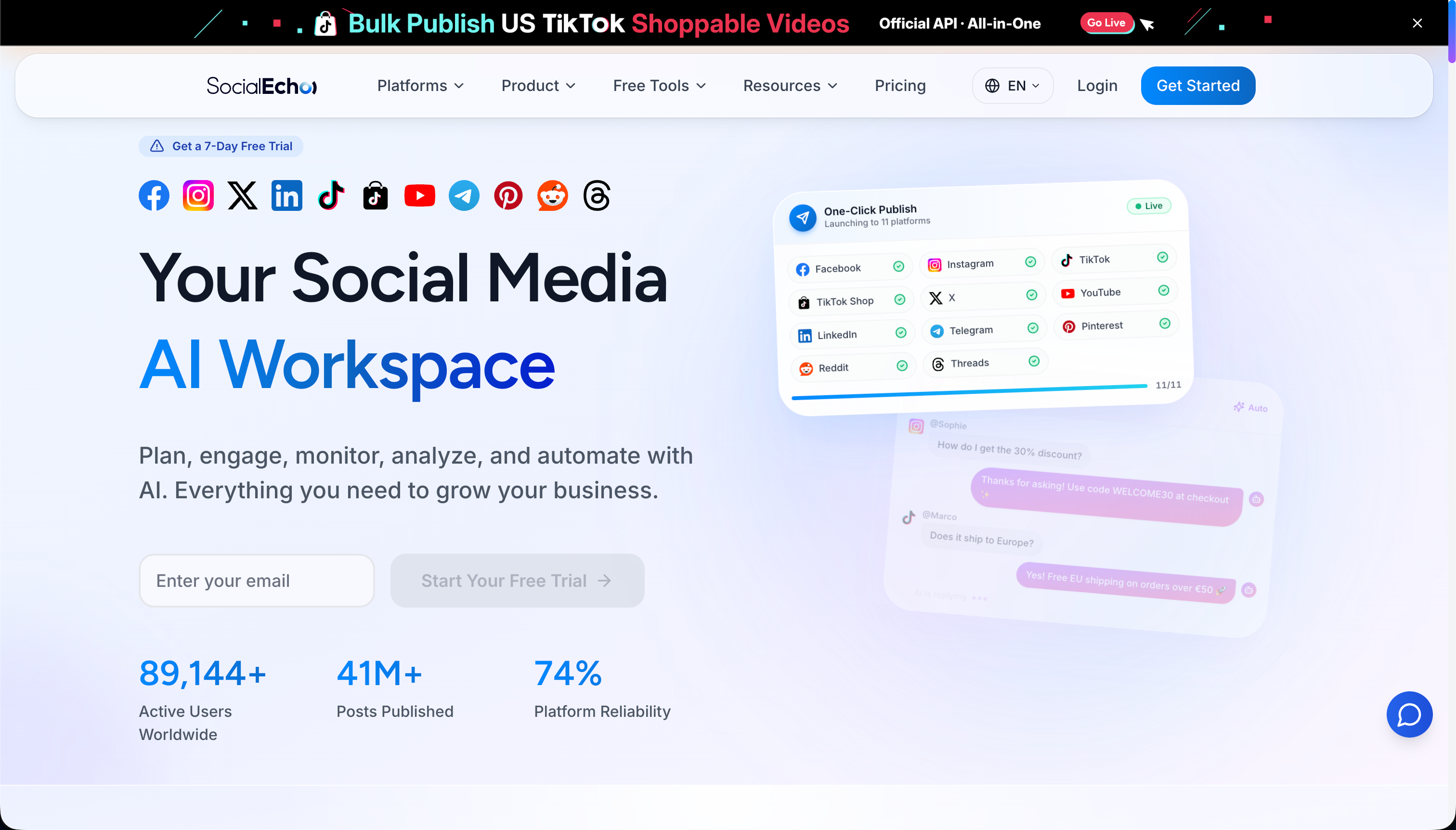
The first category is content creation and adaptation. Starting from one core idea, AI can quickly produce versions tuned to each platform's tone and length, cutting out the need to rewrite from scratch for every channel. SocialEcho's AI creation tools support one-line prompts that generate copy and images and can take a master version and rewrite it per platform, including multiple languages — especially useful when you're running TikTok, Instagram, Facebook, and LinkedIn side by side, given how different their tones are. The second category is engagement: engagement management pulls comments and DMs from multiple accounts into a single inbox and flags sentiment and intent, and paired with AI automation's "rules plus auto-reply plus human review," it filters out a first layer of high-frequency, repetitive questions. The third category is reporting: analytics automatically consolidates and exports data across accounts, freeing people from stitching together screenshots.
For global brand marketing teams and matrix creators chasing AI leverage, this is exactly the point: it's not about making content feel less human, it's about compressing the mechanical parts so a small team can concentrate its people on ideas and strategy.
What can't AI do? Don't hand over judgment too
AI can handle repetitive work with clear rules, but it can't replace three things: final sign-off on brand voice, response to sudden crises, and strategic trade-offs — and handing all three fully to AI is exactly when things go wrong. Knowing where the line sits is what lets you use AI well instead of getting burned by it.
Brand voice is the first line. AI-generated content can be grammatically fine and still not "sound like you," especially around values or sensitive topics — a human needs final sign-off, or an auto-published post can end up damaging the brand. Crisis response is the second line: negative sentiment spikes, sudden platform policy changes, account anomalies — these irregular situations call for human judgment and in-the-moment decisions that a rule library can't cover for every long-tail scenario. Strategic trade-offs are the third line: which platform gets more budget, whether to expand onto a new platform, how to adjust the content roadmap — these are business decisions where AI can supply data and suggestions, but the call still belongs to a person.
So the healthy pattern is "AI runs execution, people own judgment." It's also why tools built around an AI Agent API emphasize the human-review step — when you wire automation into n8n, Zapier, and similar workflows, keeping a manual gate at key checkpoints is how you capture the efficiency without handing the risk exposure over to the machine.
6 AI social media tools compared
In one line: for an all-in-one AI workspace built for going global, look at SocialEcho; for an established, broad platform, look at Hootsuite; for AI writing specifically, look at copywriting-focused tools; for AI visuals, look at design-focused tools. Each one below is a different trade-off — they're built for different jobs, so don't force a head-to-head.
1. SocialEcho — an all-in-one AI workspace for global teams
If what you want is AI running the full loop from creation to reporting, SocialEcho is built for exactly that: official OAuth connections to 11 platforms, AI creation handling one-line generation and per-platform rewrites from a master version, multi-platform bulk scheduling handling time-zone-aware publishing, engagement management plus AI automation handling rule-based replies with human review, and analytics handling multi-account rollups. For social media management agencies and ecommerce teams, it brings AI capabilities that would otherwise be scattered across several tools into one dashboard. Fair to say, if all you need is single-point AI writing, it will feel like more than you need. Pricing starts free, with paid plans from $15/mo (billed annually, 5 accounts minimum).
2. Hootsuite — an established all-rounder with an AI layer added
Hootsuite has added an AI copywriting assistant on top of its mature scheduling and listening stack, which suits mid-to-large teams already using it who want to layer in AI incrementally. The upside is breadth of features and mature collaboration; the trade-off is a heavier interface and higher-tier pricing, with AI feeling more like a bonus than the core offering.
3. Sprout Social — AI oriented toward data and customer service
Sprout Social applies AI to sentiment analysis, reply suggestions, and report generation, which fits teams that treat social as a customer-service and data channel and need to hand clients polished reports. The trade-off is higher, seat-based pricing that's a steeper entry point for small teams.
4. Later — visual-first with AI descriptions
Later is built around a visual content calendar, with AI mostly used for captions and hashtag generation, which suits image-led brands focused on Instagram. Multi-platform depth and complex automation aren't its strong suit.
5. Metricool — content plus ads, with AI for lift
Metricool puts organic content, ad data, and AI assistance in one place at approachable pricing, which suits teams running both content and ads on a limited budget. Deep engagement automation is relatively basic.
6. Publer — bulk scheduling paired with AI assistance
Publer is built around flexible bulk scheduling with AI copy and image generation layered on top, which suits creators and small teams who like batching a lot of content at once and want AI to help along the way. Enterprise-grade collaboration and deep analytics aren't the focus.
Comparison table: match the tool to what you want AI to do
Different jobs call for different tools: want AI across the whole workflow, pick an all-in-one workspace; want AI for writing, pick a writing specialist; want AI for analysis and reporting, pick a data-oriented tool; want AI for visuals, pick a design-focused one. The table below lays out the key differences.
| Tool | Where AI does the most work | Platform coverage | Human-in-the-loop | Best fit | Pricing position |
|---|---|---|---|---|---|
| SocialEcho | Creation + publishing + engagement + analytics, end to end | Broad (11 platforms, direct connect) | Yes, with human review | Global teams on multiple platforms/accounts | Free to start, from $15/mo |
| Hootsuite | Copy assistant + listening | Broad | Yes | Mid-to-large teams | On the higher side |
| Sprout Social | Sentiment + reporting + reply suggestions | Broad | Yes | Heavy on customer service/reporting | High |
| Later | Captions + hashtags | Mostly visual platforms | Moderate | Image-led/visual accounts | Mid |
| Metricool | Content + ads support | Moderate | Moderate | Content plus paid together | Approachable |
| Publer | Copy + image generation | Moderate | Moderate | High-frequency batch posting | Approachable |
Tip: Don't get steered by a simple "does it have AI, yes or no" checklist. Nearly every tool is adding AI now — the real difference is how deeply AI is embedded in the workflow and whether there's human review backing it up. A tool that can run automatically and still be stopped by a person is the one you can trust.
Teams that want to test AI social capabilities at low cost can start with the free tools: try AI auto-reply for rule-based engagement, try AI content rewriting to feel out per-platform efficiency from a master version, and round it out with the hashtag generator for distribution — then decide whether an all-in-one workspace is worth it once that's running smoothly.
From manual work to AI leverage: a rollout path that won't blow up
The biggest mistake when adopting AI social tools is going fully automatic in one step — the steadier path is three stages: hand over the most repetitive work first, then expand into assisted creation, and only then, carefully, touch strategy — keeping human backup at every stage. Going step by step is how you capture the efficiency without losing control of the risk.
- Stage one — take over repetitive work: Start with the most mechanical, least judgment-dependent tasks — per-platform rewrites, scheduled publishing, and auto-replies to high-frequency repeat comments. Low risk, direct payoff, and the easiest stage for a team to get comfortable with.
- Stage two — assist creation and analysis: Once the team is comfortable, bring AI into ideation and data interpretation, with people doing the filtering and sign-off. AI moves from "executor" to "co-pilot" here, but the hands stay on the wheel.
- Stage three — touch strategy, carefully: Once the first two stages are running smoothly, let AI supply data-backed input on strategic questions (like platform budget allocation) — but decision-making authority stays with people, and anything consequential still goes through human review.
Leave an observation window between each stage, and confirm AI's output is stable and staying in bounds before moving to the next one. Skipping straight to full automation without the first two stages is the most common way this goes wrong.
FAQ
Will AI social tools make content feel less human?
Not if used well. What AI handles is speeding up the repetitive parts — expanding on ideas, adapting them per platform, distributing them — while the creative direction, brand voice, and final sign-off stay with people. Treat AI as a co-pilot rather than the driver and content keeps its efficiency without losing its human feel; hand everything over with no review, on the other hand, and generic, machine-sounding content is what you tend to get.
Is it worth it for a small team to adopt AI social tools?
Often, yes — even more so than for a large one. The smaller the team, the more repetitive work squeezes people's time, and that's exactly what AI absorbs. Small teams can start with free or affordably priced single-point AI features, get one or two workflows running smoothly, and decide from there whether to invest in an all-in-one workspace — no need for a big commitment up front.
Can using AI to auto-reply to comments and DMs backfire and hurt users?
It comes down to whether there's human review backing it up. Handing clearly rule-based, high-frequency questions to AI auto-reply is safe; complaints and sensitive topics should still go to a person. Choosing a tool built around "rules plus auto-reply plus human review" — AI handling the routine, people catching the exceptions — is the steady approach.
Can AI social tools guarantee follower growth or better conversion?
No, and don't trust any tool that claims they can. What AI improves is execution speed and content output; growth still depends on content quality, account foundation, industry, and platform conditions. Treat AI as an amplifier, not a guarantee, and your expectations will be set correctly.
Key takeaways
- The defining idea behind an AI social media manager is "end-to-end efficiency," not single-point caption generation.
- Right now it can reliably take over three categories of repetitive work: per-platform rewriting, rule-based engagement, and multi-account data rollups.
- It can't replace brand sign-off, crisis response, or strategic trade-offs — those still need a human call.
- Evaluate on three layers: how deeply AI is embedded, platform coverage, and whether human review backs it up.
- Roll it out in three stages — repetitive work first, then assisted creation, then strategy support carefully — with human backup at every stage.
Results vary by account foundation, content quality, industry, and execution; make sure AI-generated content follows each platform's rules on AI-content labeling and automation. The descriptions of each tool above reflect their public positioning — features and pricing are subject to the official pages, and whether to adopt any of them should be based on your own trial.
;}.cls-2{fill:%230868f7;}.cls-3{fill:url(%23未命名的渐变_44);}.cls-4{fill:%23333;}%3c/style%3e%3clinearGradient%20id='未命名的渐变_8'%20x1='33.73'%20y1='100.61'%20x2='-0.03'%20y2='-1.06'%20gradientUnits='userSpaceOnUse'%3e%3cstop%20offset='0'%20stop-color='%237ae9fb'/%3e%3cstop%20offset='0.67'%20stop-color='%232b90f8'/%3e%3cstop%20offset='1'%20stop-color='%230868f7'/%3e%3c/linearGradient%3e%3clinearGradient%20id='未命名的渐变_44'%20x1='27.86'%20y1='18.67'%20x2='68.36'%20y2='22.22'%20gradientUnits='userSpaceOnUse'%3e%3cstop%20offset='0'%20stop-color='%235ac7f2'/%3e%3cstop%20offset='1'%20stop-color='%230868f7'/%3e%3c/linearGradient%3e%3c/defs%3e%3cpath%20class='cls-1'%20d='M29,28.74V81.91l-9.51-3.68v0L8.52,74A7.17,7.17,0,0,1,4,67.32V24.54A3.76,3.76,0,0,1,9.08,21Z'/%3e%3cpath%20class='cls-2'%20d='M68.09,78.07a13.15,13.15,0,0,1-17.9,12.06L29,81.91h0V28.74L50.19,37A13.17,13.17,0,0,0,68.08,25.3h0Z'/%3e%3cpath%20class='cls-3'%20d='M68.08,25.3a13.19,13.19,0,0,1-6.73,10.87A13.09,13.09,0,0,1,50.19,37L29,28.74V6A3.76,3.76,0,0,1,34.1,2.52l25.59,9.91A13.22,13.22,0,0,1,68.08,25.3Z'/%3e%3cpath%20class='cls-4'%20d='M129.06,81.76a4.33,4.33,0,0,1-3.19-1.31,4.4,4.4,0,0,1-1.31-3.24V56.86H97.65V77.21a4.36,4.36,0,0,1-1.35,3.2A4.68,4.68,0,0,1,93,81.76a4.32,4.32,0,0,1-3.19-1.31,4.37,4.37,0,0,1-1.32-3.24V27.27A4.58,4.58,0,0,1,89.83,24a4.59,4.59,0,0,1,7.82,3.27V48.15h26.91V27.27A4.58,4.58,0,0,1,125.91,24a4.59,4.59,0,0,1,7.82,3.27V77.21a4.37,4.37,0,0,1-1.36,3.2A4.65,4.65,0,0,1,129.06,81.76Z'/%3e%3cpath%20class='cls-4'%20d='M163.77,81.66c-6.57,0-11.76-1.92-15.44-5.7s-5.54-9.07-5.54-15.74a26.76,26.76,0,0,1,2.09-10.43,17.72,17.72,0,0,1,6.67-8.06,19.15,19.15,0,0,1,10.68-2.95,19,19,0,0,1,10.46,2.8,18.7,18.7,0,0,1,6.55,7.36,22.53,22.53,0,0,1,2.36,10.28A4.51,4.51,0,0,1,177,63.77H152.23a10.8,10.8,0,0,0,3.49,6.65c2,1.68,4.88,2.52,8.66,2.52a22.25,22.25,0,0,0,7.54-1.21c.74-.3,1.55-.67,2.37-1.07a3.75,3.75,0,0,1,1.84-.4,4.09,4.09,0,0,1,3,1.15,4,4,0,0,1,1.12,3,4.38,4.38,0,0,1-2.58,3.82,32.34,32.34,0,0,1-6.36,2.61A28.67,28.67,0,0,1,163.77,81.66ZM172.4,55.9a9.72,9.72,0,0,0-1.63-4.56A9.9,9.9,0,0,0,167,48a10.38,10.38,0,0,0-4.64-1.14,12,12,0,0,0-4.77,1.06,9.54,9.54,0,0,0-4.89,5.66,11.78,11.78,0,0,0-.51,2.3Z'/%3e%3cpath%20class='cls-4'%20d='M193,81.64a4.49,4.49,0,0,1-4.51-4.55V27.28A4.58,4.58,0,0,1,189.84,24a4.48,4.48,0,0,1,3.28-1.36A4.36,4.36,0,0,1,196.35,24a4.46,4.46,0,0,1,1.31,3.31V77.09a4.34,4.34,0,0,1-1.35,3.2A4.67,4.67,0,0,1,193,81.64Z'/%3e%3cpath%20class='cls-4'%20d='M263.79,81.71a5.7,5.7,0,0,1-4.2-1.74,5.76,5.76,0,0,1-1.73-4.19V27.37a4.58,4.58,0,0,1,1.35-3.27A4.59,4.59,0,0,1,267,27.37V72.53h24a4.58,4.58,0,0,1,3.27,7.82A4.66,4.66,0,0,1,291,81.71Z'/%3e%3cpath%20class='cls-4'%20d='M424.48,81.74a4.71,4.71,0,0,1-2.71-.88,5.43,5.43,0,0,1-1-1l-.07-.09-12.41-17-5.41,5v9.44a4.31,4.31,0,0,1-1.36,3.19,4.66,4.66,0,0,1-3.3,1.36A4.29,4.29,0,0,1,395,80.42a4.36,4.36,0,0,1-1.32-3.23V27.37A4.58,4.58,0,0,1,395,24.1a4.52,4.52,0,0,1,6.58.12,4.54,4.54,0,0,1,1.24,3.15V56.31l17.72-16.38.05,0a4.8,4.8,0,0,1,2.94-1.11,4.4,4.4,0,0,1,3.27,1.2,4.57,4.57,0,0,1,1.2,3.27,4.44,4.44,0,0,1-.77,2.33,7.45,7.45,0,0,1-1.43,1.65l-11,9.64,13.34,17.68a5,5,0,0,1,1,2.71,4.12,4.12,0,0,1-1.36,3.24A4.64,4.64,0,0,1,424.48,81.74Z'/%3e%3cpath%20class='cls-4'%20d='M317.93,81.76a21.5,21.5,0,1,1,21.17-21.5A21.37,21.37,0,0,1,317.93,81.76Zm0-34.1a12.61,12.61,0,1,0,12.42,12.6A12.52,12.52,0,0,0,317.93,47.66Z'/%3e%3cpath%20class='cls-4'%20d='M212.18,101.22a4.12,4.12,0,0,1-3.05-1.26,4.17,4.17,0,0,1-1.26-3.1V43.34a4.37,4.37,0,0,1,1.3-3.14,4.26,4.26,0,0,1,3.13-1.3,4.19,4.19,0,0,1,3.1,1.26,4.32,4.32,0,0,1,1.26,3.16,20.77,20.77,0,0,1,13-4.54,21.51,21.51,0,0,1,0,43,20.51,20.51,0,0,1-13-4.57V96.86a4.15,4.15,0,0,1-1.3,3.06A4.5,4.5,0,0,1,212.18,101.22Zm17.43-53.63c-6.23,0-12.93,4.11-12.93,12.72a12.73,12.73,0,0,0,25.46,0A12.71,12.71,0,0,0,229.61,47.59Z'/%3e%3cpath%20class='cls-4'%20d='M365.76,81.76a21.5,21.5,0,1,1,21.18-21.5A21.37,21.37,0,0,1,365.76,81.76Zm0-34.1a12.61,12.61,0,1,0,12.42,12.6A12.52,12.52,0,0,0,365.76,47.66Z'/%3e%3c/svg%3e)