
Stop foolishly waiting for traffic to disappear! Facebook traffic might suddenly vanish in 2026? This could be your last lifeline!

Honestly, for veterans still operating social media overseas in 2026, what they fear most isn't account bans, but rather that state of being neither alive nor dead: the account is still there, posts can still be made, but when you look at the backend, the reach data is flatter than an electrocardiogram. Apart from a few likes from their own accounts, basically no one sees it.
This situation most likely indicates that your account has been throttled. Facebook's current algorithm is as sophisticated as a traditional Chinese medicine doctor; it doesn't kick you out directly, but it slowly extinguishes your lifeline. If you're staring at that stagnant traffic curve in your backend and want to curse, don't rush to appeal or change your account. Take a few minutes to read this practical guide.
I. Initial Assessment: What exactly is Facebook rejecting in 2026?
Many people think that traffic limiting is some kind of mystery, but frankly speaking, it's because the algorithm thinks your account is too focused on marketing and doesn't seem like a normal person engaging in social media. The 2026 Meta algorithm will primarily target these three pitfalls:
1. The content feels too copied; the algorithm performs pixel-level plagiarism detection.
Don't think you can fool AI by adding a filter or extracting a few frames. Current meta recognition is based on pixel fingerprints. If the material you use is similar to something in the low-quality blacklist, the moment you post it, the post is already dormant.
2. Only sending, no reply.
Are you treating Facebook like a free advertising platform? Doing the same thing at the same time every day, posting links and then leaving? The algorithm monitors your interaction rate. If your comment section is deserted and you never reply to your private messages, the system will judge you as a bot with no social value and label you as spam.
3. The sense of insecurity caused by drastic changes in environment
While everyone uses various methods to manage their accounts, frequently switching accounts in a regular browser or having your login environment's geographical location constantly shifting will repeatedly trigger security warnings from the algorithm. The result is: your account isn't banned, but your data usage is gone.
II. Stop Loss: Practical Suggestions for Regaining Account Authority Using SocialEcho
Now that we know the root cause of the problem, we need to fix the account using legitimate methods. Utilizing SocialEcho's existing compliance capabilities should be enough to resolve most of the traffic restriction issues.
1. Establish a stable login loop
Repeated logins and logouts are the primary cause of traffic throttling.
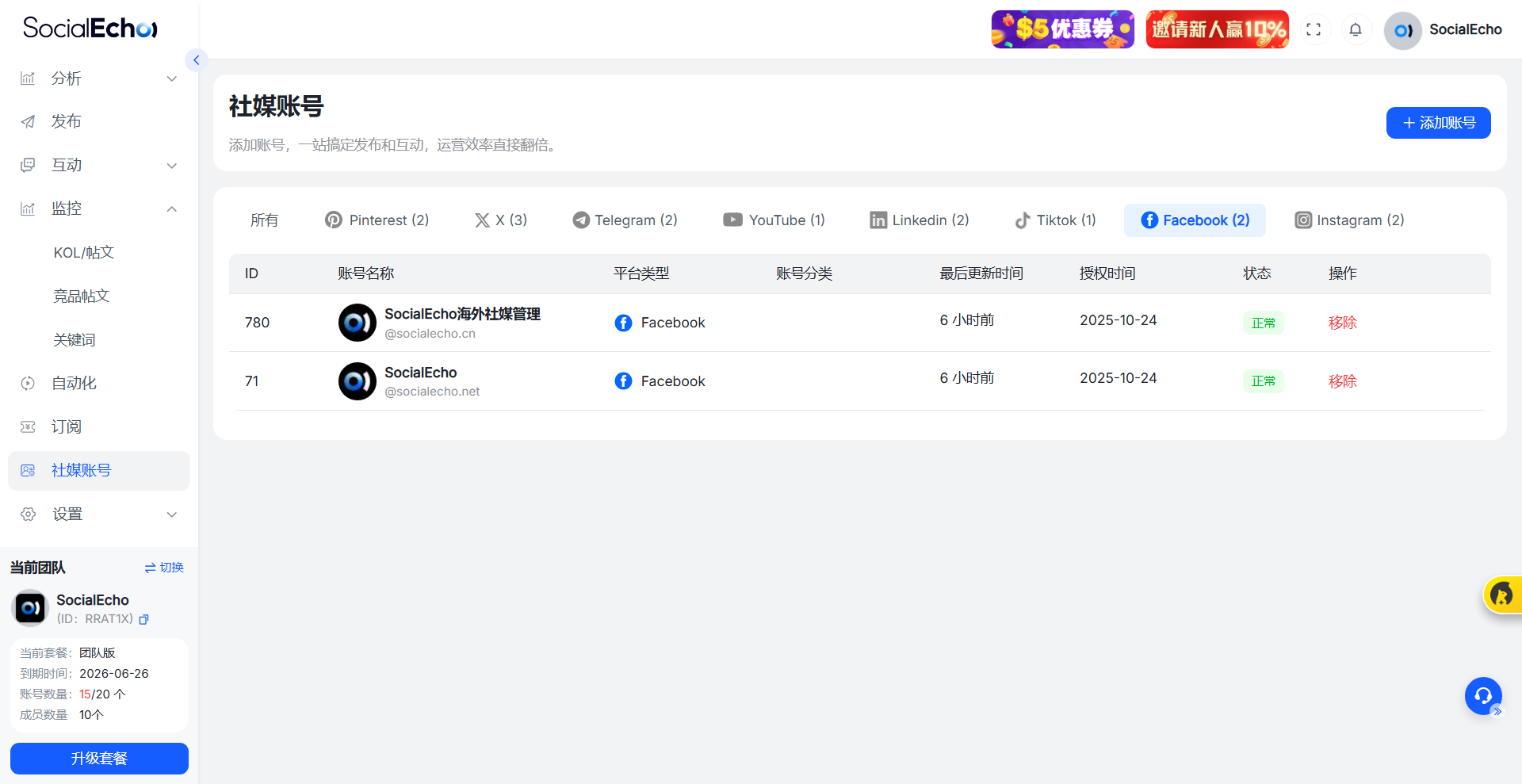
- Solution : It is recommended to integrate all Facebook accounts into SocialEcho 's multi-account management center.
- Logic : This aggregated management establishes a stable operational base. You can manage dozens of homepages simultaneously within a single window without switching between devices. For the Meta backend, your login fingerprint maintains long-term consistency; this stability translates to account credibility.
2. Firefighting Operation: Prioritize interaction to the highest level.
Traffic restricted? Stop all hard-sell posts and get some real work done.
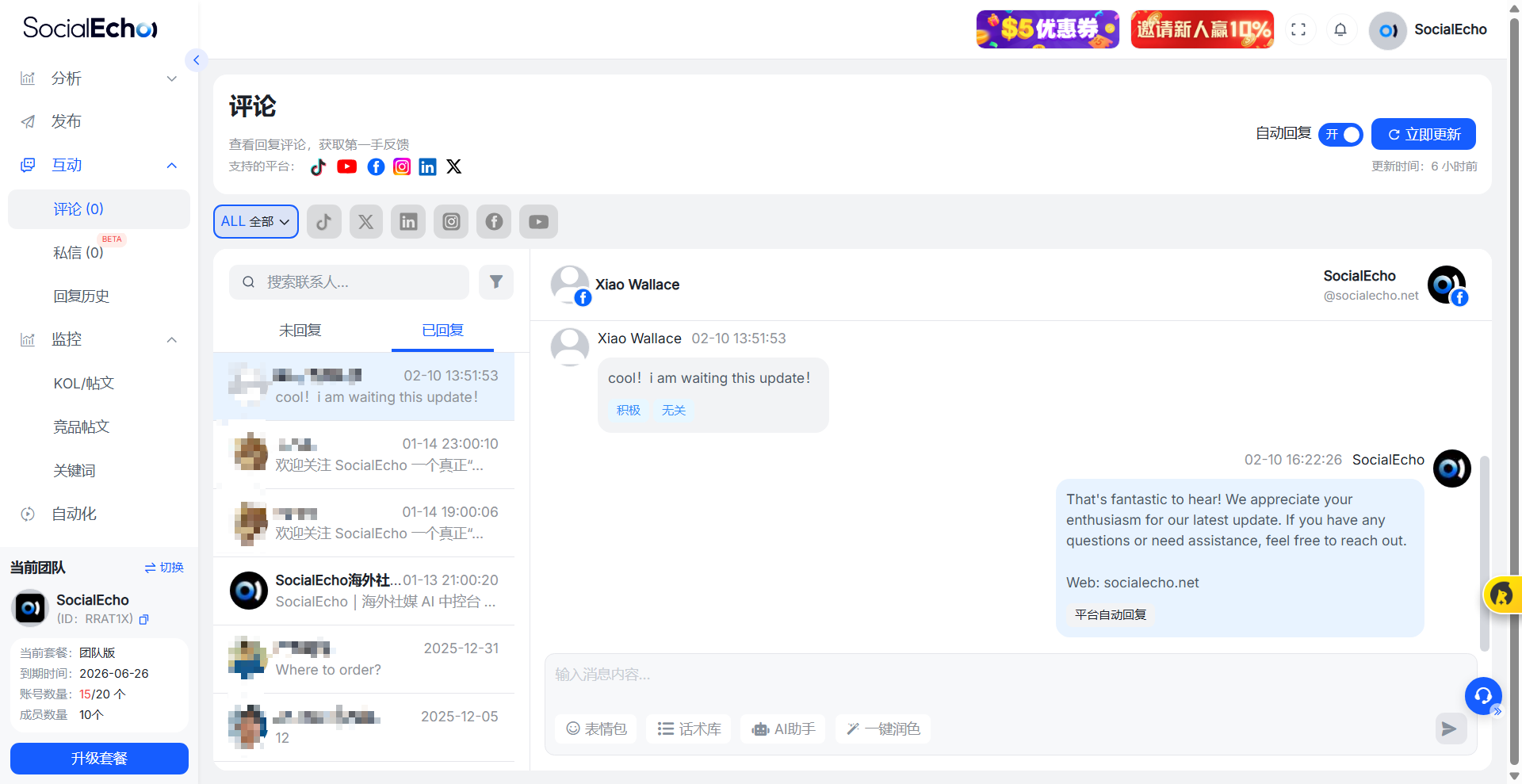
- Instructions : Open the SocialEcho aggregated message center and clear all comments and private messages that you haven't replied to in the past week.
- Key point : Don't just send emojis; write more. Frequent, high-quality private message replies tell the algorithm that there's a real person behind this account, and that users enjoy communicating with you. This kind of social feedback is the fastest way to lift traffic restrictions.
3. Reduce noise in the posting rhythm
Many people get anxious after their traffic is restricted, and end up posting even more, which the algorithm sees as a marketing account struggling to survive.
- Method : Use SocialEcho 's scheduled publishing system to rearrange your content.
- Solution : Reduce the proportion of marketing posts with links to below 30%, and use the remaining 70% to post informative or purely interactive articles and images. Use SocialEcho to set up staggered posting times so that your content feed looks like normal social interaction, rather than a barrage of messages.
4. Real-time health check: Using data analysis to identify inflection points
You can't truly fix it if you don't know why you're being throttled.
- Method : Check the SocialEcho data monitoring dashboard every day, focusing on comparing organic reach and fan growth.
- Value : If you find that your traffic has dropped to one-fifth of its usual level, immediately enter a quiet period, focusing only on interaction and avoiding hard-sell ads. SocialEcho 's trend chart can help you accurately pinpoint the date when traffic was throttled, allowing you to review what prohibited content was posted that day and avoid it in the future.
III. Some honest thoughts on Facebook's traffic throttling
- Q1: How can I tell if I'm being throttled or if the content itself is just bad?
- A1: It's simple. Find a secondary account that isn't following this page and search for that obscure tag in the post. If you can't find it in the latest search results, then your content is truly being throttled; if you can find it but nobody is looking at it, then nobody is interested in your content, and you should change your material.
- Q2: I heard that changing your username or the linked email address can bypass the rate throttling?
- A2: This is a workaround. The logic is to force the system to re-index your account by modifying sensitive information. You can try it, but you must use a stable SocialEcho management environment. Otherwise, if you log in under an unstable network right after modifying the information, the rate throttling will only get worse.
- Q3: Can I use Reels to break the deadlock during the traffic restriction period?
- A3: Reels' traffic pool and regular posts are separate, which is indeed a great way to break the ice. But remember, videos published using SocialEcho must be fine-tuned (such as color correction or flipping), and not directly copied, otherwise they will be severely penalized by the plagiarism detection system.
- Q4: Why is my account reach rate less than 1%?
- A4: Organic traffic was already shrinking in 2026. If you don't reply to private messages for a long time, this percentage will only go lower. By utilizing SocialEcho 's aggregated message interaction and maintaining a response rate above 90%, your organic traffic will gradually recover.
- Q5: Will using automation increase the rate limiting?
- A5: It depends on how you use it. If you set up a 0-second trigger, monotonous auto-response, it will definitely fail. In SocialEcho 's automation module, it is recommended to set a random delay of at least 30 seconds and prepare multiple templates to rotate.
- Q6: How long does it usually take for the traffic restriction to be restored?
- A6: Mild cases take about 7 days, severe cases take 14 to 30 days. During this time, maintain active real-person social interaction using SocialEcho , and absolutely avoid sending spam links, otherwise your account's ranking may be permanently damaged.
IV. Summary
In 2026, when it comes to making a living on Facebook, stability is always more important than speed. Don't always think about using brute force to generate accounts and gamble on probability; that's a game from the last century.
By leveraging SocialEcho 's stable account management, efficient aggregated interactions, and data dashboard alerts, you've essentially built a basic "anti-ban system." Traffic throttling is essentially the platform reminding you: Hey, it's time to stop and focus on serving your users. Listen to it, and traffic will naturally return.
;}.cls-2{fill:%230868f7;}.cls-3{fill:url(%23未命名的渐变_44);}.cls-4{fill:%23333;}%3c/style%3e%3clinearGradient%20id='未命名的渐变_8'%20x1='33.73'%20y1='100.61'%20x2='-0.03'%20y2='-1.06'%20gradientUnits='userSpaceOnUse'%3e%3cstop%20offset='0'%20stop-color='%237ae9fb'/%3e%3cstop%20offset='0.67'%20stop-color='%232b90f8'/%3e%3cstop%20offset='1'%20stop-color='%230868f7'/%3e%3c/linearGradient%3e%3clinearGradient%20id='未命名的渐变_44'%20x1='27.86'%20y1='18.67'%20x2='68.36'%20y2='22.22'%20gradientUnits='userSpaceOnUse'%3e%3cstop%20offset='0'%20stop-color='%235ac7f2'/%3e%3cstop%20offset='1'%20stop-color='%230868f7'/%3e%3c/linearGradient%3e%3c/defs%3e%3cpath%20class='cls-1'%20d='M29,28.74V81.91l-9.51-3.68v0L8.52,74A7.17,7.17,0,0,1,4,67.32V24.54A3.76,3.76,0,0,1,9.08,21Z'/%3e%3cpath%20class='cls-2'%20d='M68.09,78.07a13.15,13.15,0,0,1-17.9,12.06L29,81.91h0V28.74L50.19,37A13.17,13.17,0,0,0,68.08,25.3h0Z'/%3e%3cpath%20class='cls-3'%20d='M68.08,25.3a13.19,13.19,0,0,1-6.73,10.87A13.09,13.09,0,0,1,50.19,37L29,28.74V6A3.76,3.76,0,0,1,34.1,2.52l25.59,9.91A13.22,13.22,0,0,1,68.08,25.3Z'/%3e%3cpath%20class='cls-4'%20d='M129.06,81.76a4.33,4.33,0,0,1-3.19-1.31,4.4,4.4,0,0,1-1.31-3.24V56.86H97.65V77.21a4.36,4.36,0,0,1-1.35,3.2A4.68,4.68,0,0,1,93,81.76a4.32,4.32,0,0,1-3.19-1.31,4.37,4.37,0,0,1-1.32-3.24V27.27A4.58,4.58,0,0,1,89.83,24a4.59,4.59,0,0,1,7.82,3.27V48.15h26.91V27.27A4.58,4.58,0,0,1,125.91,24a4.59,4.59,0,0,1,7.82,3.27V77.21a4.37,4.37,0,0,1-1.36,3.2A4.65,4.65,0,0,1,129.06,81.76Z'/%3e%3cpath%20class='cls-4'%20d='M163.77,81.66c-6.57,0-11.76-1.92-15.44-5.7s-5.54-9.07-5.54-15.74a26.76,26.76,0,0,1,2.09-10.43,17.72,17.72,0,0,1,6.67-8.06,19.15,19.15,0,0,1,10.68-2.95,19,19,0,0,1,10.46,2.8,18.7,18.7,0,0,1,6.55,7.36,22.53,22.53,0,0,1,2.36,10.28A4.51,4.51,0,0,1,177,63.77H152.23a10.8,10.8,0,0,0,3.49,6.65c2,1.68,4.88,2.52,8.66,2.52a22.25,22.25,0,0,0,7.54-1.21c.74-.3,1.55-.67,2.37-1.07a3.75,3.75,0,0,1,1.84-.4,4.09,4.09,0,0,1,3,1.15,4,4,0,0,1,1.12,3,4.38,4.38,0,0,1-2.58,3.82,32.34,32.34,0,0,1-6.36,2.61A28.67,28.67,0,0,1,163.77,81.66ZM172.4,55.9a9.72,9.72,0,0,0-1.63-4.56A9.9,9.9,0,0,0,167,48a10.38,10.38,0,0,0-4.64-1.14,12,12,0,0,0-4.77,1.06,9.54,9.54,0,0,0-4.89,5.66,11.78,11.78,0,0,0-.51,2.3Z'/%3e%3cpath%20class='cls-4'%20d='M193,81.64a4.49,4.49,0,0,1-4.51-4.55V27.28A4.58,4.58,0,0,1,189.84,24a4.48,4.48,0,0,1,3.28-1.36A4.36,4.36,0,0,1,196.35,24a4.46,4.46,0,0,1,1.31,3.31V77.09a4.34,4.34,0,0,1-1.35,3.2A4.67,4.67,0,0,1,193,81.64Z'/%3e%3cpath%20class='cls-4'%20d='M263.79,81.71a5.7,5.7,0,0,1-4.2-1.74,5.76,5.76,0,0,1-1.73-4.19V27.37a4.58,4.58,0,0,1,1.35-3.27A4.59,4.59,0,0,1,267,27.37V72.53h24a4.58,4.58,0,0,1,3.27,7.82A4.66,4.66,0,0,1,291,81.71Z'/%3e%3cpath%20class='cls-4'%20d='M424.48,81.74a4.71,4.71,0,0,1-2.71-.88,5.43,5.43,0,0,1-1-1l-.07-.09-12.41-17-5.41,5v9.44a4.31,4.31,0,0,1-1.36,3.19,4.66,4.66,0,0,1-3.3,1.36A4.29,4.29,0,0,1,395,80.42a4.36,4.36,0,0,1-1.32-3.23V27.37A4.58,4.58,0,0,1,395,24.1a4.52,4.52,0,0,1,6.58.12,4.54,4.54,0,0,1,1.24,3.15V56.31l17.72-16.38.05,0a4.8,4.8,0,0,1,2.94-1.11,4.4,4.4,0,0,1,3.27,1.2,4.57,4.57,0,0,1,1.2,3.27,4.44,4.44,0,0,1-.77,2.33,7.45,7.45,0,0,1-1.43,1.65l-11,9.64,13.34,17.68a5,5,0,0,1,1,2.71,4.12,4.12,0,0,1-1.36,3.24A4.64,4.64,0,0,1,424.48,81.74Z'/%3e%3cpath%20class='cls-4'%20d='M317.93,81.76a21.5,21.5,0,1,1,21.17-21.5A21.37,21.37,0,0,1,317.93,81.76Zm0-34.1a12.61,12.61,0,1,0,12.42,12.6A12.52,12.52,0,0,0,317.93,47.66Z'/%3e%3cpath%20class='cls-4'%20d='M212.18,101.22a4.12,4.12,0,0,1-3.05-1.26,4.17,4.17,0,0,1-1.26-3.1V43.34a4.37,4.37,0,0,1,1.3-3.14,4.26,4.26,0,0,1,3.13-1.3,4.19,4.19,0,0,1,3.1,1.26,4.32,4.32,0,0,1,1.26,3.16,20.77,20.77,0,0,1,13-4.54,21.51,21.51,0,0,1,0,43,20.51,20.51,0,0,1-13-4.57V96.86a4.15,4.15,0,0,1-1.3,3.06A4.5,4.5,0,0,1,212.18,101.22Zm17.43-53.63c-6.23,0-12.93,4.11-12.93,12.72a12.73,12.73,0,0,0,25.46,0A12.71,12.71,0,0,0,229.61,47.59Z'/%3e%3cpath%20class='cls-4'%20d='M365.76,81.76a21.5,21.5,0,1,1,21.18-21.5A21.37,21.37,0,0,1,365.76,81.76Zm0-34.1a12.61,12.61,0,1,0,12.42,12.6A12.52,12.52,0,0,0,365.76,47.66Z'/%3e%3c/svg%3e)