
Stop searching for tools everywhere: A list of 15 truly useful free tools for social media operators, from topic selection to replying to messages.
The most tiring time in social media operations isn't necessarily when you can't create content.
What's truly frustrating is often another kind of drain: you're jotting down ideas in Notion in the morning, switching to Canva to create images at noon, editing videos at CapCut in the afternoon, checking ad creatives in the Meta backend in the evening, and then checking messages on Instagram, TikTok, and Telegram at night. It seems like you've accomplished a lot in a day, but your mind is constantly juggling a dozen tabs, unable to close them or find peace.
Many operations professionals think they lack "stronger tools," only to later realize that what they really lack is a user-friendly workflow.
Having too many tools won't make you faster. Only when the tools are arranged precisely to fit your work process will you feel that your day is finally less chaotic.
Therefore, this article is not intended to be a "50 Tools Guide." Those kinds of articles seem interesting at first glance, but you might bookmark them and rarely open them again. Instead, we'll take a more down-to-earth approach: we'll walk through the day of a real social media operator, from planning, graphic design, video production, publishing, advertising, and replying to messages, to see which free tools can truly help you get things done smoothly.
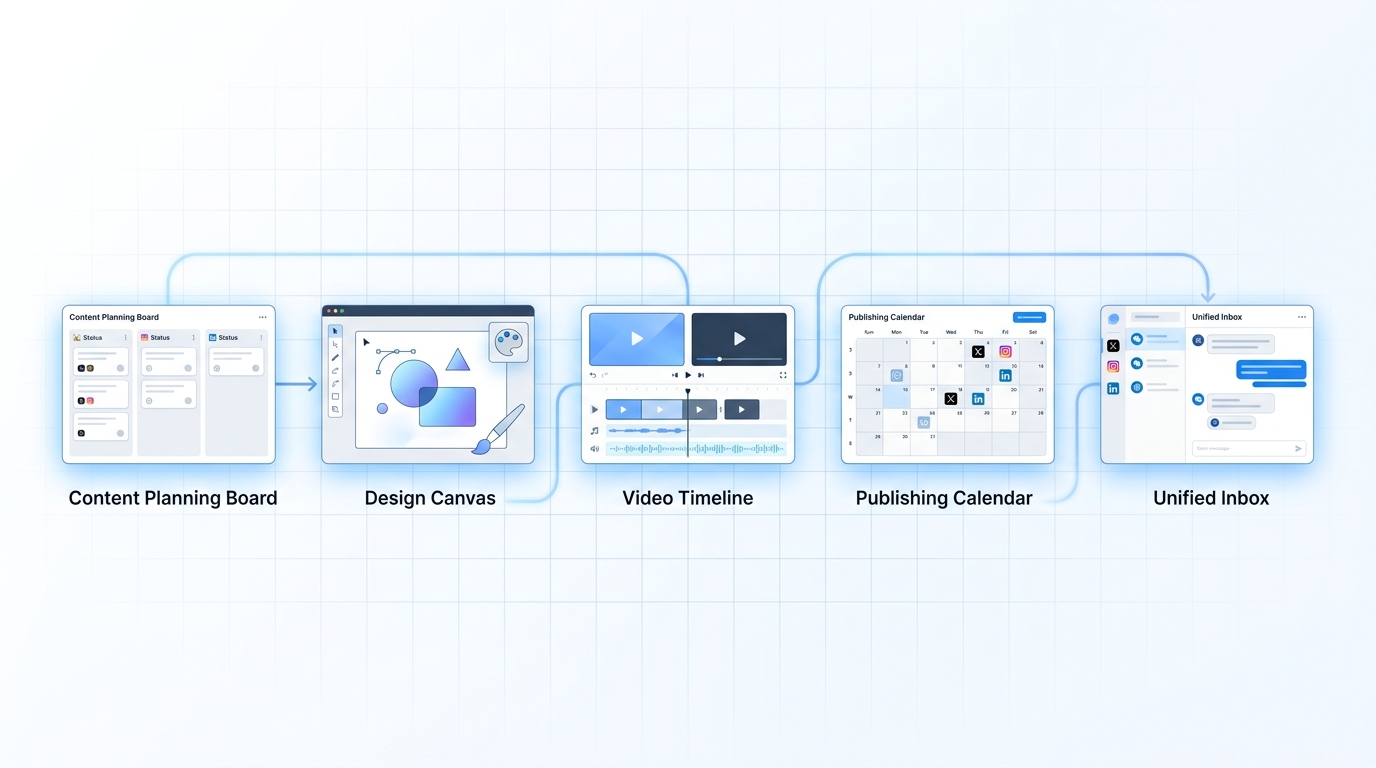
A day's social media activity often begins with deciding "what to post today."
Most fatigue doesn't begin with execution, but with hesitation.
You stare at a blank document, a few vague directions in your mind: a trending topic to capitalize on, old content to revive, a product update worth publishing. But which one to do first? Text and images or video? Which platform to submit it to? If you don't have a fixed entry point for your planning, this indecision will repeat itself every day.
At this step, I would suggest that you separate "inspiration" from "execution".
Notion
Notion is suitable for creating content pools, topic libraries, calendars, and collaborative notes. Its value lies not in its "advanced" features, but in the fact that you can finally put all those fragmented ideas in one place: questions popping up in user comments, what competitors are talking about lately, directions thrown at you by your boss, and topics that performed well last week.
Google Trends
Many topics aren't "unthinkable," but rather "you think people care, but nobody actually searches for them." Google Trends is great for checking keyword popularity before you actually start creating content, identifying which topics are trending and which are only considered important internally by the team.
Comments section, customer service records and private messages
Some operations staff are obsessed with "inspiration tools," but frankly, many good content topics aren't in those tools, but in the users' own words. Comment sections, private messages, customer service chat logs, and frequently asked sales questions are often more useful than large, general topic libraries. Write what users ask; the content will naturally be closer to their real needs.
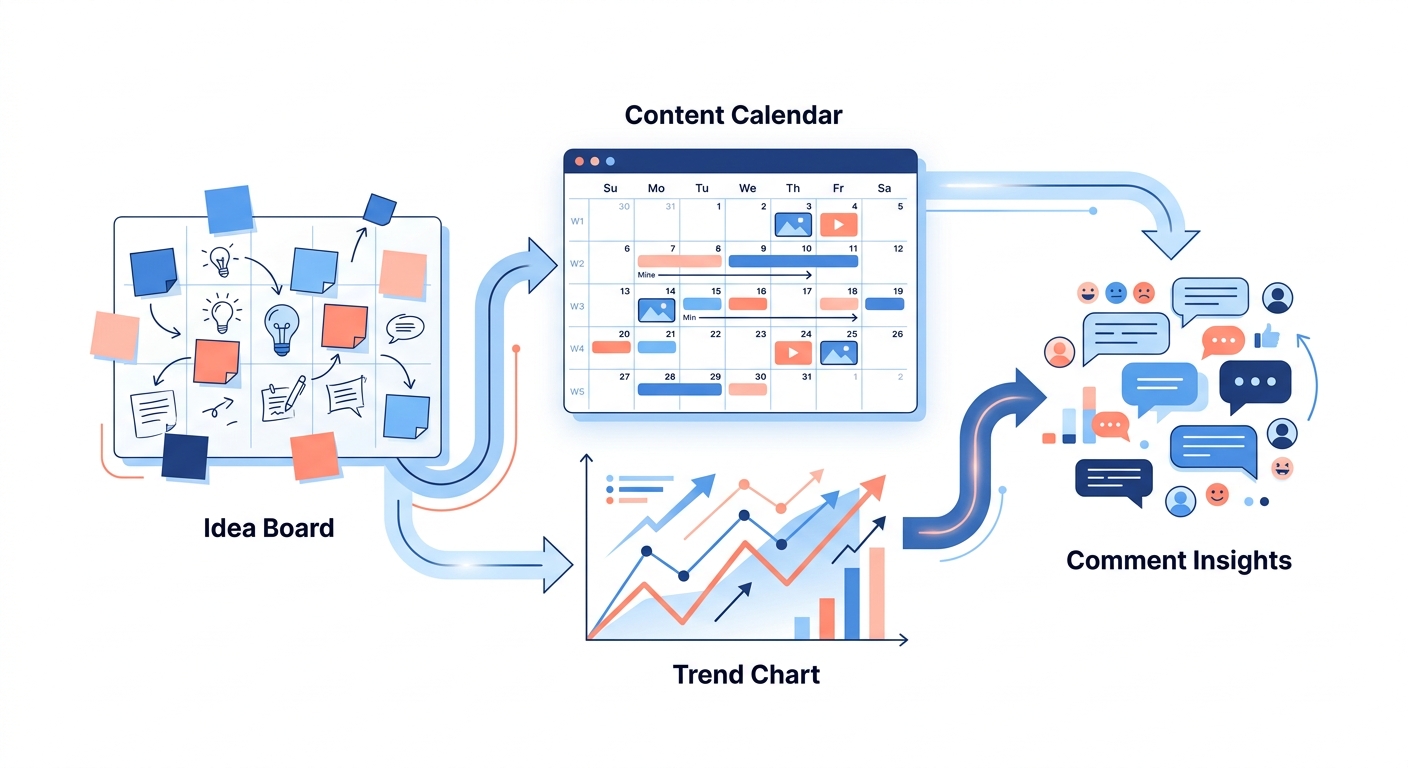
When people actually start creating content, the first step for many is not writing copy, but finding images.
Social media operations are very pragmatic. Often, whether a piece of content can continue depends not on the quality of the copywriting, but on getting the cover, layout, and visual style right first. Many teams can spend half a day just figuring out "how to make this image."
Canva
If you asked me which free tool is most like "public infrastructure for the operations department," Canva would definitely be near the top. It's perfect for creating cover images, carousels, posters, advertisements, event previews, and even simple demo images. Its biggest advantage isn't the sheer number of templates, but rather that it allows even those without design skills to quickly set up a visual.
Figma
If someone on your team has higher requirements for visual consistency, Figma is a better fit for "standardization" than Canva. For brand colors, components, cover modules, and event page materials, if you plan to build content assets long-term, Figma will be more stable. Canva is more about speed, Figma is more about stability.
Remove.bg
In graphic design, what often wears people down isn't the big design work, but rather the small, minor tasks, like background removal. If you frequently create product images, portraits, or stickers, tools like Remove.bg can be very stress-free. It doesn't solve creative problems, but it reduces the unnecessary waste of time that often results in spending half an hour working on something as simple as a small element.
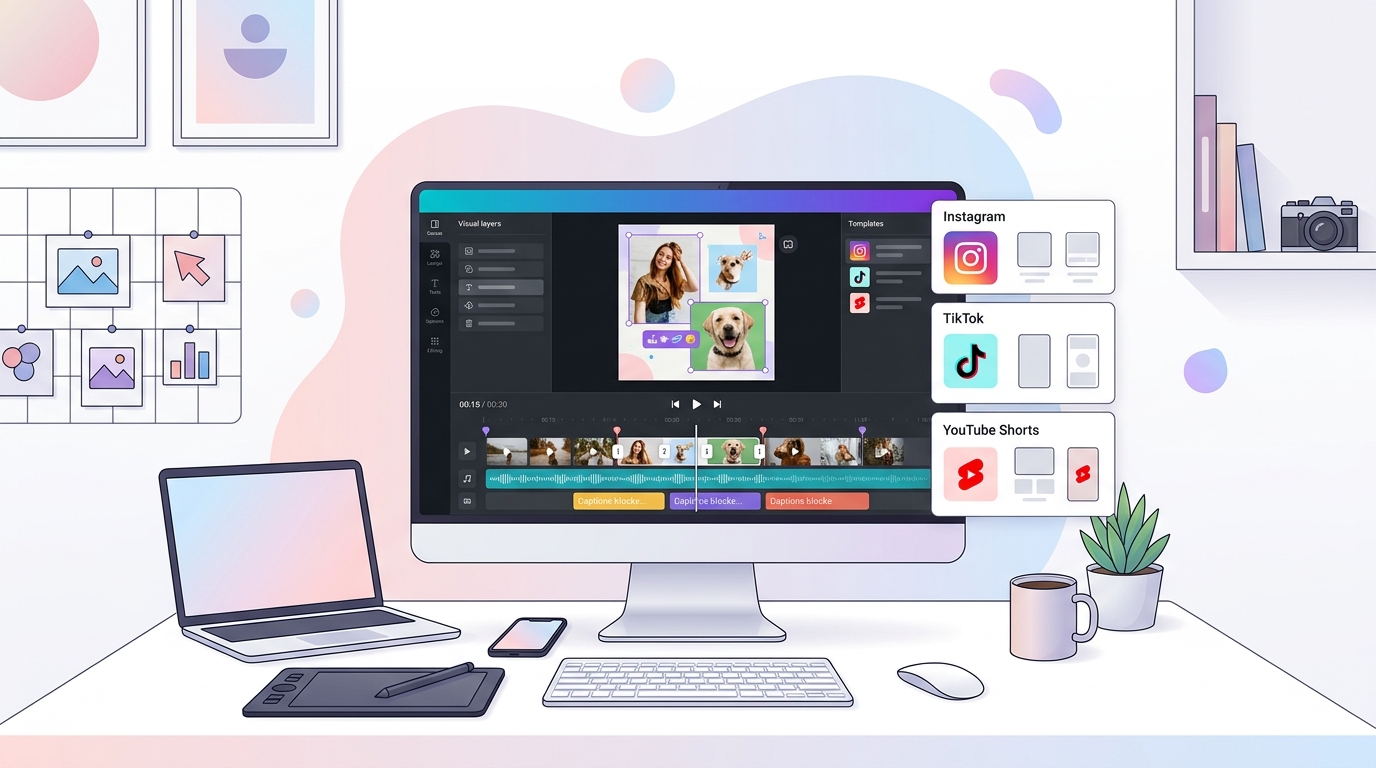
With social media content becoming increasingly video-based, video editing is no longer about "knowing how," but rather "being able to edit quickly."
One of the most obvious changes in social media in recent years is that video is no longer a bonus, but increasingly a basic requirement. You don't necessarily have to post long videos every day, but short videos, audio clips, product demonstrations, event highlights, and comment responses are all content that can hardly avoid video.
CapCut
The biggest advantage of CapCut for operations teams is its low barrier to entry and fast production speed. Many common tasks, such as adding subtitles, transitions, templates, music, aspect ratio adjustments, and basic effects, can be completed relatively quickly. You don't need to become a professional post-production editor to edit a short video.
DaVinci Resolve
If your video content starts to move towards a more complete brand expression, such as interviews, case studies, product demos, or series, then DaVinci Resolve would be a better fit. It has a higher learning curve than CapCut, but once the content becomes more complex, even the free version is quite powerful.
VEED / Descript
Some videos aren't difficult to edit, but rather to revise the script, create subtitles, and quickly generate multiple versions. These tools are better suited for lightweight processing, such as shortening long videos, quickly adjusting subtitles, and performing simple text-driven editing. If you frequently need to create different versions for different platforms, they will save you a lot of time.
After the content is finished, the next step is often not to send it out, but how not to send it out in a mess.
Many teams don't fail to create content; they simply publish it haphazardly. Some people change images at the last minute, some forget to revise the text, and some manually copy the same content to multiple platforms. In the end, they either miss posting, have conflicting posting times, or simply don't have time to check the data after posting.
Meta Business Suite
If your primary focus is on Facebook and Instagram, Meta Business Suite remains a natural free starting point. It can handle some of the tasks, such as posting, basic scheduling, and viewing performance data. For teams with a limited number of accounts and a concentrated platform presence, it's suitable for establishing a basic habit of "stopping posting manually on the fly."
SocialEcho
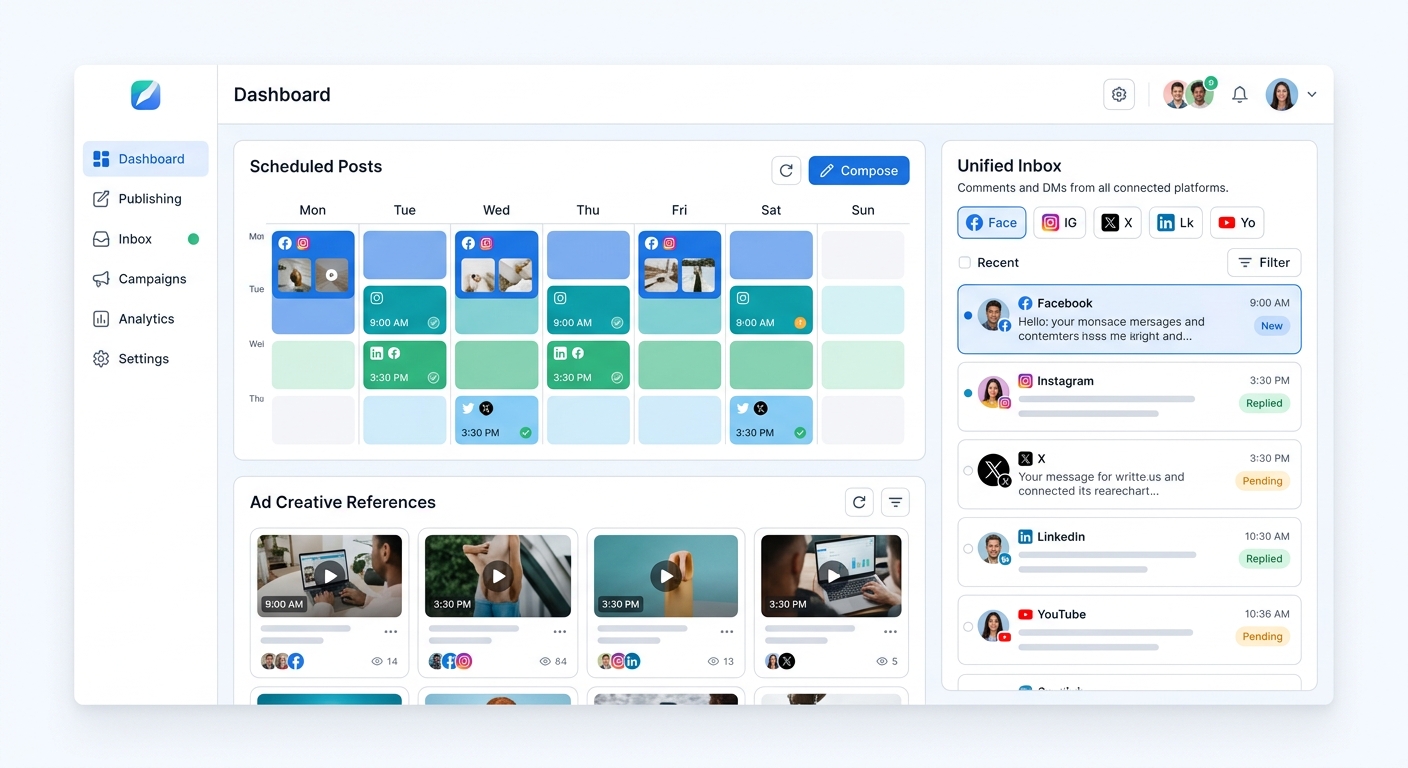
However, once your work starts to move towards "multi-platform, multi-account, multi-person collaboration", the problem will soon be more than "whether it can be published", but rather: who will publish it, which platforms to publish it on, whether the copy and materials need to be modified for different platforms, who is responsible for checking if the schedules clash, and where to check the data after publishing.
The fatigue of many operations staff doesn't actually stem from the content itself, but rather from the lack of follow-up actions. At this stage, capabilities like scheduled publishing become truly valuable—not for appearing more professional, but to gradually transform publishing from a manual process into a managed workflow.
In advertising, the biggest waste of money isn't making the wrong choice, but rather the disconnect between the advertising materials and the actual decision-making process.
After working in social media operations for a while, you'll find that advertising and content are inseparable. The organic content you post influences the evaluation of ad creatives, and the data from ad performance, in turn, affects content selection. Many teams' problem isn't a lack of ad campaigns, but rather that the content team and the ad campaign team operate independently, leading to increasingly fragmented creative evaluation.
Meta Ads Library
If you're involved in brand globalization, cross-border e-commerce, or app growth, the Meta Ads Library is a free tool well worth using long-term. Not because it directly provides the "answers," but because it allows you to see how others are actually presenting their products, creating visuals, and taking angles in the real market.
TikTok Creative Center
For those creating short video ads or content-driven e-commerce, the TikTok Creative Center is definitely worth checking out. Trending materials, creative inspiration, and popular expressions can help you avoid creating content in isolation. You don't have to copy everything exactly, but at least you'll understand where the platform's language has evolved to.
Google Drive / Airtable
They may sound ordinary, but they are particularly useful in advertising collaboration. Without a unified container for elements like creative versions, campaign notes, test results, landing page links, and debriefing records, teams will quickly fall back into a chaotic cycle of "who modified this version?" and "which creative performed best last week?"
Finally, what usually wears down an operations manager is not posting content, but replying to messages.
This is a reality that almost everyone who works on social media will encounter: posting content is easily regarded as the "main task," but what really keeps interrupting your attention are comments, private messages, inquiries, negative feedback, repetitive questions, and those messages that should be dealt with in a timely manner but are always scattered across different platforms.
Platform native inbox
If you don't have many accounts right now, getting familiar with the native backends of each platform is actually the most practical free solution. Many teams don't need anything too complicated at the beginning; they just need to establish basic habits: which questions need to be answered on the same day, which questions can be templated, and which negative feedback must be escalated.
Google Sheets
Don't underestimate the power of spreadsheets. For many small teams, Google Sheets remain the lowest-cost way to manage frequently asked questions, customer service scripts, and FAQ categorizations. It's not sexy, but it can quickly reduce clutter.
SocialEcho
When comments and private messages begin to spread across multiple platforms, the real scarcity for operations staff isn't the ability to reply, but rather the ability to "not miss" anything. At this stage, gradually integrating interactions into interaction management will be smoother; if you're already overwhelmed by repetitive questions, using some AI automation to divert high-frequency responses will give your staff a chance to escape the constant firefighting.
The true value of free tools lies not in accumulating more and more, but in using them more effectively and efficiently.
If you are currently working alone or in a small team, I would recommend starting with this lighter path:
Use Notion and Google Trends for planning, Canva for graphic design, CapCut for video editing, Meta Ads Library and TikTok Creative Center for ad inspiration, and native backend and Google Sheets for message management. Once you've mastered this approach, you'll be able to solve most daily operational problems.
When you start to notice several signs—more accounts, more platforms, more collaboration, messages starting to slip, and debriefing becoming increasingly fragmented—tools like SocialEcho will naturally enter your workflow. Not because it's "bigger," but because you finally need a place to truly connect posting, interaction, and follow-up actions.
The truly good tool isn't the one that seems the most powerful at first glance, but rather the one that, after a long day, helps you avoid chaos, omissions, and repetitions.
FAQ
Are more free social media management tools always better?
No. The more tools you have, the higher the switching costs. For operations, what's truly valuable is having a handy tool at every step, not having three backups for every step.
Is it necessary for a small team to use a full platform from the start?
Not necessarily. If you only manage one or two accounts, many native backends and free tools are sufficient. Only when the complexity of the platform, accounts, and collaboration increases significantly should you consider incorporating publishing and interaction into a more comprehensive workflow.
Do I have to choose between Canva and Figma?
No need. Canva is better suited for quick image generation, while Figma is better suited for long-term development of visual standards. Many teams first use Canva to test speed, and then use Figma to refine the standards.
Which video editing tool should I learn first?
If the goal is to get the film out as quickly as possible, use CapCut first; if the content becomes more complex and requires more comprehensive editing capabilities, then consider DaVinci Resolve.
CTA
If you're currently relying on multiple backends and spreadsheets, don't rush to replace all your tools. A more practical approach is to first get used to the lightweight tools you already have, and then gradually streamline the process in the areas where publishing and interaction are most prone to chaos.
;}.cls-2{fill:%230868f7;}.cls-3{fill:url(%23未命名的渐变_44);}.cls-4{fill:%23333;}%3c/style%3e%3clinearGradient%20id='未命名的渐变_8'%20x1='33.73'%20y1='100.61'%20x2='-0.03'%20y2='-1.06'%20gradientUnits='userSpaceOnUse'%3e%3cstop%20offset='0'%20stop-color='%237ae9fb'/%3e%3cstop%20offset='0.67'%20stop-color='%232b90f8'/%3e%3cstop%20offset='1'%20stop-color='%230868f7'/%3e%3c/linearGradient%3e%3clinearGradient%20id='未命名的渐变_44'%20x1='27.86'%20y1='18.67'%20x2='68.36'%20y2='22.22'%20gradientUnits='userSpaceOnUse'%3e%3cstop%20offset='0'%20stop-color='%235ac7f2'/%3e%3cstop%20offset='1'%20stop-color='%230868f7'/%3e%3c/linearGradient%3e%3c/defs%3e%3cpath%20class='cls-1'%20d='M29,28.74V81.91l-9.51-3.68v0L8.52,74A7.17,7.17,0,0,1,4,67.32V24.54A3.76,3.76,0,0,1,9.08,21Z'/%3e%3cpath%20class='cls-2'%20d='M68.09,78.07a13.15,13.15,0,0,1-17.9,12.06L29,81.91h0V28.74L50.19,37A13.17,13.17,0,0,0,68.08,25.3h0Z'/%3e%3cpath%20class='cls-3'%20d='M68.08,25.3a13.19,13.19,0,0,1-6.73,10.87A13.09,13.09,0,0,1,50.19,37L29,28.74V6A3.76,3.76,0,0,1,34.1,2.52l25.59,9.91A13.22,13.22,0,0,1,68.08,25.3Z'/%3e%3cpath%20class='cls-4'%20d='M129.06,81.76a4.33,4.33,0,0,1-3.19-1.31,4.4,4.4,0,0,1-1.31-3.24V56.86H97.65V77.21a4.36,4.36,0,0,1-1.35,3.2A4.68,4.68,0,0,1,93,81.76a4.32,4.32,0,0,1-3.19-1.31,4.37,4.37,0,0,1-1.32-3.24V27.27A4.58,4.58,0,0,1,89.83,24a4.59,4.59,0,0,1,7.82,3.27V48.15h26.91V27.27A4.58,4.58,0,0,1,125.91,24a4.59,4.59,0,0,1,7.82,3.27V77.21a4.37,4.37,0,0,1-1.36,3.2A4.65,4.65,0,0,1,129.06,81.76Z'/%3e%3cpath%20class='cls-4'%20d='M163.77,81.66c-6.57,0-11.76-1.92-15.44-5.7s-5.54-9.07-5.54-15.74a26.76,26.76,0,0,1,2.09-10.43,17.72,17.72,0,0,1,6.67-8.06,19.15,19.15,0,0,1,10.68-2.95,19,19,0,0,1,10.46,2.8,18.7,18.7,0,0,1,6.55,7.36,22.53,22.53,0,0,1,2.36,10.28A4.51,4.51,0,0,1,177,63.77H152.23a10.8,10.8,0,0,0,3.49,6.65c2,1.68,4.88,2.52,8.66,2.52a22.25,22.25,0,0,0,7.54-1.21c.74-.3,1.55-.67,2.37-1.07a3.75,3.75,0,0,1,1.84-.4,4.09,4.09,0,0,1,3,1.15,4,4,0,0,1,1.12,3,4.38,4.38,0,0,1-2.58,3.82,32.34,32.34,0,0,1-6.36,2.61A28.67,28.67,0,0,1,163.77,81.66ZM172.4,55.9a9.72,9.72,0,0,0-1.63-4.56A9.9,9.9,0,0,0,167,48a10.38,10.38,0,0,0-4.64-1.14,12,12,0,0,0-4.77,1.06,9.54,9.54,0,0,0-4.89,5.66,11.78,11.78,0,0,0-.51,2.3Z'/%3e%3cpath%20class='cls-4'%20d='M193,81.64a4.49,4.49,0,0,1-4.51-4.55V27.28A4.58,4.58,0,0,1,189.84,24a4.48,4.48,0,0,1,3.28-1.36A4.36,4.36,0,0,1,196.35,24a4.46,4.46,0,0,1,1.31,3.31V77.09a4.34,4.34,0,0,1-1.35,3.2A4.67,4.67,0,0,1,193,81.64Z'/%3e%3cpath%20class='cls-4'%20d='M263.79,81.71a5.7,5.7,0,0,1-4.2-1.74,5.76,5.76,0,0,1-1.73-4.19V27.37a4.58,4.58,0,0,1,1.35-3.27A4.59,4.59,0,0,1,267,27.37V72.53h24a4.58,4.58,0,0,1,3.27,7.82A4.66,4.66,0,0,1,291,81.71Z'/%3e%3cpath%20class='cls-4'%20d='M424.48,81.74a4.71,4.71,0,0,1-2.71-.88,5.43,5.43,0,0,1-1-1l-.07-.09-12.41-17-5.41,5v9.44a4.31,4.31,0,0,1-1.36,3.19,4.66,4.66,0,0,1-3.3,1.36A4.29,4.29,0,0,1,395,80.42a4.36,4.36,0,0,1-1.32-3.23V27.37A4.58,4.58,0,0,1,395,24.1a4.52,4.52,0,0,1,6.58.12,4.54,4.54,0,0,1,1.24,3.15V56.31l17.72-16.38.05,0a4.8,4.8,0,0,1,2.94-1.11,4.4,4.4,0,0,1,3.27,1.2,4.57,4.57,0,0,1,1.2,3.27,4.44,4.44,0,0,1-.77,2.33,7.45,7.45,0,0,1-1.43,1.65l-11,9.64,13.34,17.68a5,5,0,0,1,1,2.71,4.12,4.12,0,0,1-1.36,3.24A4.64,4.64,0,0,1,424.48,81.74Z'/%3e%3cpath%20class='cls-4'%20d='M317.93,81.76a21.5,21.5,0,1,1,21.17-21.5A21.37,21.37,0,0,1,317.93,81.76Zm0-34.1a12.61,12.61,0,1,0,12.42,12.6A12.52,12.52,0,0,0,317.93,47.66Z'/%3e%3cpath%20class='cls-4'%20d='M212.18,101.22a4.12,4.12,0,0,1-3.05-1.26,4.17,4.17,0,0,1-1.26-3.1V43.34a4.37,4.37,0,0,1,1.3-3.14,4.26,4.26,0,0,1,3.13-1.3,4.19,4.19,0,0,1,3.1,1.26,4.32,4.32,0,0,1,1.26,3.16,20.77,20.77,0,0,1,13-4.54,21.51,21.51,0,0,1,0,43,20.51,20.51,0,0,1-13-4.57V96.86a4.15,4.15,0,0,1-1.3,3.06A4.5,4.5,0,0,1,212.18,101.22Zm17.43-53.63c-6.23,0-12.93,4.11-12.93,12.72a12.73,12.73,0,0,0,25.46,0A12.71,12.71,0,0,0,229.61,47.59Z'/%3e%3cpath%20class='cls-4'%20d='M365.76,81.76a21.5,21.5,0,1,1,21.18-21.5A21.37,21.37,0,0,1,365.76,81.76Zm0-34.1a12.61,12.61,0,1,0,12.42,12.6A12.52,12.52,0,0,0,365.76,47.66Z'/%3e%3c/svg%3e)