
How to automate social media? From post scheduling to engagement automation to AI agent orchestration.
Author: Fang Zhe | Focusing on social media automation and team efficiency
During the same major sales week, the back-end systems of the three overseas teams looked completely different. The brand operations team was constantly switching between five platforms, manually posting a single post five times, taking screenshots and saving them to a shared spreadsheet to verify that all posts had been sent. The account management agency used scheduling tools, scheduling posts a week in advance, but still relied on manual monitoring of comments and private messages. The e-commerce team 's customer service back-end was equipped with automated reply rules, providing instant responses to frequently asked questions, only transferring to human agents for returns, exchanges, and complaints; some work orders even triggered automated processes to update inventory reminders. All three teams were working on "social media automation," but on completely different levels.
This is also a common misconception about social media automation: that it's a simple switch, requiring either full human intervention or complete machine management of accounts. A more realistic approach is that social media automation isn't an all-or-nothing choice, but rather a step-by-step progression—from manual execution to automated posting, to automated interaction, and then to orchestrating cross-system processes with AI agents. Each level addresses different problems and carries different risks; skipping levels or remaining stagnant will both come at a cost.
Determining where the team is currently positioned and where it should go next is more meaningful than blindly pursuing "fully automated" systems. The following quick overview chart can be used as a map of the entire document.
A quick overview of the four levels of social media automation maturity.
| level | Typical state | What can be automated? | Main risks |
|---|---|---|---|
| Level 0: Fully Manual | Manually posting on each platform, manually monitoring comments and private messages, and compiling data using screenshots. | It can hardly be automated; the tools are just Notepad and spreadsheets. | High labor costs, slow response time, and difficulty in keeping up with cross-platform development. |
| Level 1: Deployment Automation | Content can be scheduled in advance, published on a fixed time, and distributed to multiple accounts with one click. | Release time, cross-platform distribution, rewriting of basic content | Content copied from various platforms, ignoring platform differences, and treating scheduling as a matter of "just publish and be done with it." |
| Level 2: Interactive Automation | Rules trigger automatic responses; frequently asked questions receive instant replies; complex questions are forwarded to human review. | High-frequency repetitive questions, preliminary identification of emotions and intentions, and work order triage. | Incomplete rule coverage leading to misjudgments and lack of human intervention can trigger public relations risks. |
| Level 3: Orchestration Automation | AI Agent connects multiple systems via APIs, triggering cross-platform and cross-departmental workflows. | The integration of content, interaction, and business systems, such as automatic inventory updates and cross-team work order workflows. | The complex arrangement logic and the wide-ranging impact of errors necessitate the retention of manual review and rollback mechanisms. |
This table is not meant to prove which level is "better," but rather to help the team understand their current position before deciding whether the next step is worth investing in.
Level 0 — Fully Manual
What is this level like?
The team lacked scheduling tools, forcing operations staff to manually log into various platform accounts daily, copying and pasting text, uploading materials, and setting posting times. Comments and private messages were all manually checked by refreshing the page, and data reports were pieced together from screenshots and manual statistics. This situation is common in newly established overseas teams or small teams with a limited number of accounts, and it's not inherently a problem. The issue arises when the number of accounts and platforms increases linearly or even exponentially.
What can be automated?
Strictly speaking, Level 0 is hardly automated. The tools used by the team are often just notepads, calendar reminders, and shared spreadsheets, which serve more as a way to "prevent omissions" than to "reduce actions".
Risks and Boundaries
The more concerning cost of fully manual operations isn't a single mistake, but rather the ongoing hidden costs: the operational staff's energy is consumed by a large amount of repetitive work, while content planning and community atmosphere maintenance, which truly require human judgment, are squeezed out. When releasing content simultaneously across platforms, relying on manual timekeeping often leads to errors in time zone conversion and omissions of certain platform accounts.
How to advance to the next level
Moving from Level 0 to Level 1 doesn't require completely overhauling the entire workflow. A more pragmatic approach is to first establish a content calendar rhythm, clearly defining the weekly posting frequency and time windows on each platform. Lightweight tools like posting frequency planners can be used initially to establish the rhythm before gradually introducing actual scheduling tools.
Level 1 — Deployment Automation
What is this level like?
Content is planned in advance and scheduled for release using tools. A single edit can be distributed to multiple accounts. The role of operations staff changes from "manual copy-pasting workers" to "content schedulers," delegating repetitive publishing tasks to the system and freeing up their time to focus on content quality and topic selection.
What can be automated?
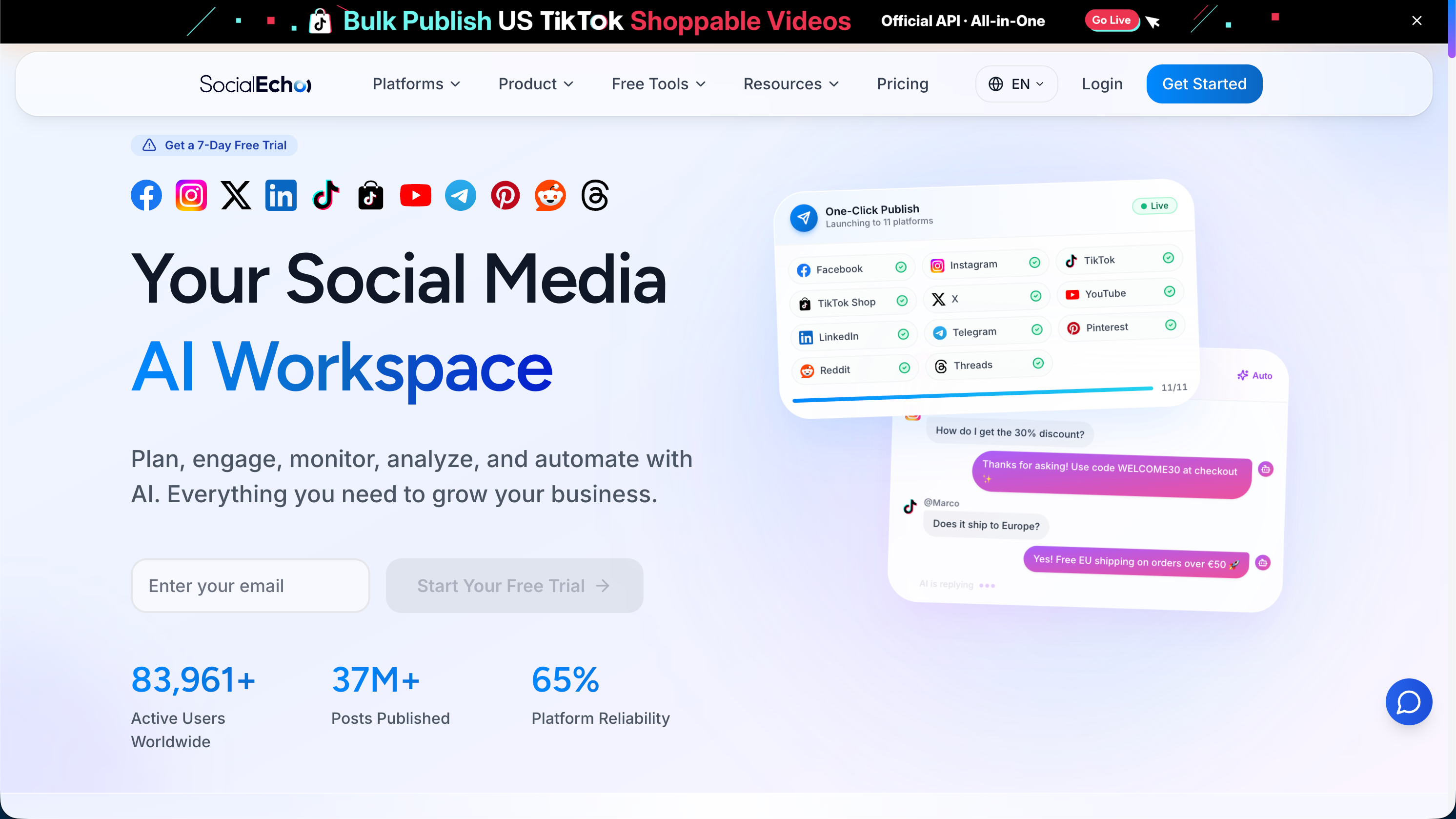
This level of automation allows for stable release timing and cross-account distribution. For example, content can be pre-set, and the system can automatically release it to multiple platform accounts such as TikTok , Instagram , Facebook , and X at the scheduled time. Combined with content publishing tools, teams can perform batch scheduling, timed releases, and one-click multi-account distribution, eliminating the need for manual operation on each platform individually. At the content level, rewriting master content for platform differences can also be partially automated. For instance, cross-platform content adaptation tools can be used to adjust the same material to versions suitable for different platform word counts and styles, or AI-powered creative capabilities can be leveraged to extend a single sentence into different formats such as images, short videos, and text.
Risks and Boundaries
A common pitfall in automated posting is treating scheduling as a content strategy. Many teams use scheduling tools to stabilize their posting rhythm, but the content itself remains the same across five platforms, failing to consider the completely different short video context of TikTok and the timeline context of other platforms. Another common problem is lazy use of automated rewriting tools, directly copying without secondary checking, which easily leads to issues like exceeding platform word limits and mismatched hashtags. Instead of relying entirely on the system, it's better to use automated rewriting tools to generate an initial draft and then do a round of manual polishing.
How to advance to the next level
Automated posting addresses the efficiency issue of "posting out," but the interaction volume in the comments section and private messages often increases simultaneously. If this part is still monitored manually, the team will soon feel that posting is easier, but interaction is more tiring. When this signal appears, it is time to evaluate Level 2 interaction automation.
Level 2 — Interactive Automation
What is this level like?
Comments and private messages have begun to receive rule-triggered automatic replies: frequently asked questions and keyword matching scenarios are handled by the system first, while complex or emotionally sensitive conversations are transferred to human staff. The team's interaction response speed will be significantly improved, especially in scenarios involving cross-time zone operations, a large number of accounts, and a large volume of comments, where it is difficult for humans to monitor 24/7. Rules and automatic replies can make up for this time difference.
What can be automated?
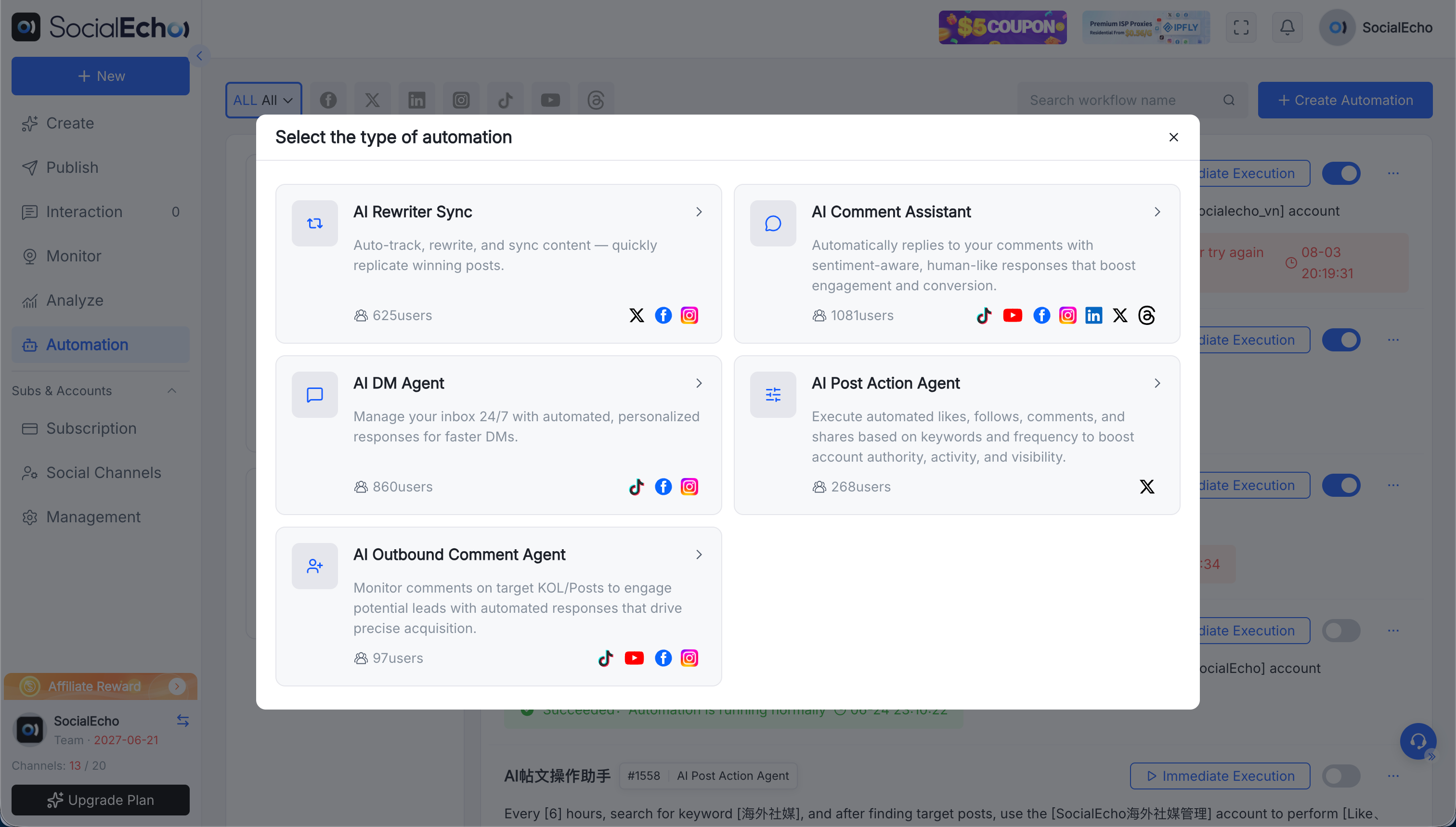
Frequently asked questions—such as price inquiries, shipping times, and account usage issues—can be handled by rules and automated replies. This can be combined with interactive management capabilities to create a unified inbox, aggregating comments and private messages from multiple platforms in one place. Furthermore, preliminary identification of sentiment and intent can be applied, prioritizing conversations that "look like complaints" or "contain negative emotions." Tools like automated replies can be used to test the performance of rules and scripts in real-world scenarios, allowing for decisions on whether to integrate a more comprehensive automation system. The key to this layer of automation is "rules + automated replies + human review," not "completely replacing human intervention."
Risks and Boundaries
Rules can never cover all scenarios. When encountering expressions outside the rules, automated responses that are incorrect or inappropriate can easily be screenshotted and amplified in public comment sections, especially concerning sensitive topics like pricing, after-sales disputes, and account security. The boundary of automated interaction isn't "whether or not to use rules," but rather "whether someone can handle situations outside the rules." While automated interaction lacking human review may seem to save manpower in the short term, it carries higher long-term risks.
Level 3 — Orchestration Automation
What is this level like?
The scope of automation extends from publishing or interacting on a single platform to orchestrating workflows across systems and departments. A typical scenario is that AI agents connect social media data and business systems via APIs. For example, a comment about out-of-stock items triggers an inventory alert, a high-intent private message automatically generates a sales lead and synchronizes it to the CRM, and an anomaly in public opinion triggers a cross-team notification process. This level is no longer "automation of a single platform," but rather "social media data-driven business automation."
What can be automated?
Leveraging AI Agent capabilities, teams can connect content, interaction, and business systems. By integrating with orchestration tools like n8n, Zapier, and Dify, previously scattered decision-making logic across different backends can be transformed into a traceable, automated process. For example, if a comment is identified as having high purchase intent, a work order is automatically triggered and added to the sales follow-up queue; if a keyword monitoring detects abnormal public opinion, the corresponding brand or public relations manager is automatically notified. The value of this layer goes beyond simply saving manpower; it allows signals scattered across various platforms to be delivered to the appropriate personnel more quickly.
Risks and Boundaries
The more systems involved in orchestration automation, the greater the impact of any flaws in the logic design. For example, inaccurate trigger conditions might cause the system to "answer" dialogues that shouldn't be automatically processed, or cause business systems to receive incorrect signals. This level especially needs to retain a human review process and a rollback mechanism. Any automatically triggered action should be log-trackable and verifiable, rather than allowing the agent to continuously make decisions without supervision.
From automated scheduling to rules-based automatic replies and manual review, and then to using AI Agent APIs to connect orchestration tools and link cross-system processes, these steps can actually be gradually unlocked within the same backend. SocialEcho covers this very scope: batch scheduling and publishing across multiple platforms, interactive management with a unified inbox and emotion intent recognition, automated capabilities with rules and automatic replies, and open APIs for AI Agents. Teams don't need to switch systems just to climb one level.
Which processes should never be fully automated?
Regardless of the team's level, it's advisable to retain manual intervention for certain processes rather than relying entirely on the system:
- Customer complaints involving refunds, compensation, or legal disputes require manual assessment of the specific circumstances before a response can be given.
- The first response to a major public opinion crisis or negative event for a brand requires careful consideration of wording and timing.
- Avoid making promises regarding pricing and promotional efforts, and prevent automated replies from providing answers that exceed the user's actual authority.
- Communication involving account security (such as suspected account theft or abnormal login alerts) requires manual identity verification;
- For key nodes in orchestration automation that trigger cross-system actions (such as automatic order placement and automatic refunds), it is recommended to set up a manual confirmation step rather than fully automating the execution.
This list does not mean that automation is unreliable, but rather that the value of automation lies in entrusting repetitive, high-frequency, and low-risk tasks to the system, while leaving the tasks requiring judgment and accountability to humans.
FAQ
Will social media automation lead to account throttling or being flagged as abnormal by the platform? The results vary depending on the account's foundation, content quality, industry, and execution method, making it difficult to generalize. A relatively safe approach is to automate posting and interaction through the platform's official APIs or authorized channels, rather than using non-compliant methods such as simulated logins or script-based click fraud, while also avoiding high-frequency repetition of the same content within a short period.
Is it necessary for small and medium-sized teams to jump directly to Level 3? Not necessarily. If the team has a small number of accounts and doesn't have a strong need for cross-system collaboration, staying at Level 1 or Level 2 is a reasonable choice. Orchestration automation solves the collaboration problems caused by complexity. For teams with relatively simple accounts and processes, the return on investment may not be worthwhile.
Will automated replies make interactions feel impersonal? That depends on the rule design and the usage scenario. Using automated replies for factual, repetitive questions (such as business hours and delivery cycles), combined with human review of complex or emotional conversations, is usually a more balanced approach than relying entirely on human or entirely on automated replies.
For agencies managing multiple client accounts, which level should they start with? Agencies typically have a large number of accounts and diverse client needs, so starting with Level 1 automated posting is quite common. This first improves the efficiency of cross-account scheduling and distribution, and then, based on the interaction volume of different clients, they can decide whether to introduce Level 2 rules and automated replies.
What if an AI Agent is orchestrated incorrectly? This is precisely why Level 3 requires the retention of manual review and rollback mechanisms. Before deploying the orchestration process, it is recommended to test it in a small-scale scenario first. Triggering conditions and execution actions should be logged, so that if an anomaly is found, it can be quickly located to pinpoint which rule in which step has a problem.
What level are you in now?
Instead of agonizing over "whether or not to automate social media," take a few minutes to assess your team's current state: If posting is still done manually on each platform and comments and private messages are manually refreshed, you're likely at Level 0; if scheduling tools are in use but the comment section is still purely manually monitored, you're at Level 1, and interaction automation is the next direction worth evaluating; if rules and automated replies are already running, and complex issues are handled by human review, you've reached Level 2, and you can observe whether there's a real need for cross-system collaboration within your team before considering moving to Level 3; if you're already using AI agents to orchestrate cross-system processes, the focus isn't on further increasing automation, but on continuously checking whether the triggering logic is adequately covered and whether the human review process has been bypassed.
Different team sizes, number of accounts, and business complexities determine the appropriate level of automation. There's no need to skip a level that's sufficient for your team just to pursue a "higher level." Social media automation itself also has its limits. It's recommended to retain manual review and a fallback mechanism for any level of automation, especially in scenarios involving customer complaints, public opinion, and account security. The effectiveness will also vary depending on the account's foundation, content quality, industry, and execution method.
;}.cls-2{fill:%230868f7;}.cls-3{fill:url(%23未命名的渐变_44);}.cls-4{fill:%23333;}%3c/style%3e%3clinearGradient%20id='未命名的渐变_8'%20x1='33.73'%20y1='100.61'%20x2='-0.03'%20y2='-1.06'%20gradientUnits='userSpaceOnUse'%3e%3cstop%20offset='0'%20stop-color='%237ae9fb'/%3e%3cstop%20offset='0.67'%20stop-color='%232b90f8'/%3e%3cstop%20offset='1'%20stop-color='%230868f7'/%3e%3c/linearGradient%3e%3clinearGradient%20id='未命名的渐变_44'%20x1='27.86'%20y1='18.67'%20x2='68.36'%20y2='22.22'%20gradientUnits='userSpaceOnUse'%3e%3cstop%20offset='0'%20stop-color='%235ac7f2'/%3e%3cstop%20offset='1'%20stop-color='%230868f7'/%3e%3c/linearGradient%3e%3c/defs%3e%3cpath%20class='cls-1'%20d='M29,28.74V81.91l-9.51-3.68v0L8.52,74A7.17,7.17,0,0,1,4,67.32V24.54A3.76,3.76,0,0,1,9.08,21Z'/%3e%3cpath%20class='cls-2'%20d='M68.09,78.07a13.15,13.15,0,0,1-17.9,12.06L29,81.91h0V28.74L50.19,37A13.17,13.17,0,0,0,68.08,25.3h0Z'/%3e%3cpath%20class='cls-3'%20d='M68.08,25.3a13.19,13.19,0,0,1-6.73,10.87A13.09,13.09,0,0,1,50.19,37L29,28.74V6A3.76,3.76,0,0,1,34.1,2.52l25.59,9.91A13.22,13.22,0,0,1,68.08,25.3Z'/%3e%3cpath%20class='cls-4'%20d='M129.06,81.76a4.33,4.33,0,0,1-3.19-1.31,4.4,4.4,0,0,1-1.31-3.24V56.86H97.65V77.21a4.36,4.36,0,0,1-1.35,3.2A4.68,4.68,0,0,1,93,81.76a4.32,4.32,0,0,1-3.19-1.31,4.37,4.37,0,0,1-1.32-3.24V27.27A4.58,4.58,0,0,1,89.83,24a4.59,4.59,0,0,1,7.82,3.27V48.15h26.91V27.27A4.58,4.58,0,0,1,125.91,24a4.59,4.59,0,0,1,7.82,3.27V77.21a4.37,4.37,0,0,1-1.36,3.2A4.65,4.65,0,0,1,129.06,81.76Z'/%3e%3cpath%20class='cls-4'%20d='M163.77,81.66c-6.57,0-11.76-1.92-15.44-5.7s-5.54-9.07-5.54-15.74a26.76,26.76,0,0,1,2.09-10.43,17.72,17.72,0,0,1,6.67-8.06,19.15,19.15,0,0,1,10.68-2.95,19,19,0,0,1,10.46,2.8,18.7,18.7,0,0,1,6.55,7.36,22.53,22.53,0,0,1,2.36,10.28A4.51,4.51,0,0,1,177,63.77H152.23a10.8,10.8,0,0,0,3.49,6.65c2,1.68,4.88,2.52,8.66,2.52a22.25,22.25,0,0,0,7.54-1.21c.74-.3,1.55-.67,2.37-1.07a3.75,3.75,0,0,1,1.84-.4,4.09,4.09,0,0,1,3,1.15,4,4,0,0,1,1.12,3,4.38,4.38,0,0,1-2.58,3.82,32.34,32.34,0,0,1-6.36,2.61A28.67,28.67,0,0,1,163.77,81.66ZM172.4,55.9a9.72,9.72,0,0,0-1.63-4.56A9.9,9.9,0,0,0,167,48a10.38,10.38,0,0,0-4.64-1.14,12,12,0,0,0-4.77,1.06,9.54,9.54,0,0,0-4.89,5.66,11.78,11.78,0,0,0-.51,2.3Z'/%3e%3cpath%20class='cls-4'%20d='M193,81.64a4.49,4.49,0,0,1-4.51-4.55V27.28A4.58,4.58,0,0,1,189.84,24a4.48,4.48,0,0,1,3.28-1.36A4.36,4.36,0,0,1,196.35,24a4.46,4.46,0,0,1,1.31,3.31V77.09a4.34,4.34,0,0,1-1.35,3.2A4.67,4.67,0,0,1,193,81.64Z'/%3e%3cpath%20class='cls-4'%20d='M263.79,81.71a5.7,5.7,0,0,1-4.2-1.74,5.76,5.76,0,0,1-1.73-4.19V27.37a4.58,4.58,0,0,1,1.35-3.27A4.59,4.59,0,0,1,267,27.37V72.53h24a4.58,4.58,0,0,1,3.27,7.82A4.66,4.66,0,0,1,291,81.71Z'/%3e%3cpath%20class='cls-4'%20d='M424.48,81.74a4.71,4.71,0,0,1-2.71-.88,5.43,5.43,0,0,1-1-1l-.07-.09-12.41-17-5.41,5v9.44a4.31,4.31,0,0,1-1.36,3.19,4.66,4.66,0,0,1-3.3,1.36A4.29,4.29,0,0,1,395,80.42a4.36,4.36,0,0,1-1.32-3.23V27.37A4.58,4.58,0,0,1,395,24.1a4.52,4.52,0,0,1,6.58.12,4.54,4.54,0,0,1,1.24,3.15V56.31l17.72-16.38.05,0a4.8,4.8,0,0,1,2.94-1.11,4.4,4.4,0,0,1,3.27,1.2,4.57,4.57,0,0,1,1.2,3.27,4.44,4.44,0,0,1-.77,2.33,7.45,7.45,0,0,1-1.43,1.65l-11,9.64,13.34,17.68a5,5,0,0,1,1,2.71,4.12,4.12,0,0,1-1.36,3.24A4.64,4.64,0,0,1,424.48,81.74Z'/%3e%3cpath%20class='cls-4'%20d='M317.93,81.76a21.5,21.5,0,1,1,21.17-21.5A21.37,21.37,0,0,1,317.93,81.76Zm0-34.1a12.61,12.61,0,1,0,12.42,12.6A12.52,12.52,0,0,0,317.93,47.66Z'/%3e%3cpath%20class='cls-4'%20d='M212.18,101.22a4.12,4.12,0,0,1-3.05-1.26,4.17,4.17,0,0,1-1.26-3.1V43.34a4.37,4.37,0,0,1,1.3-3.14,4.26,4.26,0,0,1,3.13-1.3,4.19,4.19,0,0,1,3.1,1.26,4.32,4.32,0,0,1,1.26,3.16,20.77,20.77,0,0,1,13-4.54,21.51,21.51,0,0,1,0,43,20.51,20.51,0,0,1-13-4.57V96.86a4.15,4.15,0,0,1-1.3,3.06A4.5,4.5,0,0,1,212.18,101.22Zm17.43-53.63c-6.23,0-12.93,4.11-12.93,12.72a12.73,12.73,0,0,0,25.46,0A12.71,12.71,0,0,0,229.61,47.59Z'/%3e%3cpath%20class='cls-4'%20d='M365.76,81.76a21.5,21.5,0,1,1,21.18-21.5A21.37,21.37,0,0,1,365.76,81.76Zm0-34.1a12.61,12.61,0,1,0,12.42,12.6A12.52,12.52,0,0,0,365.76,47.66Z'/%3e%3c/svg%3e)