
SocialEcho Product Updates: AI Audio, Facebook CTAs, and TikTok Shop Links

Update highlights
- AI Audio now supports text-to-speech and voice cloning.
- Instagram posts can include an “AI-generated content” label.
- Facebook publishing now supports CTA buttons.
- Publishing history can be viewed by asset.
- Duplicate-asset reminders are added to publishing.
- TikTok Shop image-and-text commerce posts support multiple product links.
- Portuguese, Spanish, and Traditional Chinese are now available in the product interface.
1. AI Audio: text-to-speech and voice cloning
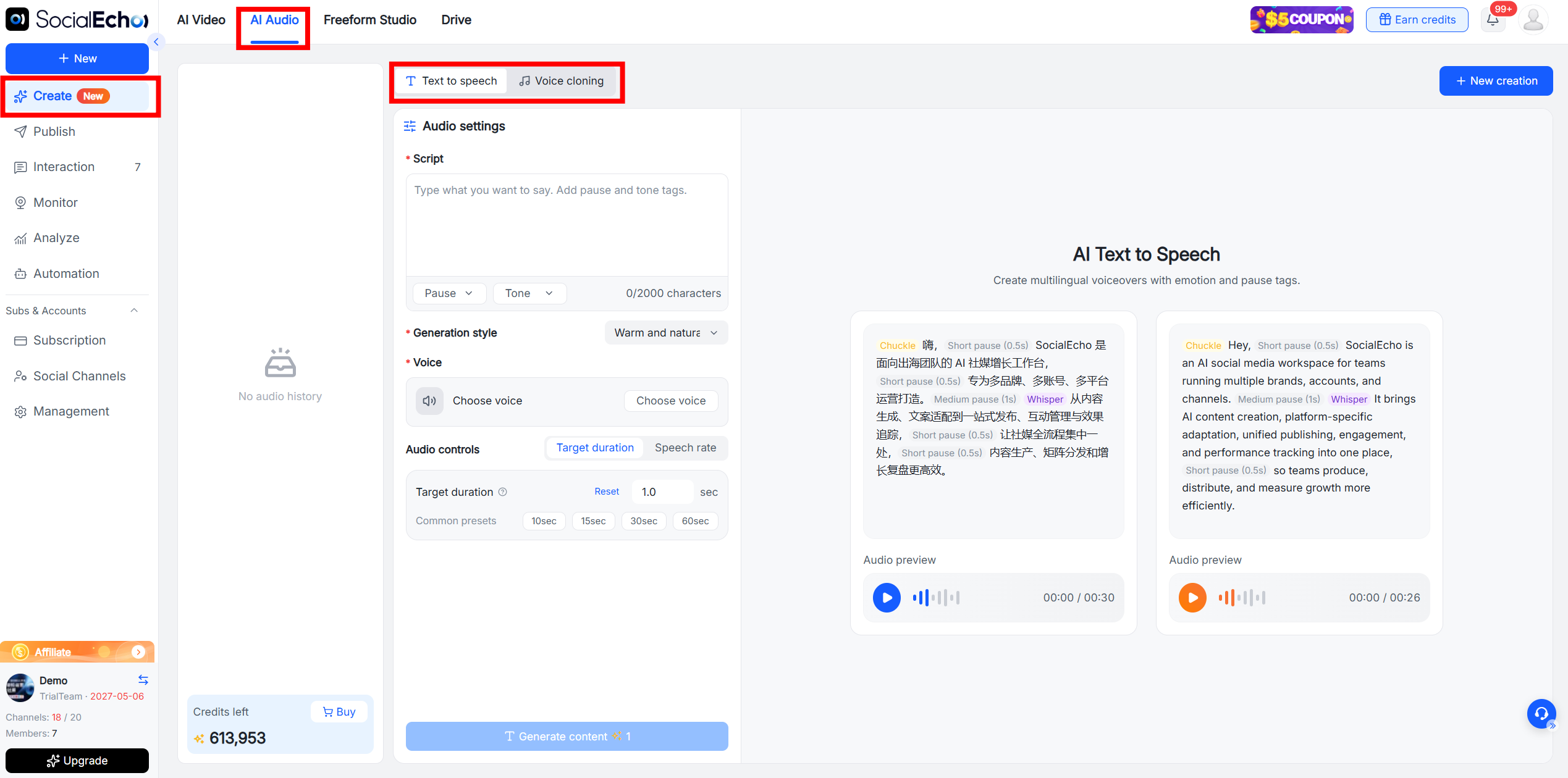
SocialEcho AI Creation now includes AI Audio, with text-to-speech and voice-cloning support.
Teams can turn prepared copy into voice audio or clone an authorized voice for short-video narration, product introductions, and content voiceovers.
How to access it
Select Create → AI Audio.
Use cases
- Short-video narration: Generate narration after the script is ready, then combine it with product footage or demonstrations.
- Series voiceovers: With the speaker's authorization, use a cloned voice to keep a series consistent across videos.
- Re-recording after copy changes: When product or campaign information changes, edit the text and generate new audio without arranging a full recording session again.
2. Instagram adds an “AI-generated content” label
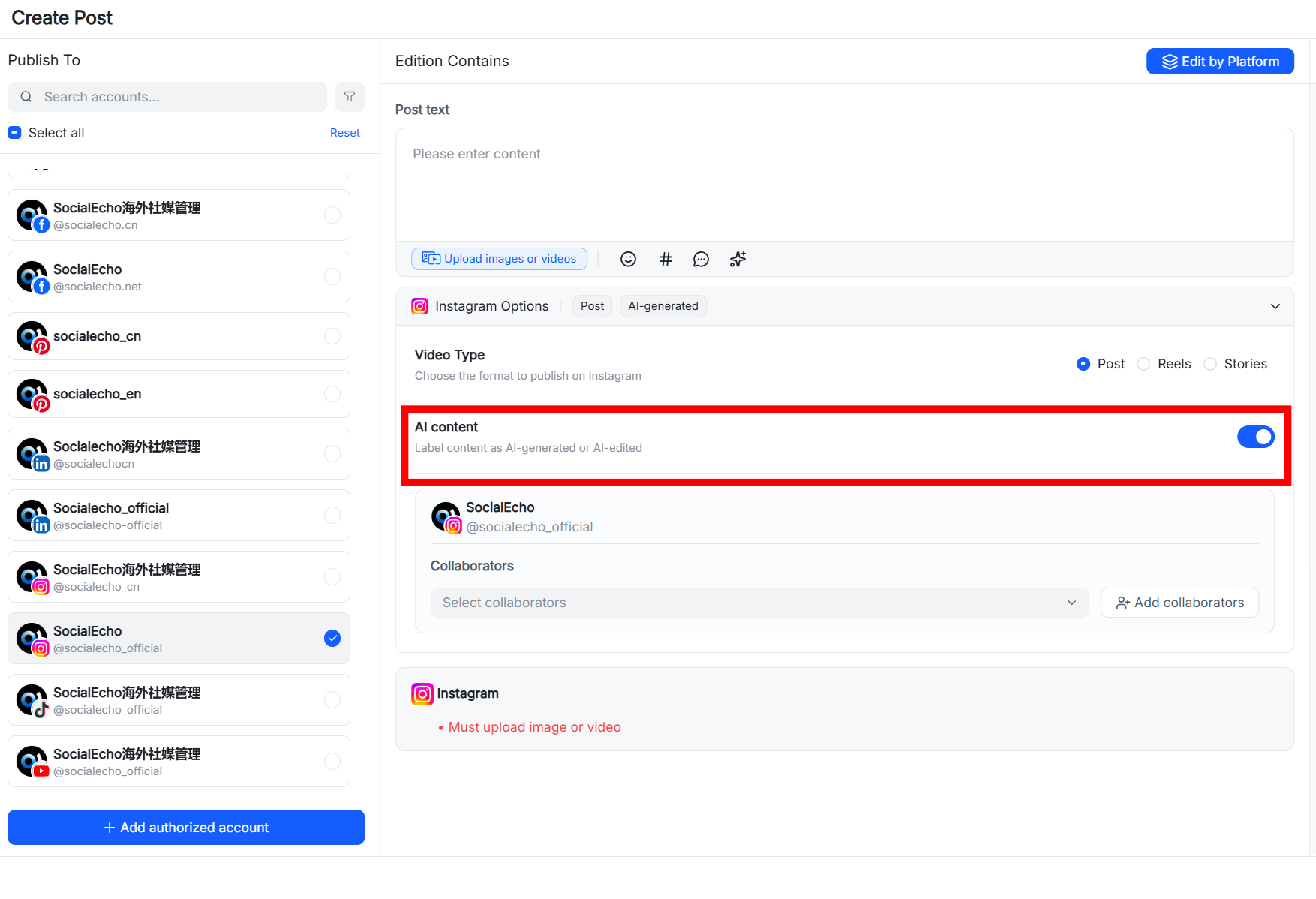
SocialEcho publishing for Instagram now includes an “AI-generated content” label setting.
For videos made with AI, operators can add the label during publishing to make the content's generation attributes clearer.
How to access it
Select Publish → Batch Publish or Create Post.
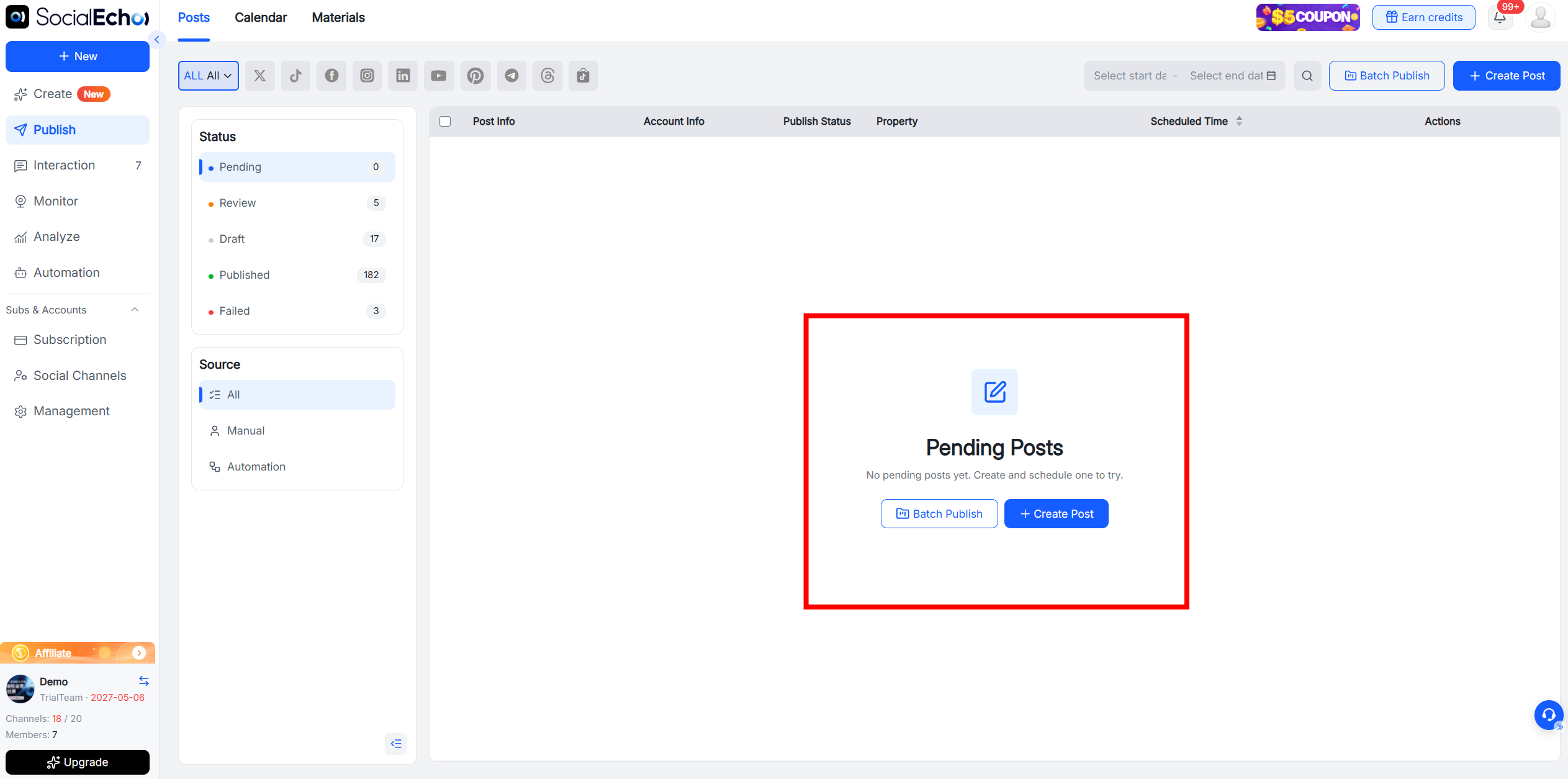
After selecting an Instagram account, turn on AI content in the options.
Use cases
- AI video publishing: Label AI-produced videos so their content attributes are clear.
- Multi-account management: Apply the corresponding label when the same AI video is distributed to several Instagram accounts.
- Pre-publication review: During review, confirm whether a video needs the label so the publishing information is complete.
3. Facebook: publish with CTA buttons
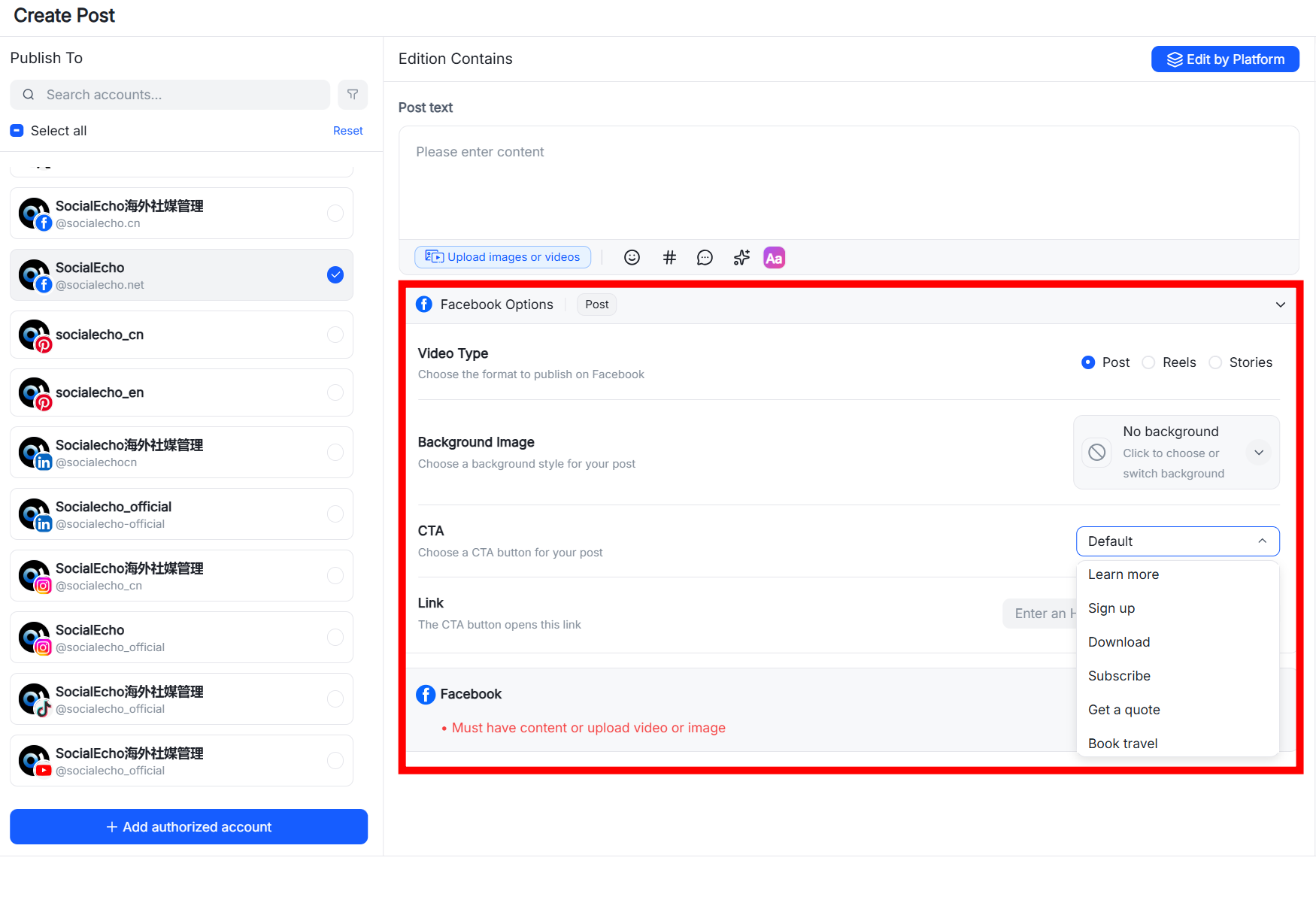
SocialEcho now supports Facebook posts with CTA buttons.
More than ten CTA options are available, including registration, download, subscription, getting a quote, and learning more. Choose the button that matches the content goal and gives people a clear next step.
How to access it
Select Publish → Batch Publish or Create Post.
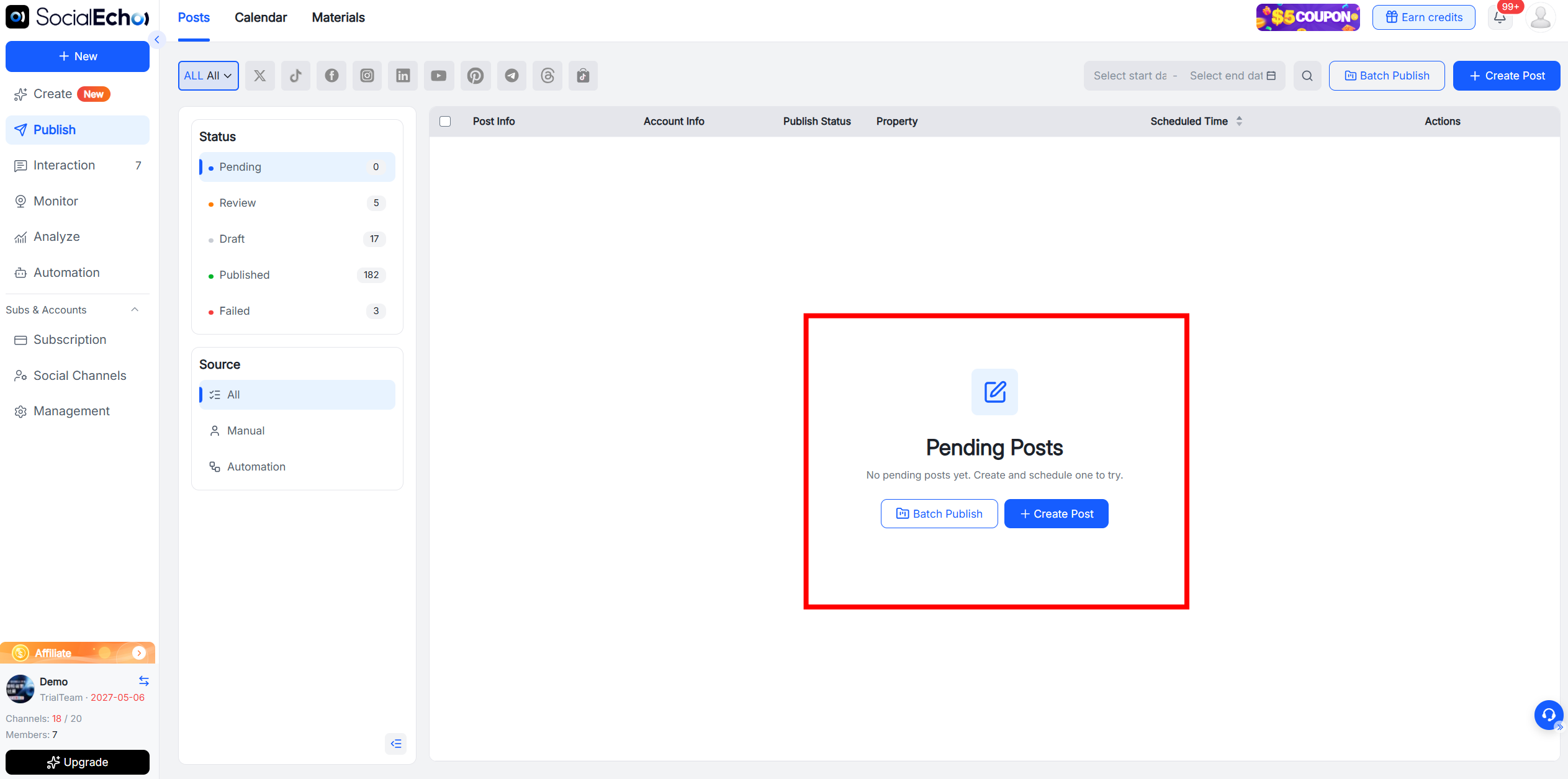
After selecting a Facebook account, turn on CTA buttons in Options.
Use cases
- Event registration: Use “Sign Up” for online events, livestreams, or exhibitions.
- App and resource downloads: Use “Download” for an app, report, or other resource.
- Lead collection: Add “Get Quote” to service or customized-solution posts.
- Product information: Use “Learn More” when a product announcement or case needs a detail page.
4. Publishing history by asset
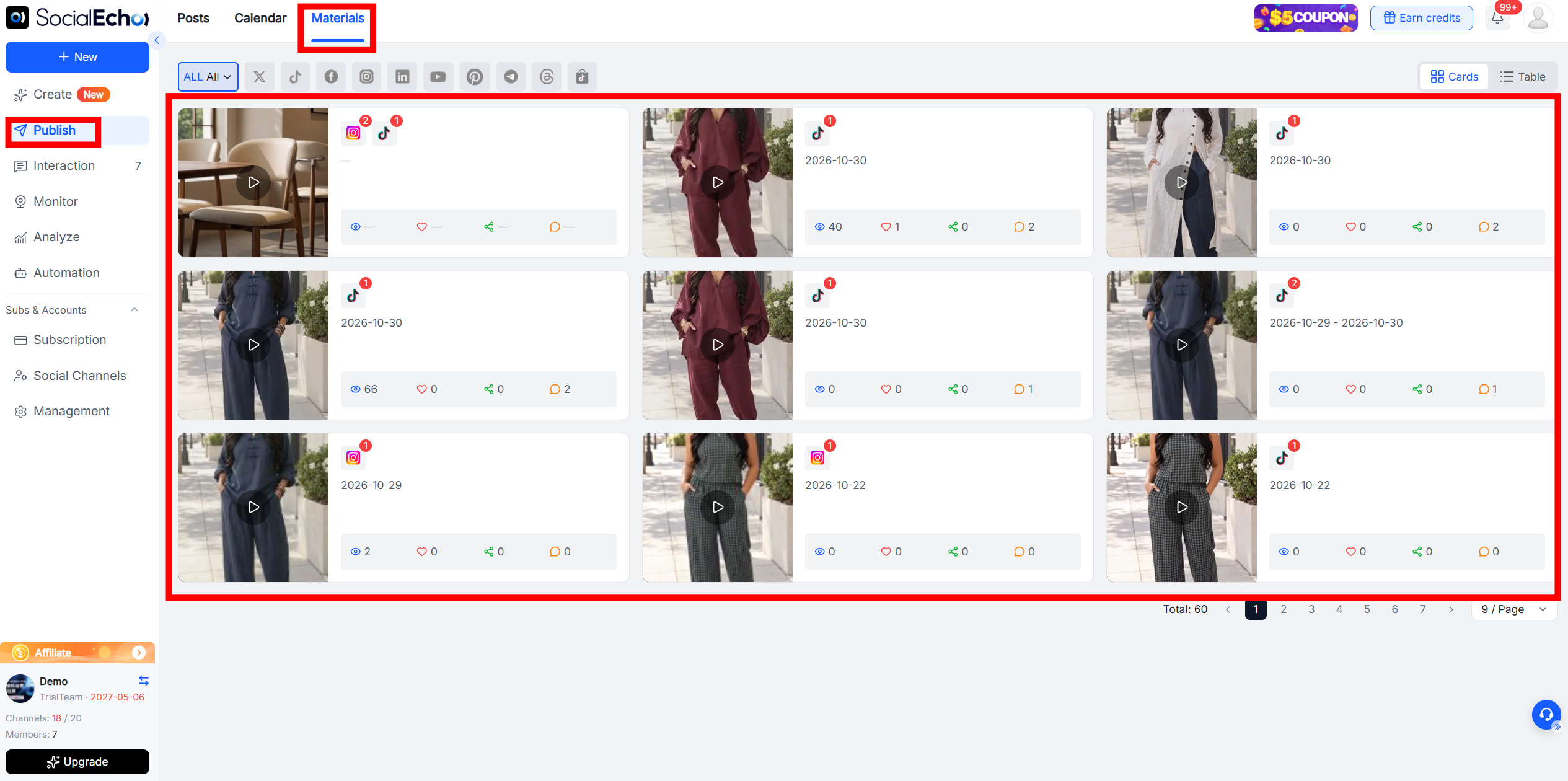
SocialEcho now adds an asset-level publishing history. Teams can see which platforms have received the same image or video.
Compared with checking each platform separately, asset history gives a clearer view of distribution progress and makes it easier to confirm cross-platform coverage.
How to access it
Select Publish → Materials to see where the same asset was published.
Use cases
- Checking platform coverage: Confirm that a content round reached all planned platforms.
- Filling platform gaps: Find important assets that have not reached some platforms and schedule the missing posts.
- Reviewing asset distribution: After a campaign, review the actual channels used by each asset.
- Team handover: Help a new account owner see where an asset has already been used.
5. Duplicate-asset reminders
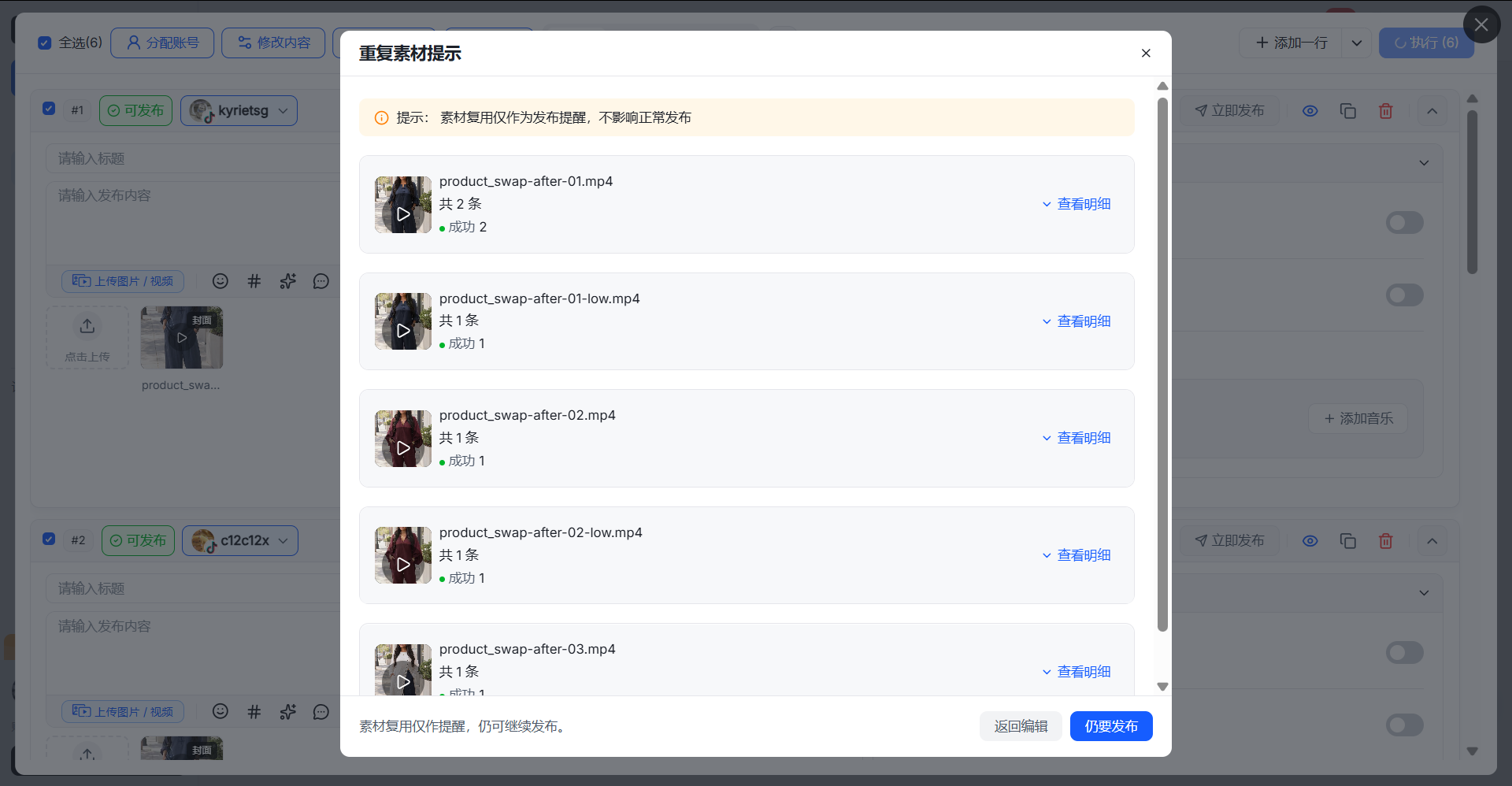
The publishing workflow now reminds teams when an image or video may have been used before.
In multi-person collaboration, high-volume publishing, or long scheduling periods, operators may not remember every asset's history. The reminder provides a reference before publishing and helps reduce accidental repetition.
How to access it
After uploading assets, select Publish. The system checks for duplicates and shows a reminder when it finds one.
Use cases
- Collaborative publishing: Notice when another team member may already have used the same asset.
- Reusing older assets: Check whether an old image or video fits the current publishing plan.
- Large campaign schedules: Check for repeated selections when many assets are planned during a promotion.
- Account content management: Use the reminder when controlling how often the same visual appears.
6. TikTok Shop: multiple product links in image-and-text commerce posts
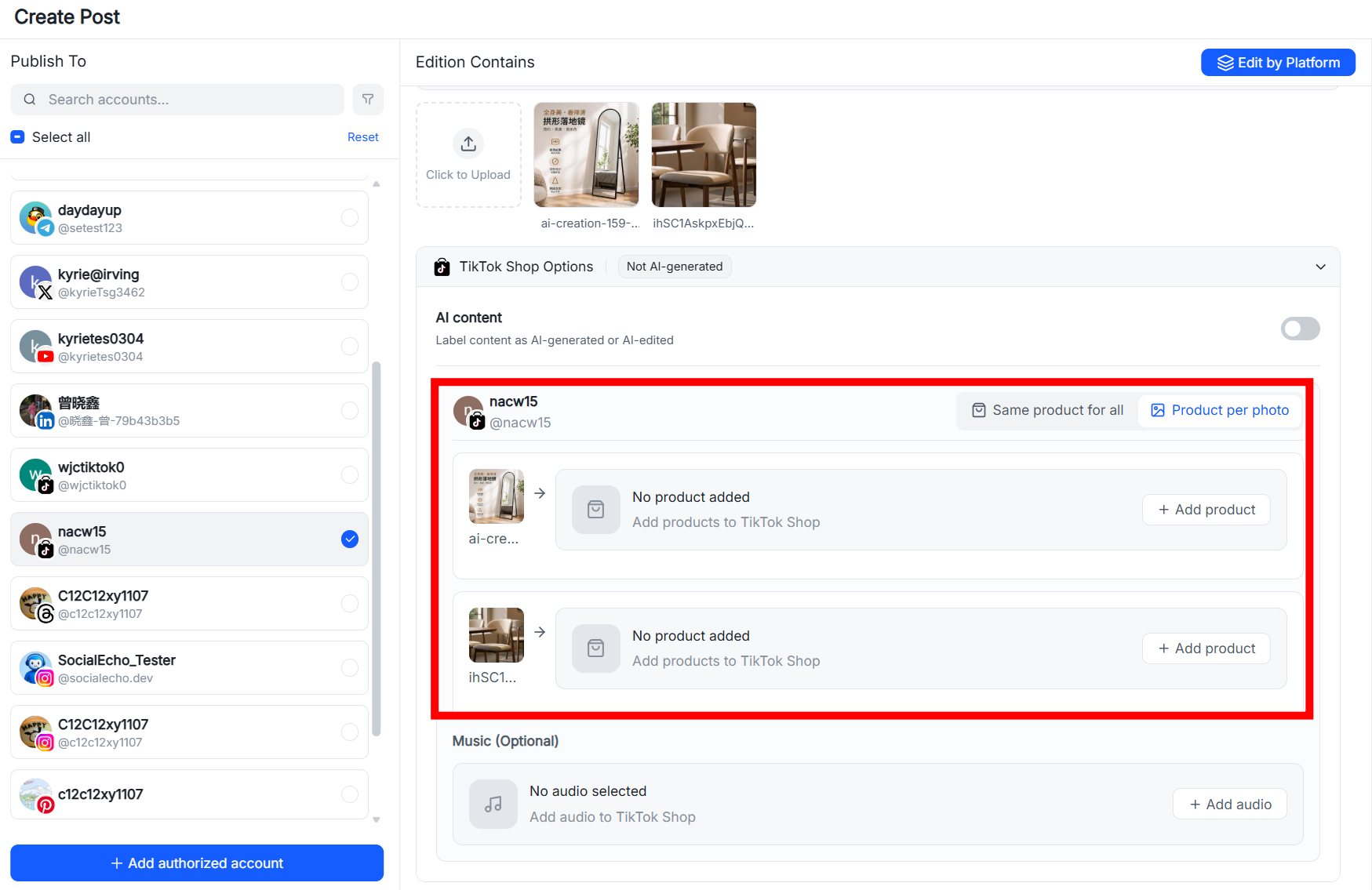
TikTok Shop image-and-text commerce posts can now include multiple product links in one piece of content.
When a set of images presents several products or a product bundle, teams can configure multiple links and give viewers more choices.
How to access it
Select Publish → Batch Publish or Create Post.
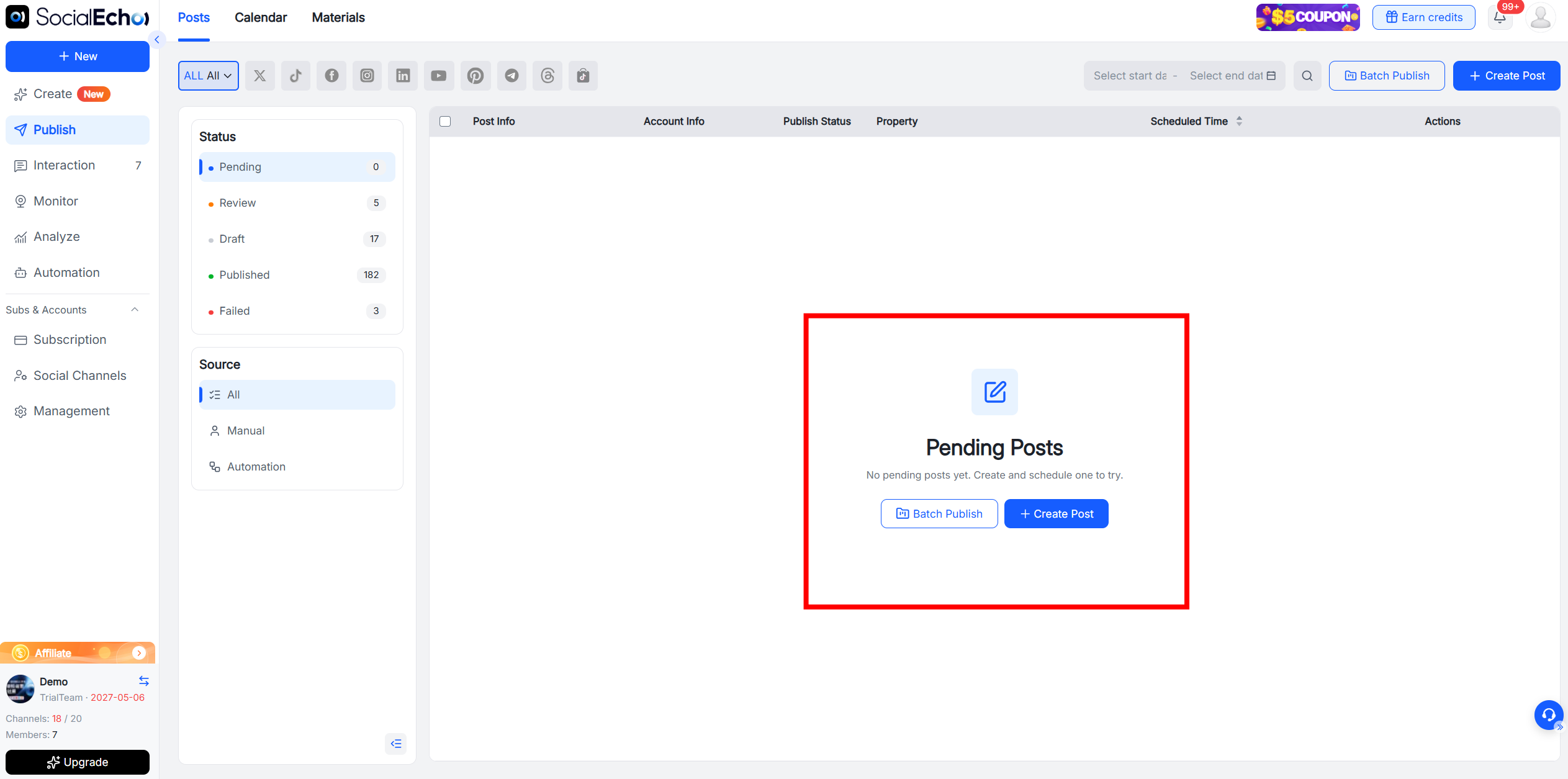
After selecting a TikTok Shop account, open Options → Product per photo.
Use cases
- Product series: Attach the matching link to each product in a series post.
- Bundle recommendations: Add a purchase entry for each item in an outfit, beauty routine, or home setup.
- Promotion collections: Group campaign products around one theme during a promotion.
- Related-product recommendations: Add accessories, refills, or related items alongside the main product.
7. Three new interface languages
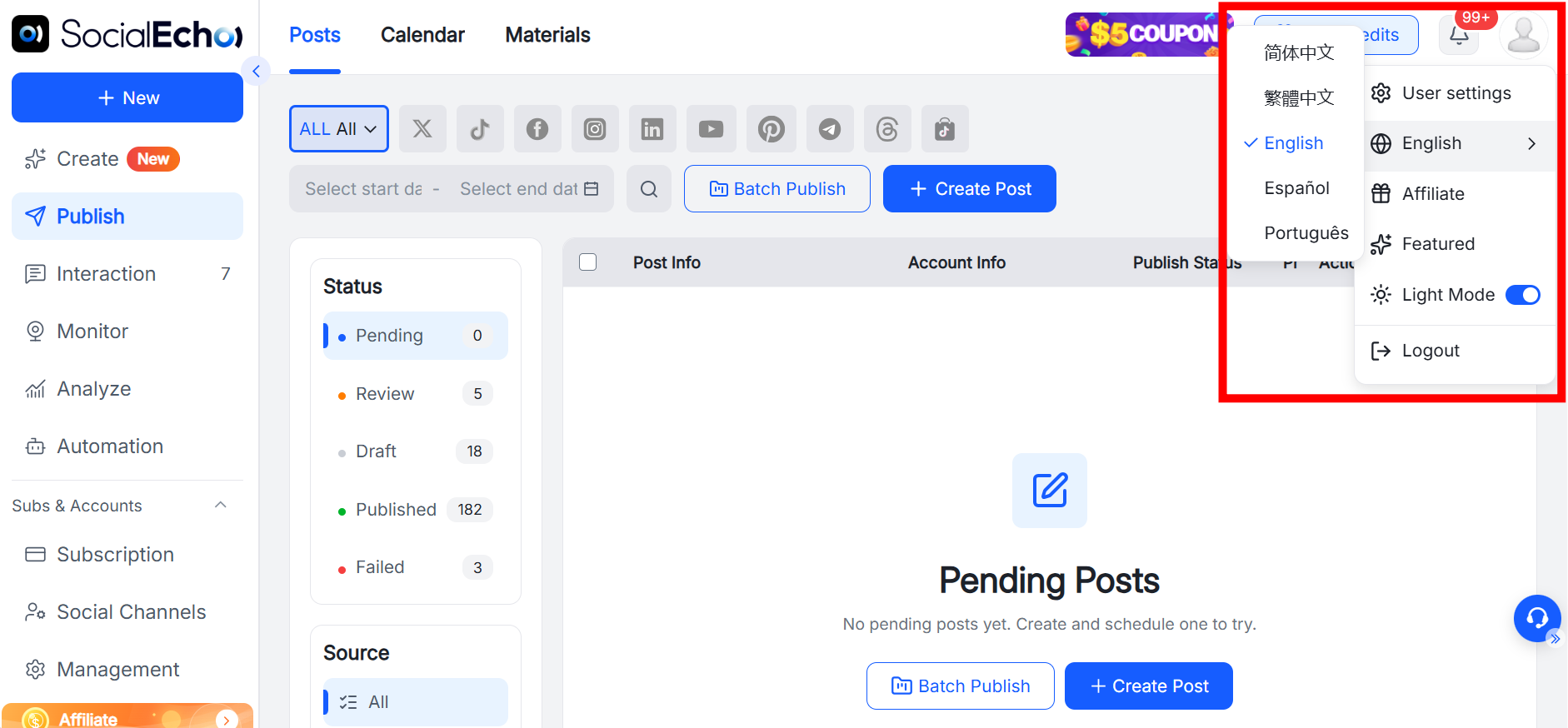
The SocialEcho interface now supports Portuguese, Spanish, and Traditional Chinese.
Team members in different regions can use the interface in their preferred language, making it easier for headquarters, local teams, and external partners to collaborate in one workflow.
How to access it
Select the profile avatar in the top-right corner, then switch languages.
Use cases
- Latin American collaboration: Spanish-speaking operators can use a Spanish interface for daily work.
- Brazil operations: Local Brazil-market members can switch to Portuguese.
- Traditional Chinese teams: Members who work in Traditional Chinese can choose the corresponding interface.
- Cross-region training: Trainers can switch the interface to match each new member's language.
About SocialEcho
SocialEcho is an all-social AI workspace for global teams, supporting content creation, multi-platform publishing, comment and direct-message management, analytics, and automation.
With this update, teams can use AI for more audio creation, configure richer publishing content across social platforms, and improve cross-platform collaboration through asset history, duplicate reminders, and a multilingual interface.
Next step
Create a free SocialEcho account to review these updates in your own workflow.
Results vary by account history, content quality, industry, audience, platform rules, and execution method.
;}.cls-2{fill:%230868f7;}.cls-3{fill:url(%23未命名的渐变_44);}.cls-4{fill:%23333;}%3c/style%3e%3clinearGradient%20id='未命名的渐变_8'%20x1='33.73'%20y1='100.61'%20x2='-0.03'%20y2='-1.06'%20gradientUnits='userSpaceOnUse'%3e%3cstop%20offset='0'%20stop-color='%237ae9fb'/%3e%3cstop%20offset='0.67'%20stop-color='%232b90f8'/%3e%3cstop%20offset='1'%20stop-color='%230868f7'/%3e%3c/linearGradient%3e%3clinearGradient%20id='未命名的渐变_44'%20x1='27.86'%20y1='18.67'%20x2='68.36'%20y2='22.22'%20gradientUnits='userSpaceOnUse'%3e%3cstop%20offset='0'%20stop-color='%235ac7f2'/%3e%3cstop%20offset='1'%20stop-color='%230868f7'/%3e%3c/linearGradient%3e%3c/defs%3e%3cpath%20class='cls-1'%20d='M29,28.74V81.91l-9.51-3.68v0L8.52,74A7.17,7.17,0,0,1,4,67.32V24.54A3.76,3.76,0,0,1,9.08,21Z'/%3e%3cpath%20class='cls-2'%20d='M68.09,78.07a13.15,13.15,0,0,1-17.9,12.06L29,81.91h0V28.74L50.19,37A13.17,13.17,0,0,0,68.08,25.3h0Z'/%3e%3cpath%20class='cls-3'%20d='M68.08,25.3a13.19,13.19,0,0,1-6.73,10.87A13.09,13.09,0,0,1,50.19,37L29,28.74V6A3.76,3.76,0,0,1,34.1,2.52l25.59,9.91A13.22,13.22,0,0,1,68.08,25.3Z'/%3e%3cpath%20class='cls-4'%20d='M129.06,81.76a4.33,4.33,0,0,1-3.19-1.31,4.4,4.4,0,0,1-1.31-3.24V56.86H97.65V77.21a4.36,4.36,0,0,1-1.35,3.2A4.68,4.68,0,0,1,93,81.76a4.32,4.32,0,0,1-3.19-1.31,4.37,4.37,0,0,1-1.32-3.24V27.27A4.58,4.58,0,0,1,89.83,24a4.59,4.59,0,0,1,7.82,3.27V48.15h26.91V27.27A4.58,4.58,0,0,1,125.91,24a4.59,4.59,0,0,1,7.82,3.27V77.21a4.37,4.37,0,0,1-1.36,3.2A4.65,4.65,0,0,1,129.06,81.76Z'/%3e%3cpath%20class='cls-4'%20d='M163.77,81.66c-6.57,0-11.76-1.92-15.44-5.7s-5.54-9.07-5.54-15.74a26.76,26.76,0,0,1,2.09-10.43,17.72,17.72,0,0,1,6.67-8.06,19.15,19.15,0,0,1,10.68-2.95,19,19,0,0,1,10.46,2.8,18.7,18.7,0,0,1,6.55,7.36,22.53,22.53,0,0,1,2.36,10.28A4.51,4.51,0,0,1,177,63.77H152.23a10.8,10.8,0,0,0,3.49,6.65c2,1.68,4.88,2.52,8.66,2.52a22.25,22.25,0,0,0,7.54-1.21c.74-.3,1.55-.67,2.37-1.07a3.75,3.75,0,0,1,1.84-.4,4.09,4.09,0,0,1,3,1.15,4,4,0,0,1,1.12,3,4.38,4.38,0,0,1-2.58,3.82,32.34,32.34,0,0,1-6.36,2.61A28.67,28.67,0,0,1,163.77,81.66ZM172.4,55.9a9.72,9.72,0,0,0-1.63-4.56A9.9,9.9,0,0,0,167,48a10.38,10.38,0,0,0-4.64-1.14,12,12,0,0,0-4.77,1.06,9.54,9.54,0,0,0-4.89,5.66,11.78,11.78,0,0,0-.51,2.3Z'/%3e%3cpath%20class='cls-4'%20d='M193,81.64a4.49,4.49,0,0,1-4.51-4.55V27.28A4.58,4.58,0,0,1,189.84,24a4.48,4.48,0,0,1,3.28-1.36A4.36,4.36,0,0,1,196.35,24a4.46,4.46,0,0,1,1.31,3.31V77.09a4.34,4.34,0,0,1-1.35,3.2A4.67,4.67,0,0,1,193,81.64Z'/%3e%3cpath%20class='cls-4'%20d='M263.79,81.71a5.7,5.7,0,0,1-4.2-1.74,5.76,5.76,0,0,1-1.73-4.19V27.37a4.58,4.58,0,0,1,1.35-3.27A4.59,4.59,0,0,1,267,27.37V72.53h24a4.58,4.58,0,0,1,3.27,7.82A4.66,4.66,0,0,1,291,81.71Z'/%3e%3cpath%20class='cls-4'%20d='M424.48,81.74a4.71,4.71,0,0,1-2.71-.88,5.43,5.43,0,0,1-1-1l-.07-.09-12.41-17-5.41,5v9.44a4.31,4.31,0,0,1-1.36,3.19,4.66,4.66,0,0,1-3.3,1.36A4.29,4.29,0,0,1,395,80.42a4.36,4.36,0,0,1-1.32-3.23V27.37A4.58,4.58,0,0,1,395,24.1a4.52,4.52,0,0,1,6.58.12,4.54,4.54,0,0,1,1.24,3.15V56.31l17.72-16.38.05,0a4.8,4.8,0,0,1,2.94-1.11,4.4,4.4,0,0,1,3.27,1.2,4.57,4.57,0,0,1,1.2,3.27,4.44,4.44,0,0,1-.77,2.33,7.45,7.45,0,0,1-1.43,1.65l-11,9.64,13.34,17.68a5,5,0,0,1,1,2.71,4.12,4.12,0,0,1-1.36,3.24A4.64,4.64,0,0,1,424.48,81.74Z'/%3e%3cpath%20class='cls-4'%20d='M317.93,81.76a21.5,21.5,0,1,1,21.17-21.5A21.37,21.37,0,0,1,317.93,81.76Zm0-34.1a12.61,12.61,0,1,0,12.42,12.6A12.52,12.52,0,0,0,317.93,47.66Z'/%3e%3cpath%20class='cls-4'%20d='M212.18,101.22a4.12,4.12,0,0,1-3.05-1.26,4.17,4.17,0,0,1-1.26-3.1V43.34a4.37,4.37,0,0,1,1.3-3.14,4.26,4.26,0,0,1,3.13-1.3,4.19,4.19,0,0,1,3.1,1.26,4.32,4.32,0,0,1,1.26,3.16,20.77,20.77,0,0,1,13-4.54,21.51,21.51,0,0,1,0,43,20.51,20.51,0,0,1-13-4.57V96.86a4.15,4.15,0,0,1-1.3,3.06A4.5,4.5,0,0,1,212.18,101.22Zm17.43-53.63c-6.23,0-12.93,4.11-12.93,12.72a12.73,12.73,0,0,0,25.46,0A12.71,12.71,0,0,0,229.61,47.59Z'/%3e%3cpath%20class='cls-4'%20d='M365.76,81.76a21.5,21.5,0,1,1,21.18-21.5A21.37,21.37,0,0,1,365.76,81.76Zm0-34.1a12.61,12.61,0,1,0,12.42,12.6A12.52,12.52,0,0,0,365.76,47.66Z'/%3e%3c/svg%3e)