
What Is a Social Media Scheduler? How It Works and How to Choose One in 2026
By Chen Yu — writing on cross-border social ops and agency workflows
An agency social lead runs eleven client accounts across Instagram, Facebook, TikTok, and LinkedIn. Every Monday she opens a spreadsheet, copies captions into each native app one by one, and sets timers on her phone so she remembers to hit publish at the right local hour for each market. By Wednesday something always slips: a Reels caption goes out with the wrong hashtags, a client's promo posts three hours after the window closed, and a TikTok never leaves drafts because she was asleep when its audience was awake in Los Angeles. She isn't short on ideas or content. She's short on a system that publishes the content she already has, at the right time, without her thumb on every button.
That system is a social media scheduler. This guide explains what a scheduler actually does, how the two main scheduling models work, and how to choose one when you're posting across several platforms and time zones rather than babysitting one account.
TL;DR
A social media scheduler is software that queues posts and publishes them automatically at set times across multiple platforms, so you plan in batches instead of posting live.
- Two core models: queue-based (fill time slots, tools rotate content in) and calendar-based (drag posts onto specific dates and times).
- The real value shows up with multiple accounts and time zones, not single-account hobby posting.
- Look for: native platform API connections, audience-local-time scheduling, multi-account bulk actions, and analytics in the same place.
- A scheduler handles the when and where; it does not fix weak content or a wrong posting strategy.
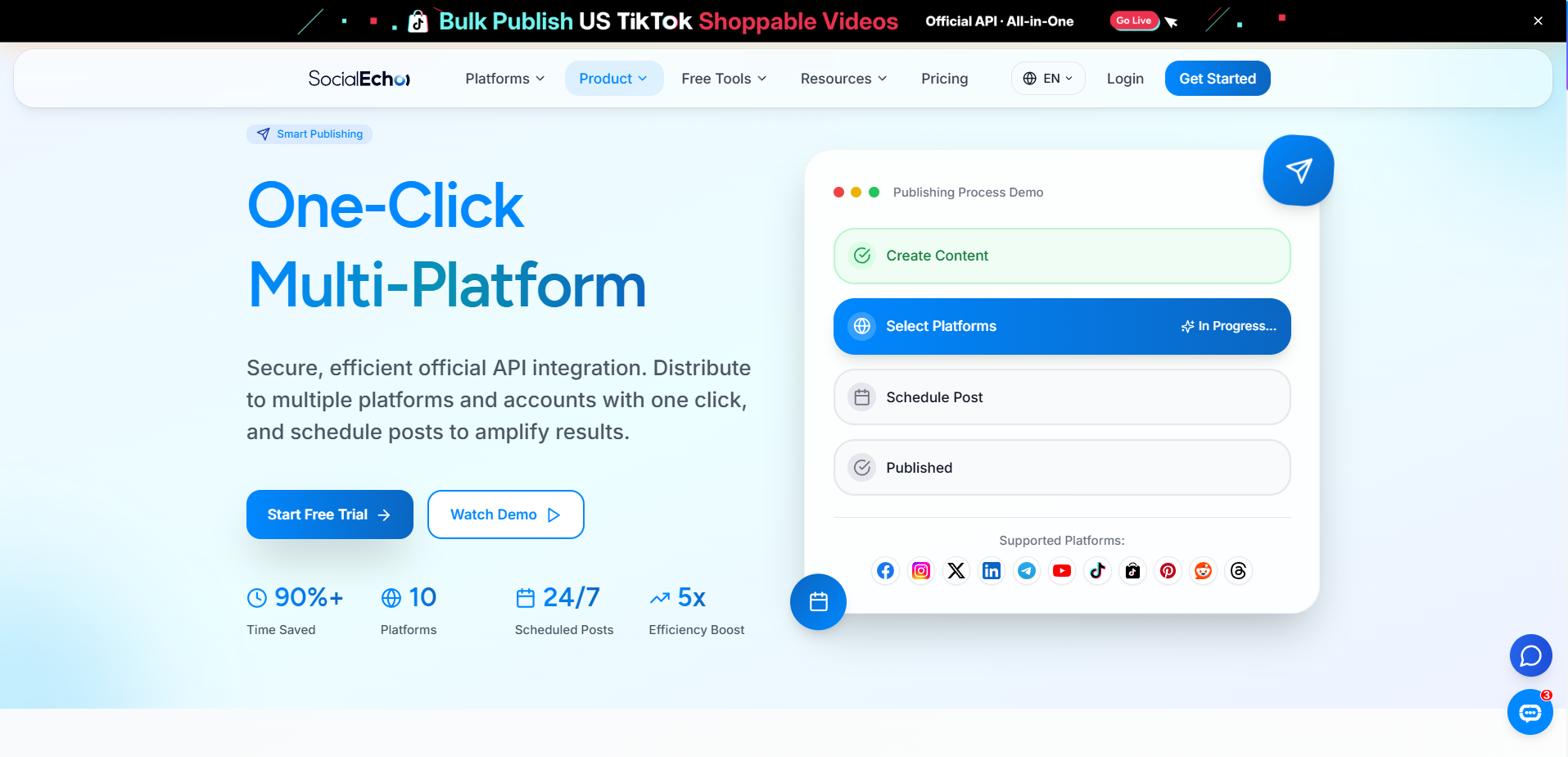
SocialEcho fits here as one option among many: it's a cross-border social media workspace that connects to 11 platforms through official APIs and lets a team schedule, create, and analyze from one back end. Where it differs from lightweight schedulers is the multi-account, multi-platform focus — but before any product matters, it helps to understand what scheduling is and how to evaluate it, so the rest of this piece stays tool-agnostic until the end.
What does a social media scheduler actually do?
At its core, a scheduler stores your finished posts and publishes them for you at pre-set times across one or more platforms — turning "post live, every day, manually" into "plan once, publish automatically." Everything else is a layer on top of that basic job.
A capable scheduler usually covers four things. It stores drafts and assets (captions, images, video, links) so a week of content lives in one place instead of scattered notes. It connects to platforms so posts publish directly without you opening each app. It times publication, ideally in the audience's local time rather than yours. And it records what happened — whether the post went out, and how it performed — so you can adjust next week's plan.
The reason this matters is subtle: social platforms reward consistency and timing, but humans are bad at both when the work is manual. A scheduler doesn't make your content better; it removes the operational friction that quietly kills consistency. For teams running multi-account matrices or agency client rosters, that friction is the whole problem.
Queue-based vs calendar-based: how scheduling actually works
There are two main mental models for scheduling, and most tools lean toward one: queue-based, where you define recurring time slots and the tool pulls the next post into each slot, and calendar-based, where you drop specific posts onto specific dates and times. Neither is universally better — they suit different workflows.
Queue-based scheduling works like a conveyor belt. You tell the tool "post to Instagram at 11:00 and 19:00 every weekday," then keep a stack of ready content; the queue fires the next item into each slot. It's efficient for evergreen, high-frequency accounts where the rhythm matters more than which exact post lands on which exact day.
Calendar-based scheduling works like an editorial planner. You see a month or week grid and place each post deliberately — a product launch on the 14th, a holiday post on the 25th. It's better for campaign-driven work where timing is tied to real dates and different platforms need different posts on the same day.
Many teams end up wanting both: a calendar to see the shape of a campaign, and queue-like slots to keep the everyday drumbeat going. When you evaluate a tool, notice which model it's built around and whether that matches how you actually plan.
Do you even need a scheduler? A simple test
The honest answer: if you post to one account a few times a week and you're usually online when your audience is, a scheduler is a nice-to-have. The moment you add a second account, a second time zone, or a second person, it moves from convenience to necessity. Manual posting scales linearly with pain; scheduling flattens that curve.
Run this quick test. Do you manage two or more accounts? Do any of your audiences live in a different time zone than you? Do multiple people touch the content before it goes live? Do you post more than once a day on any platform? If you answered yes to even two of these, manual posting is already costing you missed windows and errors you can't see. A posting-frequency planner can help you first decide how often to post per platform; a scheduler then makes that cadence actually happen.
How to choose a social media scheduler: seven things that matter
When comparing schedulers, weigh how they connect to platforms, whether they schedule in audience-local time, how they handle multiple accounts at once, and whether analytics live in the same place — those four separate a real workflow tool from a glorified timer. Below is a checklist you can score any tool against.
- Native API connections, not workarounds. Tools that publish through official platform APIs are more stable and lower-risk than ones that automate the web interface. Check which of your platforms are supported directly — Instagram, Facebook, TikTok, LinkedIn, X, YouTube, and so on.
- Audience-local-time scheduling. You plan in your time zone; the algorithm and your audience live in theirs. A time-zone converter helps you translate windows, but a good scheduler bakes local-time publishing in.
- Multi-account bulk actions. Can you schedule the same campaign across ten accounts in a few clicks, or is it one account at a time?
- Per-platform adaptation. The same idea needs a different caption length, aspect ratio, and hashtag set per platform. Tools that let you adapt a master post — or that pair with a cross-platform post adapter — save a lot of copy-paste.
- A real content calendar view. You should be able to see a week or month at a glance, not just a flat list. If your tool is thin here, a content calendar template is a useful companion.
- Best-time guidance. Some tools suggest slots based on when your audience is active; a best-time-slot finder does this as a standalone step.
- Analytics in the same place. If scheduling and reporting live in different tools, you'll never close the loop between when you posted and how it did.
Scheduling approaches compared
In one line: native standalone apps are simplest but stop at one platform; browser extensions are cheap but fragile; and multi-platform workspaces cost more but handle accounts, time zones, and analytics together. The table below compares the common approaches so you can match one to your scale.
| Approach | Best for | Multi-account | Analytics included | Main trade-off |
|---|---|---|---|---|
| Native app scheduling (Meta, etc.) | One brand, 1–2 platforms | Limited | Basic, per-platform | You still switch between apps |
| Browser extension / lightweight timer | Solo creator, low budget | Rarely | No | Fragile, breaks on platform changes |
| Single-platform scheduler | Heavy on one channel | Within one platform | Platform-only | Doesn't help your other channels |
| Multi-platform workspace | Agencies, matrices, cross-border teams | Yes, bulk | Yes, unified | Higher cost, more to learn |
A scheduler's job is reliability and reach across your accounts — the fanciest interface is worth little if a post silently fails to publish. Test publishing reliability before you commit.
Putting a scheduler to work: a weekly routine
The workflow that makes scheduling pay off is batch-then-forget: set your platform cadence once, produce a batch of content, place it on the calendar in audience-local time, then spend your live hours on engagement instead of publishing. Here's a routine that holds up across accounts.
- Set cadence per platform. Decide how often each channel posts using a post-frequency planner, so you're not guessing week to week.
- Batch-produce. Create a week (or two) of content in one sitting. If you're adapting one idea to several platforms, an AI creation workflow can turn a master post into platform-specific versions.
- Place on the calendar. Drop each post into its audience-local best window, staggering platforms so they don't all fire at once.
- Automate publishing. Let multi-platform scheduling and bulk publishing handle the actual posting across accounts and time zones.
- Review and adjust. After the week, check analytics to see which slots and formats worked, then feed that back into next week's plan.
For teams that also want to handle replies and DMs without living in the apps, pairing scheduling with a unified engagement inbox closes the other half of the loop. This is where a workspace like SocialEcho earns its keep for e-commerce operators and cross-border brands: scheduling, creation, engagement, and analytics sit in one back end instead of five tabs. Its plans start at a free tier of $0, with paid tiers from $15/month billed annually for teams that outgrow it.
FAQ
Is a social media scheduler the same as automation?
Not quite. Scheduling is timed publishing of content you approved in advance. Automation is broader — it can include auto-replies, rule-based actions, and workflows triggered by events. Scheduling is one piece of automation, and many teams start with scheduling before adding rule-based automation later.
Will scheduling posts hurt my reach?
There's a persistent myth that platforms penalize scheduled posts. In practice, posts published through official platform APIs are treated the same as manual ones; what affects reach is content quality, relevance, and timing — not the fact that a tool pressed publish. Reliability of the connection matters more than whether a human tapped the button.
Can one scheduler post to every platform I use?
It depends on the tool. Some cover only one platform; broader workspaces connect to many. Check the exact list against your channels before choosing — supporting "Instagram and Facebook" is very different from also covering TikTok, LinkedIn, YouTube, Pinterest, Reddit, and Threads.
Should I schedule everything, or post some things live?
A mix works best. Schedule the predictable, evergreen, and campaign content so it never slips. Keep some room for live, reactive posts — trends, news, replies — that lose their value if delayed. Scheduling frees up the time you'd otherwise spend on routine publishing to be present for the reactive part.
Do I still need to check analytics if the tool schedules for me?
Yes. Scheduling handles the doing; analytics tell you whether the when and what were right. The loop only closes when you review results and adjust the next batch — otherwise you're reliably posting content that may be landing at the wrong time.
Key takeaways
- A social media scheduler stores finished posts and publishes them automatically at set times across platforms — it replaces manual, live posting with plan-once, publish-automatically.
- The two core models are queue-based (recurring slots) and calendar-based (specific dates); campaign-heavy teams often want both.
- Scheduling becomes essential — not just convenient — the moment you add a second account, time zone, or teammate.
- When choosing, prioritize native API connections, audience-local-time scheduling, multi-account bulk actions, and built-in analytics.
- A scheduler fixes operational friction, not weak content or a wrong strategy; pair it with a cadence plan and regular analytics review.
Results vary with your account maturity, content quality, industry, and how consistently you execute; a scheduler is an operational tool, not a guarantee of growth.
;}.cls-2{fill:%230868f7;}.cls-3{fill:url(%23未命名的渐变_44);}.cls-4{fill:%23333;}%3c/style%3e%3clinearGradient%20id='未命名的渐变_8'%20x1='33.73'%20y1='100.61'%20x2='-0.03'%20y2='-1.06'%20gradientUnits='userSpaceOnUse'%3e%3cstop%20offset='0'%20stop-color='%237ae9fb'/%3e%3cstop%20offset='0.67'%20stop-color='%232b90f8'/%3e%3cstop%20offset='1'%20stop-color='%230868f7'/%3e%3c/linearGradient%3e%3clinearGradient%20id='未命名的渐变_44'%20x1='27.86'%20y1='18.67'%20x2='68.36'%20y2='22.22'%20gradientUnits='userSpaceOnUse'%3e%3cstop%20offset='0'%20stop-color='%235ac7f2'/%3e%3cstop%20offset='1'%20stop-color='%230868f7'/%3e%3c/linearGradient%3e%3c/defs%3e%3cpath%20class='cls-1'%20d='M29,28.74V81.91l-9.51-3.68v0L8.52,74A7.17,7.17,0,0,1,4,67.32V24.54A3.76,3.76,0,0,1,9.08,21Z'/%3e%3cpath%20class='cls-2'%20d='M68.09,78.07a13.15,13.15,0,0,1-17.9,12.06L29,81.91h0V28.74L50.19,37A13.17,13.17,0,0,0,68.08,25.3h0Z'/%3e%3cpath%20class='cls-3'%20d='M68.08,25.3a13.19,13.19,0,0,1-6.73,10.87A13.09,13.09,0,0,1,50.19,37L29,28.74V6A3.76,3.76,0,0,1,34.1,2.52l25.59,9.91A13.22,13.22,0,0,1,68.08,25.3Z'/%3e%3cpath%20class='cls-4'%20d='M129.06,81.76a4.33,4.33,0,0,1-3.19-1.31,4.4,4.4,0,0,1-1.31-3.24V56.86H97.65V77.21a4.36,4.36,0,0,1-1.35,3.2A4.68,4.68,0,0,1,93,81.76a4.32,4.32,0,0,1-3.19-1.31,4.37,4.37,0,0,1-1.32-3.24V27.27A4.58,4.58,0,0,1,89.83,24a4.59,4.59,0,0,1,7.82,3.27V48.15h26.91V27.27A4.58,4.58,0,0,1,125.91,24a4.59,4.59,0,0,1,7.82,3.27V77.21a4.37,4.37,0,0,1-1.36,3.2A4.65,4.65,0,0,1,129.06,81.76Z'/%3e%3cpath%20class='cls-4'%20d='M163.77,81.66c-6.57,0-11.76-1.92-15.44-5.7s-5.54-9.07-5.54-15.74a26.76,26.76,0,0,1,2.09-10.43,17.72,17.72,0,0,1,6.67-8.06,19.15,19.15,0,0,1,10.68-2.95,19,19,0,0,1,10.46,2.8,18.7,18.7,0,0,1,6.55,7.36,22.53,22.53,0,0,1,2.36,10.28A4.51,4.51,0,0,1,177,63.77H152.23a10.8,10.8,0,0,0,3.49,6.65c2,1.68,4.88,2.52,8.66,2.52a22.25,22.25,0,0,0,7.54-1.21c.74-.3,1.55-.67,2.37-1.07a3.75,3.75,0,0,1,1.84-.4,4.09,4.09,0,0,1,3,1.15,4,4,0,0,1,1.12,3,4.38,4.38,0,0,1-2.58,3.82,32.34,32.34,0,0,1-6.36,2.61A28.67,28.67,0,0,1,163.77,81.66ZM172.4,55.9a9.72,9.72,0,0,0-1.63-4.56A9.9,9.9,0,0,0,167,48a10.38,10.38,0,0,0-4.64-1.14,12,12,0,0,0-4.77,1.06,9.54,9.54,0,0,0-4.89,5.66,11.78,11.78,0,0,0-.51,2.3Z'/%3e%3cpath%20class='cls-4'%20d='M193,81.64a4.49,4.49,0,0,1-4.51-4.55V27.28A4.58,4.58,0,0,1,189.84,24a4.48,4.48,0,0,1,3.28-1.36A4.36,4.36,0,0,1,196.35,24a4.46,4.46,0,0,1,1.31,3.31V77.09a4.34,4.34,0,0,1-1.35,3.2A4.67,4.67,0,0,1,193,81.64Z'/%3e%3cpath%20class='cls-4'%20d='M263.79,81.71a5.7,5.7,0,0,1-4.2-1.74,5.76,5.76,0,0,1-1.73-4.19V27.37a4.58,4.58,0,0,1,1.35-3.27A4.59,4.59,0,0,1,267,27.37V72.53h24a4.58,4.58,0,0,1,3.27,7.82A4.66,4.66,0,0,1,291,81.71Z'/%3e%3cpath%20class='cls-4'%20d='M424.48,81.74a4.71,4.71,0,0,1-2.71-.88,5.43,5.43,0,0,1-1-1l-.07-.09-12.41-17-5.41,5v9.44a4.31,4.31,0,0,1-1.36,3.19,4.66,4.66,0,0,1-3.3,1.36A4.29,4.29,0,0,1,395,80.42a4.36,4.36,0,0,1-1.32-3.23V27.37A4.58,4.58,0,0,1,395,24.1a4.52,4.52,0,0,1,6.58.12,4.54,4.54,0,0,1,1.24,3.15V56.31l17.72-16.38.05,0a4.8,4.8,0,0,1,2.94-1.11,4.4,4.4,0,0,1,3.27,1.2,4.57,4.57,0,0,1,1.2,3.27,4.44,4.44,0,0,1-.77,2.33,7.45,7.45,0,0,1-1.43,1.65l-11,9.64,13.34,17.68a5,5,0,0,1,1,2.71,4.12,4.12,0,0,1-1.36,3.24A4.64,4.64,0,0,1,424.48,81.74Z'/%3e%3cpath%20class='cls-4'%20d='M317.93,81.76a21.5,21.5,0,1,1,21.17-21.5A21.37,21.37,0,0,1,317.93,81.76Zm0-34.1a12.61,12.61,0,1,0,12.42,12.6A12.52,12.52,0,0,0,317.93,47.66Z'/%3e%3cpath%20class='cls-4'%20d='M212.18,101.22a4.12,4.12,0,0,1-3.05-1.26,4.17,4.17,0,0,1-1.26-3.1V43.34a4.37,4.37,0,0,1,1.3-3.14,4.26,4.26,0,0,1,3.13-1.3,4.19,4.19,0,0,1,3.1,1.26,4.32,4.32,0,0,1,1.26,3.16,20.77,20.77,0,0,1,13-4.54,21.51,21.51,0,0,1,0,43,20.51,20.51,0,0,1-13-4.57V96.86a4.15,4.15,0,0,1-1.3,3.06A4.5,4.5,0,0,1,212.18,101.22Zm17.43-53.63c-6.23,0-12.93,4.11-12.93,12.72a12.73,12.73,0,0,0,25.46,0A12.71,12.71,0,0,0,229.61,47.59Z'/%3e%3cpath%20class='cls-4'%20d='M365.76,81.76a21.5,21.5,0,1,1,21.18-21.5A21.37,21.37,0,0,1,365.76,81.76Zm0-34.1a12.61,12.61,0,1,0,12.42,12.6A12.52,12.52,0,0,0,365.76,47.66Z'/%3e%3c/svg%3e)