
TikTok Comment Auto-Reply: How Brands Can Handle Comment Explosions During Peak Hours Without Missing a Single Interaction
TikTok comments are a crucial space for creator-follower interaction, and comment management directly affects account activity
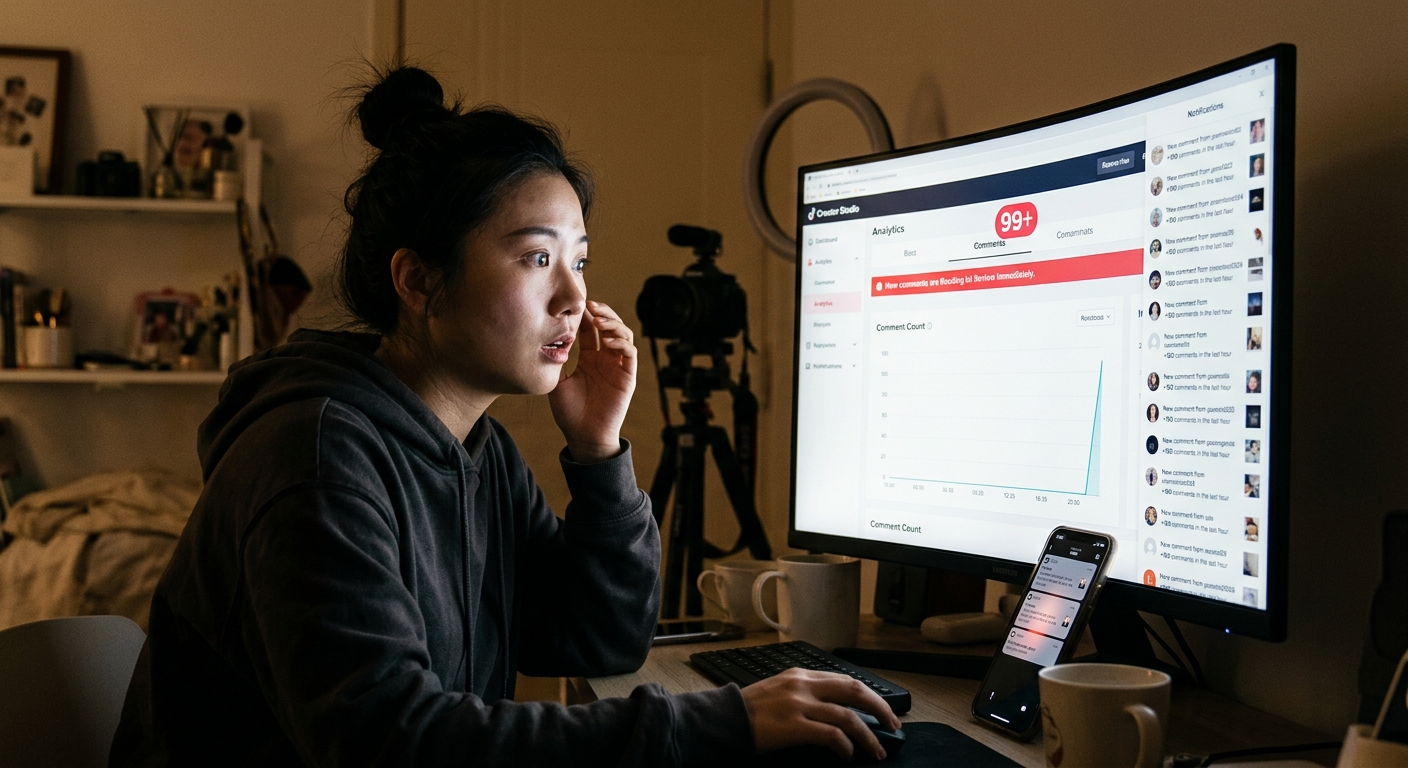
At 9:27 PM, just 23 minutes after the "Anniversary Sale" post went live, @FreshBrew Coffee TikTok comment section was exploding.
398 comments.
Social media staffer Xiao Wang stared at his phone, fingers constantly scrolling. Someone was asking how to use the discount code, someone was asking about delivery range, someone was @-ing a competitor, and there were a few with clearly negative sentiment.
The comments he could reply to, he typed out one by one.
But the number at the top of the screen jumped every few seconds: 400, 417, 431...
By midnight, he gave up. Over 300 comments sat there without a brand reply.
The next morning, his boss sent a message: "That post had great engagement last night, but I scrolled through the comments and a lot of questions were not answered — that is not a great look."
The Comment Flood During Peak Hours: Every Brand Biggest Test
TikTok algorithm is a double-edged sword: once a post goes viral, traffic concentrates in a short window.
This is good news and a nightmare for brands.
Good news: Your content is being seen by more people.
Nightmare: Comment volume in 2 hours can exceed what you would normally get in an entire month — completely beyond what any human can handle.
What is more, TikTok users have one characteristic: they expect brands to reply to comments.
According to multiple research studies, on TikTok, if a brand replies to comments within 1 hour, users are 3x more likely to continue interacting compared to unreplied situations. And if a brand does not reply within 24 hours, over 60% of users give up waiting, and some even leave negative reviews.
Comment management during peak hours directly determines how much real value a viral post brings to a brand.
The Core Logic of Auto-Reply
Many brands wrinkle their noses at "auto-reply" — worried it feels mechanical and insincere.
But high-quality comment auto-reply is not "sending one canned response to everyone." It is a layered response strategy based on comment type.
Layer 1: Immediate Processing (No Human Needed)
These comments have clear, rule-based responses:
| Comment Type | Example | Auto-Reply Strategy |
|---|---|---|
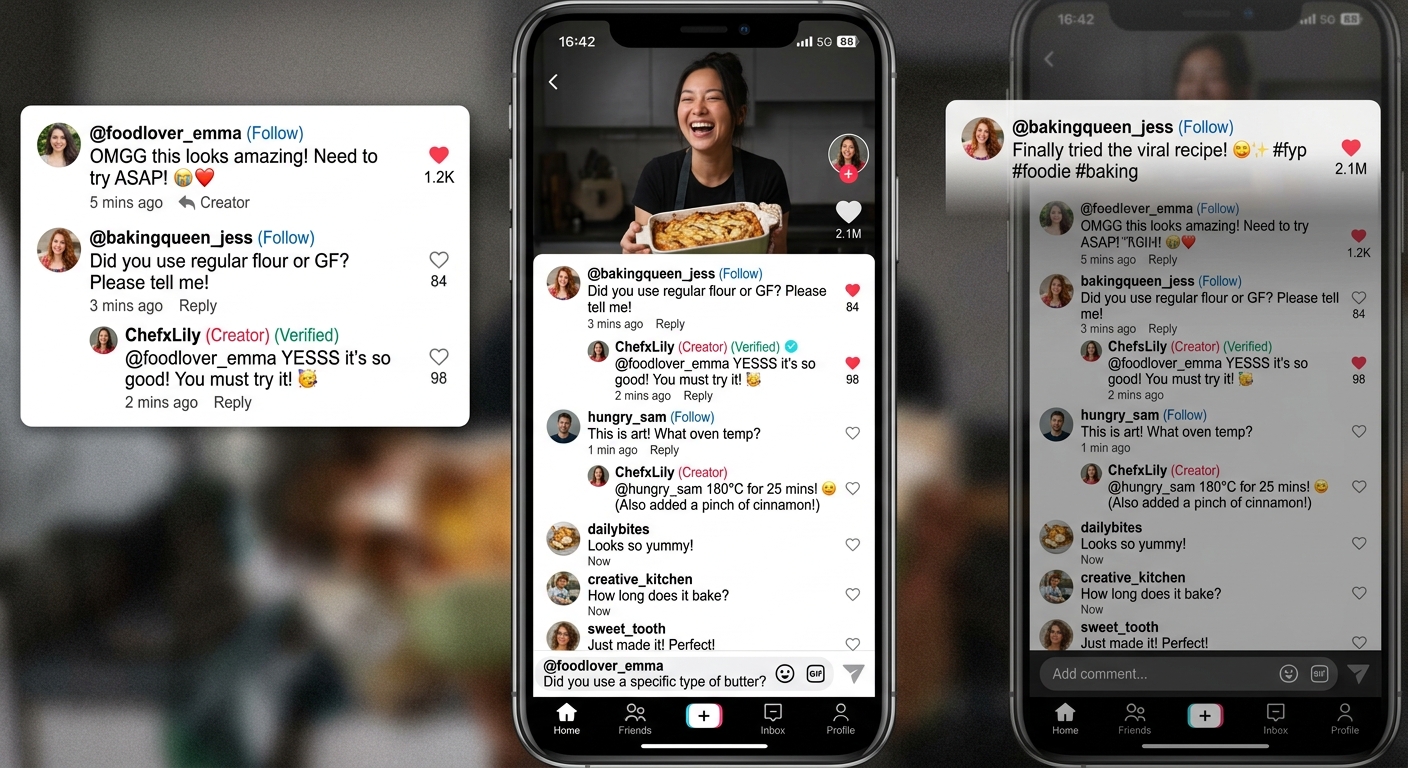
| Likes/Encouragement | "So good!" "Amazing!" | Reply with thank you (rotating 5-8 variants) |
| FAQs | "Where can I buy?" "Any discount codes?" | Trigger preset FAQ reply |
| Event Inquiries | "When does the promo end?" | Reply with event rules + guide link |
Learn TikTok Comment Auto-Reply
Layer 2: Tag + Priority Processing (Human Involved)
| Comment Type | Handling |
|---|---|
| Complaints | Auto-reply "We have received your feedback and will contact you within XX hours" while pushing to customer service |
| Potential Sales Leads | Tag as high priority, human follow-up |
| KOL/Media Account Comments | Immediate alert, human priority processing |
Layer 3: Filter + Block (Protect Brand Environment)
| Comment Type | Handling |
|---|---|
| Obvious spam | Auto-block or hide |
| Competitor malicious redirects | Tag, human decides whether to delete |
| Inappropriate content | Auto-hide, push for review |
Learn TikTok Comment Management
Hands-On Configuration: 5 Key Settings for TikTok Comment Auto-Reply
1. Keyword Trigger Rules
Set up trigger word lists — when comments contain specific words, the corresponding reply is triggered:
- Triggers: "how to buy," "where," "purchase" — Reply with purchase link
- Triggers: "discount," "promo," "coupon" — Reply with promo info
- Triggers: "customer service," "complaint," "refund" — Tag + route to human
2. Reply Variant Pool
For the same type of reply, prepare at least 5-8 different versions. The system randomly selects, avoiding a mechanical feel.
For example, thank-you variants:
- "Thanks for your support! ❤️"
- "So happy to see this comment! Thank you~"
- "Your encouragement is our biggest motivation 🙏"
3. Reply Timing Settings
Do not set "instant reply" — too fast makes users realize it is a bot. Recommend setting a random delay of 30 seconds to 3 minutes.
Learn TikTok AI Engagement Automation
4. Human Review Queue
For comments that cannot be covered by rules, push to the human review queue so operators can handle by priority.
5. Data Tracking
After setup, continuously track:
- Comment reply rate (target: >80%)
- Average reply time (target: <1 hour)
- Proportion requiring human handling (typically 20-30%)
Learn SocialEcho Engagement Management
Peak Hour Emergency Plan
Even with auto-reply configured, peak hours still need an extra contingency plan:
Before the event:
- Update FAQ library with event-related questions added to trigger words
- Test that auto-reply is functioning normally
- Arrange on-duty staff (event day + next day)
During the event:
- Check the human review queue every 30 minutes
- Pay attention to negative sentiment comments and intervene immediately
- If comment volume exceeds expectations, temporarily add more on-duty staff
After the event:
- Compile comment data from this peak period
- Update FAQ library (add new high-frequency questions)
- Evaluate auto-reply accuracy and user satisfaction
Case Study: A Beauty Brand Big Promotion Week Comment Management
A domestic beauty brand TikTok main account hit 2,800 comments on a single post during a big promotion — a historical peak.
Before configuration: 5-person rotation, actual reply rate approximately 35%, average reply time 4.2 hours.
After SocialEcho auto-reply configuration:
- Auto-handled approximately 70% of comments (mainly FAQs and thank-you types)
- Humans only needed to handle 30% (approximately 840 comments)
- Overall reply rate increased to 91%
- Average reply time dropped to 47 minutes
After the promotion ended, this post comment engagement rate was 2.3x higher than comparable posts during the same period, and TikTok algorithm continued pushing it for an additional 48 hours.
FAQ
Q1: Is using third-party tools to manage comments allowed on TikTok?
A: Yes, tools authorized through TikTok official API are permitted. Confirm before use that the tool holds TikTok official partner qualification.
Q2: Will auto-reply affect my TikTok account algorithmic weight?
A: Operating through the official API will not affect weight. In fact, because engagement rate improves, it may have a positive impact on algorithmic distribution.
Q3: Can comments in different languages be auto-handled?
A: Yes. Mainstream tools support multi-language keyword settings, so you can configure separate reply rules for English, Spanish, and other languages.
Q4: If users realize it is an auto-reply, will they be annoyed?
A: If the reply content is natural and helpful, most users do not mind — and many will not even realize it is automated. The key is having enough reply variants and natural tone.
Q5: How do you handle emotionally charged negative comments?
A: It is recommended not to use fully automated replies for negative comments. The correct approach: auto-identify negative sentiment comments, trigger a generic "thank you for your feedback" reply, and immediately push to the human processing team.
Q6: Can small teams use auto-reply, or is it only for big brands?
A: Auto-reply is even more valuable for small teams — because resources are limited, the efficiency gains from labor savings are even more significant.
Summary
Comment management during TikTok peak hours does not test how hardworking you are — it tests how robust your system is.
The brand goal should be: Whether it is 2 AM or during a big promotion, every valid comment receives a reply within 1 hour.
This is not achievable by human power alone — but a system can do it.
Visit SocialEcho to learn how to configure intelligent comment auto-reply for your TikTok account — so your brand never misses a single interaction during every traffic peak.
;}.cls-2{fill:%230868f7;}.cls-3{fill:url(%23未命名的渐变_44);}.cls-4{fill:%23333;}%3c/style%3e%3clinearGradient%20id='未命名的渐变_8'%20x1='33.73'%20y1='100.61'%20x2='-0.03'%20y2='-1.06'%20gradientUnits='userSpaceOnUse'%3e%3cstop%20offset='0'%20stop-color='%237ae9fb'/%3e%3cstop%20offset='0.67'%20stop-color='%232b90f8'/%3e%3cstop%20offset='1'%20stop-color='%230868f7'/%3e%3c/linearGradient%3e%3clinearGradient%20id='未命名的渐变_44'%20x1='27.86'%20y1='18.67'%20x2='68.36'%20y2='22.22'%20gradientUnits='userSpaceOnUse'%3e%3cstop%20offset='0'%20stop-color='%235ac7f2'/%3e%3cstop%20offset='1'%20stop-color='%230868f7'/%3e%3c/linearGradient%3e%3c/defs%3e%3cpath%20class='cls-1'%20d='M29,28.74V81.91l-9.51-3.68v0L8.52,74A7.17,7.17,0,0,1,4,67.32V24.54A3.76,3.76,0,0,1,9.08,21Z'/%3e%3cpath%20class='cls-2'%20d='M68.09,78.07a13.15,13.15,0,0,1-17.9,12.06L29,81.91h0V28.74L50.19,37A13.17,13.17,0,0,0,68.08,25.3h0Z'/%3e%3cpath%20class='cls-3'%20d='M68.08,25.3a13.19,13.19,0,0,1-6.73,10.87A13.09,13.09,0,0,1,50.19,37L29,28.74V6A3.76,3.76,0,0,1,34.1,2.52l25.59,9.91A13.22,13.22,0,0,1,68.08,25.3Z'/%3e%3cpath%20class='cls-4'%20d='M129.06,81.76a4.33,4.33,0,0,1-3.19-1.31,4.4,4.4,0,0,1-1.31-3.24V56.86H97.65V77.21a4.36,4.36,0,0,1-1.35,3.2A4.68,4.68,0,0,1,93,81.76a4.32,4.32,0,0,1-3.19-1.31,4.37,4.37,0,0,1-1.32-3.24V27.27A4.58,4.58,0,0,1,89.83,24a4.59,4.59,0,0,1,7.82,3.27V48.15h26.91V27.27A4.58,4.58,0,0,1,125.91,24a4.59,4.59,0,0,1,7.82,3.27V77.21a4.37,4.37,0,0,1-1.36,3.2A4.65,4.65,0,0,1,129.06,81.76Z'/%3e%3cpath%20class='cls-4'%20d='M163.77,81.66c-6.57,0-11.76-1.92-15.44-5.7s-5.54-9.07-5.54-15.74a26.76,26.76,0,0,1,2.09-10.43,17.72,17.72,0,0,1,6.67-8.06,19.15,19.15,0,0,1,10.68-2.95,19,19,0,0,1,10.46,2.8,18.7,18.7,0,0,1,6.55,7.36,22.53,22.53,0,0,1,2.36,10.28A4.51,4.51,0,0,1,177,63.77H152.23a10.8,10.8,0,0,0,3.49,6.65c2,1.68,4.88,2.52,8.66,2.52a22.25,22.25,0,0,0,7.54-1.21c.74-.3,1.55-.67,2.37-1.07a3.75,3.75,0,0,1,1.84-.4,4.09,4.09,0,0,1,3,1.15,4,4,0,0,1,1.12,3,4.38,4.38,0,0,1-2.58,3.82,32.34,32.34,0,0,1-6.36,2.61A28.67,28.67,0,0,1,163.77,81.66ZM172.4,55.9a9.72,9.72,0,0,0-1.63-4.56A9.9,9.9,0,0,0,167,48a10.38,10.38,0,0,0-4.64-1.14,12,12,0,0,0-4.77,1.06,9.54,9.54,0,0,0-4.89,5.66,11.78,11.78,0,0,0-.51,2.3Z'/%3e%3cpath%20class='cls-4'%20d='M193,81.64a4.49,4.49,0,0,1-4.51-4.55V27.28A4.58,4.58,0,0,1,189.84,24a4.48,4.48,0,0,1,3.28-1.36A4.36,4.36,0,0,1,196.35,24a4.46,4.46,0,0,1,1.31,3.31V77.09a4.34,4.34,0,0,1-1.35,3.2A4.67,4.67,0,0,1,193,81.64Z'/%3e%3cpath%20class='cls-4'%20d='M263.79,81.71a5.7,5.7,0,0,1-4.2-1.74,5.76,5.76,0,0,1-1.73-4.19V27.37a4.58,4.58,0,0,1,1.35-3.27A4.59,4.59,0,0,1,267,27.37V72.53h24a4.58,4.58,0,0,1,3.27,7.82A4.66,4.66,0,0,1,291,81.71Z'/%3e%3cpath%20class='cls-4'%20d='M424.48,81.74a4.71,4.71,0,0,1-2.71-.88,5.43,5.43,0,0,1-1-1l-.07-.09-12.41-17-5.41,5v9.44a4.31,4.31,0,0,1-1.36,3.19,4.66,4.66,0,0,1-3.3,1.36A4.29,4.29,0,0,1,395,80.42a4.36,4.36,0,0,1-1.32-3.23V27.37A4.58,4.58,0,0,1,395,24.1a4.52,4.52,0,0,1,6.58.12,4.54,4.54,0,0,1,1.24,3.15V56.31l17.72-16.38.05,0a4.8,4.8,0,0,1,2.94-1.11,4.4,4.4,0,0,1,3.27,1.2,4.57,4.57,0,0,1,1.2,3.27,4.44,4.44,0,0,1-.77,2.33,7.45,7.45,0,0,1-1.43,1.65l-11,9.64,13.34,17.68a5,5,0,0,1,1,2.71,4.12,4.12,0,0,1-1.36,3.24A4.64,4.64,0,0,1,424.48,81.74Z'/%3e%3cpath%20class='cls-4'%20d='M317.93,81.76a21.5,21.5,0,1,1,21.17-21.5A21.37,21.37,0,0,1,317.93,81.76Zm0-34.1a12.61,12.61,0,1,0,12.42,12.6A12.52,12.52,0,0,0,317.93,47.66Z'/%3e%3cpath%20class='cls-4'%20d='M212.18,101.22a4.12,4.12,0,0,1-3.05-1.26,4.17,4.17,0,0,1-1.26-3.1V43.34a4.37,4.37,0,0,1,1.3-3.14,4.26,4.26,0,0,1,3.13-1.3,4.19,4.19,0,0,1,3.1,1.26,4.32,4.32,0,0,1,1.26,3.16,20.77,20.77,0,0,1,13-4.54,21.51,21.51,0,0,1,0,43,20.51,20.51,0,0,1-13-4.57V96.86a4.15,4.15,0,0,1-1.3,3.06A4.5,4.5,0,0,1,212.18,101.22Zm17.43-53.63c-6.23,0-12.93,4.11-12.93,12.72a12.73,12.73,0,0,0,25.46,0A12.71,12.71,0,0,0,229.61,47.59Z'/%3e%3cpath%20class='cls-4'%20d='M365.76,81.76a21.5,21.5,0,1,1,21.18-21.5A21.37,21.37,0,0,1,365.76,81.76Zm0-34.1a12.61,12.61,0,1,0,12.42,12.6A12.52,12.52,0,0,0,365.76,47.66Z'/%3e%3c/svg%3e)