
TikTok Shop Scheduling Tools: 6 Multi-Account Managers Compared
By Zhou Xu — covering cross-border e-commerce tools and social media ops selection
Going from one account to eight means that just logging into each one every day to post videos and stagger the timing eats up half your day. You go looking for a single tool to manage them all, and one search buries you in names — Buffer, Hootsuite, Later, Metricool, SocialBee, plus a handful you've never heard of — and the feature blurbs all read about the same. When you actually have to pick one and hand it to your team, you're worried about stepping on a landmine.
TL;DR: When choosing a TikTok Shop scheduling tool, the core things to weigh are the multi-account ceiling, whether authorization is safely official, whether you can rewrite once and publish across platforms, whether data rolls up into a single report, and whether the price scales linearly (and painfully) with account count.
- First confirm the tool uses the platform's official OAuth authorization, rather than asking you to hand over your account password or relying on unofficial simulated logins.
- The TikTok Shop "shoppable video" selling capability is not something most third-party social media management tools provide directly — treat that requirement as a separate check.
- Multi-account limits, scheduling granularity (can you stagger posting per account?), and AI rewriting are where the efficiency differences show up.
- Don't just read the headline price; account count, seats, and platform count are often hidden add-on charges, so read the billing unit carefully.
- The data aggregation dimension (can it stitch multi-account, multi-platform data into one table?) directly determines how much work your later reviews will take.
Why I wrote this, and a framework for choosing
The reason for this piece is simple: our inbox regularly gets questions from TikTok Shop sellers, and they're highly repetitive — "once I have a lot of accounts, what tool should I actually use to publish from one place?" The Chinese-language reviews of these tools out there are either sponsored pieces all singing one product's praises, or English resources from overseas sites that don't match what cross-border sellers actually deal with (account security, cross-border network conditions, running short-drama shopping content across multiple platforms). What this article wants to do is fairly plain: give you a reusable judgment framework, then run the six commonly seen tools through the same set of standards, objectively. By the end you should be able to judge for yourself which team size and account structure suits which tool.
We're the team behind SocialEcho, and we'll introduce our own product in the roundup below, but we'll keep our review stance restrained — we won't deliberately talk down comparable tools, nor dodge our own shortcomings. SocialEcho is a full social media workspace built for companies going global; at its core it solves workspace-type needs like unified multi-account publishing, scheduling, cross-platform distribution, and data aggregation, with official OAuth connections to 11 platforms (including TikTok and TikTok Shop). So in this comparison it's both a contender and the party providing the background knowledge — worth stating up front.
One thing to make clear early: the e-commerce checkout capabilities of TikTok Shop — "shoppable videos," "product links" — are not something the tools mentioned here (including SocialEcho and the vast majority of third-party social media management products) handle directly; that layer runs through the TikTok Shop official backend or official open APIs. What third-party tools can solve for you is the operational work that is itself time-consuming: unified multi-account login and publishing, scheduled timing, cross-platform content distribution, and data aggregation. If what you're after is a pure shoppable-video selling tool, this article's comparison dimensions may not fully match your needs — go straight to the TikTok Shop official documentation. If what you want is a tool to manage accounts and publishing cadence, reading on will be more useful.
How do you tell whether a TikTok Shop publishing tool is reliable?
The criteria come down to seven dimensions, and missing any one of them can trip you up in real use.
- Multi-account ceiling: how many accounts you can manage at once, whether personal and team tiers cap the account count differently, and whether buying more scales the price linearly.
- Official authorization and account security: whether it uses the platform's official OAuth authorization rather than requiring your account password or an unofficial login method — this bears directly on whether your account risks throttling or a ban.
- Scheduling and timing: whether you can set publish times per account and per time zone, and whether it supports batch scheduling rather than timing posts one by one.
- Cross-platform distribution: whether one piece of content can be automatically rewritten to fit different platform formats (say, TikTok vertical short video versus YouTube or Instagram), or only copied and posted verbatim.
- AI creation and rewriting: whether copywriting generation, multilingual rewriting, and asset re-creation are built in, or it's just a "publishing shell" and creation still depends on other tools.
- Data aggregation: whether multi-account, multi-platform engagement and follower-growth data can be rolled up into one report, or you have to export account by account and stitch a table by hand.
- Pricing structure: whether billing is per account, per seat, or tiered by feature module, how far the free tier gets you, and whether the cost curve stays controllable as the team grows.
These seven points cover the core needs of TikTok Shop sellers in a multi-account operating scenario, and the roundup that follows looks at each tool's strengths and weaknesses along exactly these seven dimensions.
A roundup of 6 commonly used TikTok Shop scheduling tools
Below are six tools in order. The first is our own product, SocialEcho; the following five are widely used third-party social media management tools, each described objectively based on its generally recognized positioning — refer to each vendor's current official documentation for specific features.
1. SocialEcho: a workspace for unified multi-account publishing + AI creation + data aggregation
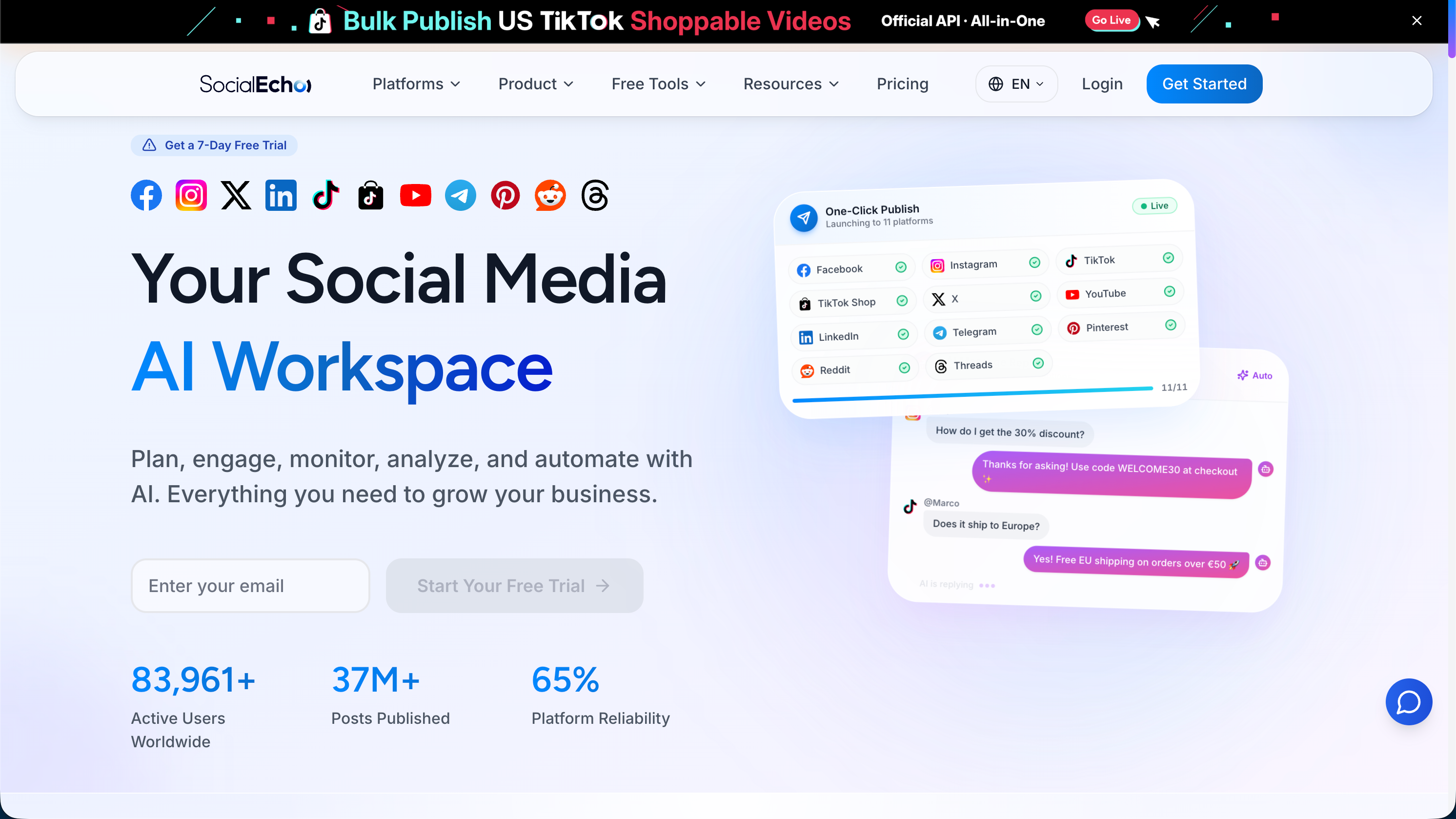
SocialEcho suits TikTok Shop sellers or cross-border e-commerce teams whose account count has already reached the single digits or more and who need to manage them collaboratively. Its core capability is official OAuth connections to 11 platforms (Facebook, Instagram, X, LinkedIn, Telegram, YouTube, TikTok, TikTok Shop, Pinterest, Reddit, Threads), supporting multi-account batch content publishing and scheduled timing, with built-in AI creation that automatically rewrites a single master piece to each platform's spec, cutting the repetitive labor of adjusting formats platform by platform. The analytics module rolls multi-account, multi-platform data up into a unified report, and together with engagement management and AI automation, it covers comment and DM reply scenarios beyond publishing. Note that SocialEcho itself does not provide TikTok Shop shoppable checkout — that still goes through official channels — and the product is aimed at users with a certain account scale and collaboration needs; if you only have 1–2 accounts and very light needs, you may not feel the efficiency difference a multi-account workspace brings. On pricing there's a free tier at $0, a basic tier from $15/month (billed annually, from 5 accounts), and a team tier from $20/month (billed annually, from 5 accounts).
2. Buffer: a clean interface, good for smaller teams getting started
Buffer has long been known for its clean interface and quick learning curve, and is one of the common choices smaller teams try when they first touch social scheduling tools. It supports publishing and scheduling on mainstream platforms including TikTok, with intuitive operating logic and a low learning cost. For TikTok Shop sellers just expanding from single-digit accounts to a dozen or so, Buffer's multi-account management and basic scheduling are enough to handle a daily posting rhythm. Note that Buffer's positioning leans toward a "lightweight scheduling tool"; on advanced capabilities like deep data analysis, automated cross-platform rewriting, and AI creation it's relatively basic, so if the team later needs more complex e-commerce content-matrix operations or finer-grained data aggregation, it may need to be paired with other tools or an upgrade to a more full-featured platform. Billing is typically tiered by channel/account count, the free tier is limited in features, and cost rises with account count as you scale. You can look at the comparison of SocialEcho and Buffer to understand how the two are positioned differently.
3. Hootsuite: comprehensive features, geared toward enterprise team collaboration
Hootsuite is one of the more senior products in the social media management space, with broad feature coverage — multi-platform publishing, team approval flows, fairly complete data reports — suited to teams of a certain size that need multiple roles collaborating to review content. For seller teams managing several TikTok Shop accounts with content-review layers involved, Hootsuite's permission management and workflow design are a clear advantage. But precisely because the feature set is spread wide, the interface and operating logic are relatively complex, and small teams or users who just want to "get content out" may find the learning cost high; as team seats and managed account counts grow, costs rise noticeably too, so small and mid-sized sellers should assess the budget in advance. See the comparison of SocialEcho and Hootsuite.
4. Later: born from visual scheduling, with clear Instagram DNA
Later started with Instagram's visual content calendar, drag-and-drop scheduling, and Link in Bio, then gradually expanded to TikTok and other platforms. Its strength lies in the visual presentation of the content calendar and the visual-planning experience, making it friendly to account operators who care about visual tone and layout consistency. But Later's product DNA means depth in cross-border e-commerce and TikTok Shop multi-account operations isn't its main focus; its data aggregation and automated rewriting are relatively basic, making it better suited to accounts whose core need is visual content planning rather than seller teams whose core need is e-commerce conversion and multi-account matrix management. Pricing is tiered by account/seat count, and the free tier is limited in features. See the comparison of SocialEcho and Later.
5. Metricool: strong reporting, common among smaller teams and agencies
Metricool has a certain user base among small and mid-sized businesses and agencies, characterized by relatively solid reporting and analytics that cover multi-platform engagement, follower-growth, and content-performance data, while also supporting publishing, scheduling, and some ad-data management. For TikTok Shop sellers who want a one-stop "publishing + basic data analysis" solution on a relatively limited budget, Metricool is one of the options often brought up for comparison. Its relatively weaker area is AI content creation and automated cross-platform rewriting; if your content output is mainly written by hand and you don't rely much on AI-assisted creation, that matters little, but if the goal is "reducing the repetitive labor of content rewriting," you may need to pair it with a separate creation tool. Billing is per account/seat, with specific tiers per the official site. See the comparison of SocialEcho and Metricool.
6. SocialBee: strong at content categorization and recycling
SocialBee's distinguishing feature is content categorization management and its "evergreen content recycling" mechanism, suited to account operators with a lot of evergreen content who need to schedule and publish on a recurring basis by category — for instance splitting content into promotional, product-seeding, and brand-story types with separate posting cadences. This mechanism is friendly to teams with a rich content inventory and a relatively fixed posting rhythm. But SocialBee isn't designed specifically for e-commerce or TikTok Shop scenarios, and it's not outstanding on cross-platform rewriting depth or data aggregation; its account-support scale and ecosystem maturity also lag the earlier tools somewhat, making it better used as a content-operations workflow tool than an e-commerce multi-account matrix manager. Billing is likewise tiered by account/seat, with a free trial that's limited in features. See the comparison of SocialEcho and SocialBee.
One table to see the differences across all 6 tools
| Tool | Multi-account support | Scheduling & timing | Cross-platform distribution/rewriting | AI creation | Data aggregation | TikTok/TikTok Shop support |
|---|---|---|---|---|---|---|
| SocialEcho | Yes, team tier starts at 5 accounts | Batch scheduling supported | One-click rewrite-and-distribute | Built-in AI creation and rewriting | Multi-account, multi-platform roll-up reports | Official direct connection to TikTok and TikTok Shop |
| Buffer | Yes, tiered by channel count | Yes | Basic, leans toward unified publishing | Fairly basic | Basic reports | Supports TikTok publishing |
| Hootsuite | Yes, enterprise-grade seat management | Yes, includes approval flow | Yes, fairly full-featured | Available on some plans | Fairly complete reporting | Supports TikTok publishing |
| Later | Yes | Yes, visual calendar | Basic | Fairly basic | Basic | Supports TikTok publishing; stronger Instagram DNA |
| Metricool | Yes | Yes | Basic | Fairly basic | Stronger reporting | Supports TikTok publishing |
| SocialBee | Yes | Yes, strong on content recycling | Basic | Fairly basic | Basic | Supports TikTok publishing |
FAQ
Can third-party tools attach TikTok Shop products directly inside a video?
Most can't. The tools mentioned here solve operational-efficiency problems like multi-account publishing, scheduling, cross-platform distribution, and data aggregation. E-commerce capabilities like "shoppable" product binding and generating cart links still need to be done through the TikTok Shop official backend or official open APIs; third-party tools don't directly replace that layer.
Is there an account-security risk in publishing from multiple accounts through a third-party tool?
Whether it uses the platform's official OAuth authorization is the key judgment point. Choose a tool that supports official authorized login and your account password isn't handed directly to a third party, so the risk is relatively controllable; if a tool asks for your account password or uses an unofficial simulated login, the risk of throttling or even a ban is noticeably higher, so confirming this first is advisable when choosing.
If I don't have many accounts (say only 2–3), is a tool like this necessary?
When you have few accounts and a simple posting rhythm, the cost of logging in and publishing manually one by one is relatively manageable, and whether to use a tool is more a matter of efficiency and habit. If you expect accounts to keep increasing, or you've already run into "forgot to post / posting time doesn't line up with the target market's time zone," setting up a process with a tool early tends to be easier than patching it once account scale has grown.
How do these tools' prices compare?
This article doesn't list specific price numbers, because most tools bill in tiers by account count, seat, or feature module, and adjust often, so comparing numbers directly gets stale easily. Verify against each tool's current pricing page on its official site based on your team's actual account and seat needs, and watch the free tier's feature limits to avoid "the free version works but the key features are locked."
What's the difference between cross-platform distribution and a simple "copy and publish"?
A simple copy-and-publish posts the same piece of content verbatim to different platforms, which easily causes format mismatches (a vertical short video forced into a spot that doesn't fit). Real cross-platform distribution/rewriting adjusts the copy, aspect ratio, and even tag structure automatically to the target platform's content specs and user habits, reducing the manual per-platform tweaking — which is the point of a cross-platform content rewriting tool.
Key takeaways
- First clarify your account scale and team collaboration needs; account count determines most tools' billing thresholds and feature-unlock tiers.
- Official OAuth authorization is the baseline requirement for account security — don't pick a tool that needs your account password just to save trouble.
- If your needs include TikTok Shop e-commerce content-matrix operations, focus on product designs geared toward multi-account matrix scenarios, like the e-commerce solution or the matrix-creator solution.
- Shoppable selling — that kind of e-commerce checkout capability — is outside the scope of the tools in this article, so confirm official-channel support separately; in particular, the rules around TikTok Shop shoppable video follow official policy.
- Before scheduling, use a best posting-time finder and a posting-frequency planner to get a read on your own accounts' historical patterns, then decide on a scheduling cadence rather than borrowing someone else's timetable outright.
- Test data aggregation for real: use an engagement-rate calculator to roughly gauge your current accounts' performance baseline, then check whether a tool's aggregated numbers line up.
If you'd like to learn more about SocialEcho's specific publishing capabilities on TikTok, Instagram, YouTube and other platforms, visit the SocialEcho website to see the detailed descriptions on each platform's landing page.
How well a tool actually fits varies with team size, account count, target market, and budget; this article is a selection reference and not a recommendation guarantee — refer to each tool's current features and TikTok Shop's official policy.
;}.cls-2{fill:%230868f7;}.cls-3{fill:url(%23未命名的渐变_44);}.cls-4{fill:%23333;}%3c/style%3e%3clinearGradient%20id='未命名的渐变_8'%20x1='33.73'%20y1='100.61'%20x2='-0.03'%20y2='-1.06'%20gradientUnits='userSpaceOnUse'%3e%3cstop%20offset='0'%20stop-color='%237ae9fb'/%3e%3cstop%20offset='0.67'%20stop-color='%232b90f8'/%3e%3cstop%20offset='1'%20stop-color='%230868f7'/%3e%3c/linearGradient%3e%3clinearGradient%20id='未命名的渐变_44'%20x1='27.86'%20y1='18.67'%20x2='68.36'%20y2='22.22'%20gradientUnits='userSpaceOnUse'%3e%3cstop%20offset='0'%20stop-color='%235ac7f2'/%3e%3cstop%20offset='1'%20stop-color='%230868f7'/%3e%3c/linearGradient%3e%3c/defs%3e%3cpath%20class='cls-1'%20d='M29,28.74V81.91l-9.51-3.68v0L8.52,74A7.17,7.17,0,0,1,4,67.32V24.54A3.76,3.76,0,0,1,9.08,21Z'/%3e%3cpath%20class='cls-2'%20d='M68.09,78.07a13.15,13.15,0,0,1-17.9,12.06L29,81.91h0V28.74L50.19,37A13.17,13.17,0,0,0,68.08,25.3h0Z'/%3e%3cpath%20class='cls-3'%20d='M68.08,25.3a13.19,13.19,0,0,1-6.73,10.87A13.09,13.09,0,0,1,50.19,37L29,28.74V6A3.76,3.76,0,0,1,34.1,2.52l25.59,9.91A13.22,13.22,0,0,1,68.08,25.3Z'/%3e%3cpath%20class='cls-4'%20d='M129.06,81.76a4.33,4.33,0,0,1-3.19-1.31,4.4,4.4,0,0,1-1.31-3.24V56.86H97.65V77.21a4.36,4.36,0,0,1-1.35,3.2A4.68,4.68,0,0,1,93,81.76a4.32,4.32,0,0,1-3.19-1.31,4.37,4.37,0,0,1-1.32-3.24V27.27A4.58,4.58,0,0,1,89.83,24a4.59,4.59,0,0,1,7.82,3.27V48.15h26.91V27.27A4.58,4.58,0,0,1,125.91,24a4.59,4.59,0,0,1,7.82,3.27V77.21a4.37,4.37,0,0,1-1.36,3.2A4.65,4.65,0,0,1,129.06,81.76Z'/%3e%3cpath%20class='cls-4'%20d='M163.77,81.66c-6.57,0-11.76-1.92-15.44-5.7s-5.54-9.07-5.54-15.74a26.76,26.76,0,0,1,2.09-10.43,17.72,17.72,0,0,1,6.67-8.06,19.15,19.15,0,0,1,10.68-2.95,19,19,0,0,1,10.46,2.8,18.7,18.7,0,0,1,6.55,7.36,22.53,22.53,0,0,1,2.36,10.28A4.51,4.51,0,0,1,177,63.77H152.23a10.8,10.8,0,0,0,3.49,6.65c2,1.68,4.88,2.52,8.66,2.52a22.25,22.25,0,0,0,7.54-1.21c.74-.3,1.55-.67,2.37-1.07a3.75,3.75,0,0,1,1.84-.4,4.09,4.09,0,0,1,3,1.15,4,4,0,0,1,1.12,3,4.38,4.38,0,0,1-2.58,3.82,32.34,32.34,0,0,1-6.36,2.61A28.67,28.67,0,0,1,163.77,81.66ZM172.4,55.9a9.72,9.72,0,0,0-1.63-4.56A9.9,9.9,0,0,0,167,48a10.38,10.38,0,0,0-4.64-1.14,12,12,0,0,0-4.77,1.06,9.54,9.54,0,0,0-4.89,5.66,11.78,11.78,0,0,0-.51,2.3Z'/%3e%3cpath%20class='cls-4'%20d='M193,81.64a4.49,4.49,0,0,1-4.51-4.55V27.28A4.58,4.58,0,0,1,189.84,24a4.48,4.48,0,0,1,3.28-1.36A4.36,4.36,0,0,1,196.35,24a4.46,4.46,0,0,1,1.31,3.31V77.09a4.34,4.34,0,0,1-1.35,3.2A4.67,4.67,0,0,1,193,81.64Z'/%3e%3cpath%20class='cls-4'%20d='M263.79,81.71a5.7,5.7,0,0,1-4.2-1.74,5.76,5.76,0,0,1-1.73-4.19V27.37a4.58,4.58,0,0,1,1.35-3.27A4.59,4.59,0,0,1,267,27.37V72.53h24a4.58,4.58,0,0,1,3.27,7.82A4.66,4.66,0,0,1,291,81.71Z'/%3e%3cpath%20class='cls-4'%20d='M424.48,81.74a4.71,4.71,0,0,1-2.71-.88,5.43,5.43,0,0,1-1-1l-.07-.09-12.41-17-5.41,5v9.44a4.31,4.31,0,0,1-1.36,3.19,4.66,4.66,0,0,1-3.3,1.36A4.29,4.29,0,0,1,395,80.42a4.36,4.36,0,0,1-1.32-3.23V27.37A4.58,4.58,0,0,1,395,24.1a4.52,4.52,0,0,1,6.58.12,4.54,4.54,0,0,1,1.24,3.15V56.31l17.72-16.38.05,0a4.8,4.8,0,0,1,2.94-1.11,4.4,4.4,0,0,1,3.27,1.2,4.57,4.57,0,0,1,1.2,3.27,4.44,4.44,0,0,1-.77,2.33,7.45,7.45,0,0,1-1.43,1.65l-11,9.64,13.34,17.68a5,5,0,0,1,1,2.71,4.12,4.12,0,0,1-1.36,3.24A4.64,4.64,0,0,1,424.48,81.74Z'/%3e%3cpath%20class='cls-4'%20d='M317.93,81.76a21.5,21.5,0,1,1,21.17-21.5A21.37,21.37,0,0,1,317.93,81.76Zm0-34.1a12.61,12.61,0,1,0,12.42,12.6A12.52,12.52,0,0,0,317.93,47.66Z'/%3e%3cpath%20class='cls-4'%20d='M212.18,101.22a4.12,4.12,0,0,1-3.05-1.26,4.17,4.17,0,0,1-1.26-3.1V43.34a4.37,4.37,0,0,1,1.3-3.14,4.26,4.26,0,0,1,3.13-1.3,4.19,4.19,0,0,1,3.1,1.26,4.32,4.32,0,0,1,1.26,3.16,20.77,20.77,0,0,1,13-4.54,21.51,21.51,0,0,1,0,43,20.51,20.51,0,0,1-13-4.57V96.86a4.15,4.15,0,0,1-1.3,3.06A4.5,4.5,0,0,1,212.18,101.22Zm17.43-53.63c-6.23,0-12.93,4.11-12.93,12.72a12.73,12.73,0,0,0,25.46,0A12.71,12.71,0,0,0,229.61,47.59Z'/%3e%3cpath%20class='cls-4'%20d='M365.76,81.76a21.5,21.5,0,1,1,21.18-21.5A21.37,21.37,0,0,1,365.76,81.76Zm0-34.1a12.61,12.61,0,1,0,12.42,12.6A12.52,12.52,0,0,0,365.76,47.66Z'/%3e%3c/svg%3e)