
How to post Instagram Reels on a computer? Three methods and a guide to scheduled bulk posting.
Author: Abby | Focus on content creation for overseas markets
At 11 PM, Aya had just finished editing a 42-second vertical narration video on her Mac using Premiere. The subtitles, transitions, and background music were all aligned, but she suddenly got stuck when exporting—this video was to be posted to the brand's Instagram account, but her phone was still charging in the living room. She'd always found the process of "uploading, editing, and posting from a phone" too convoluted: first, she had to sync the finished video from her computer to her phone's photo album, then open the app, find the Reels entry, and upload it, and if the network was bad, she'd have to re-upload. She tried directly opening her browser and logging into instagram.com, thinking, "The web version should be able to post," but after scrolling through the homepage for ages, she couldn't find the Reels button. This is probably a moment many content creators working on their computers for overseas operations and multi-channel content creation have experienced.
TL;DR: The official Instagram website currently has limited support for Reels, and most accounts still need to rely on the mobile app to complete the core posting actions, but computer users are not without options.
- Instagram's web version can upload videos, but the entry point and functions often change depending on the account, region, and gray-scale testing, so it cannot be relied upon as a stable process.
- There are roughly three ways to publish Reels from a computer: mobile app (the most basic), official web version (sometimes unavailable), and third-party publishing tools (for multiple accounts and batch scenarios).
- Teams that need to post regularly, synchronize multiple accounts, and schedule in batches usually turn to third-party management tools that support Instagram.
- For finer details like subtitles and covers, it's recommended to complete them during the editing stage or using specialized tools before releasing them.
Before explaining the specific methods, let's clarify one thing: SocialEcho is a comprehensive social media AI workbench for companies expanding overseas. It connects directly to 11 platforms—Facebook, Instagram, X, LinkedIn, Telegram, YouTube, TikTok, TikTok Shop, Pinterest, Reddit, and Threads—through official OAuth. Its core functionality integrates content publishing, AI creation, interaction management, and data analysis into a single desktop workflow, making it suitable for teams or individual creators who need to manage multiple accounts and platforms simultaneously. Let's first clarify the current state of Reels on desktop computers before discussing which aspects this type of tool can fill.

Can Instagram post Reels from a computer?
Yes, but with significant limitations. In recent years, Instagram's web version has gradually opened up some content posting capabilities, including image and video uploads. Theoretically, computer users can complete Reels uploads through a browser, but this entry point is not consistently visible to all accounts, and the functionality often changes depending on the gray-scale testing, region, and account type.
For accounts that frequently post content, this uncertainty is a problem in itself. If you can post on the web today, but the entry point disappears tomorrow, relying on it for daily scheduling is quite risky. Therefore, a more prudent approach is to treat the web version as an "emergency supplement" rather than the primary publishing channel—especially when the team has a fixed update rhythm and needs to ensure stable output at several times each day.
What are the limitations of posting Reels on the official website?
The main limitations lie in the depth of editing, batch processing capabilities, and support for multiple accounts. Even if the web version allows uploading videos, it usually lacks the stickers, native music library, some special effects, and fine-tuning tools found in mobile apps. The publishing process is more like "uploading materials" than "creating a complete work."
Specifically, here are a few common limitations:
- Editing functionality is weakened : Web versions often only support basic cropping and adding text, the native filter and sound effects libraries are incomplete, and complex transition effects basically need to be done in advance in the editing software.
- True batch scheduling is not supported : The official web page does not currently have the native ability to "schedule the publication of multiple Reels", so each piece of content basically needs to be manually operated once.
- Switching between multiple accounts is cumbersome : If you are operating several brand accounts or matrix accounts at the same time, the experience of switching accounts and logging in repeatedly on the web page is not smooth.
- Limited Cover and Subtitle Processing : Fine-grained operations such as customizing cover frames and burning subtitles have limited support on the web version, and often it is still necessary to go back to editing software or specialized processing tools.
The key issue is that the web version addresses the basic question of "whether or not one can upload content," rather than the more practical need of "whether or not one can efficiently manage content." For individual users who occasionally post one or two items, the web version is sufficient; however, for teams with a stable update schedule and multiple accounts running concurrently, these limitations will gradually become significant efficiency bottlenecks.
What are the different ways to send Reels on a computer?
Currently, there are roughly three paths for uploading Reels from a computer: mobile app as an intermediary, direct upload from the official website, and batch management using third-party publishing tools. Each has different applicable scenarios. The choice depends on the posting frequency, the number of accounts, and whether timed posting and subtitle/cover processing are required.
First, take a look at a comparison table to help you determine which scenario you are more likely to encounter:
| Release method | Can you send Reels? | Can it be timed? | Can I use multiple accounts? | Subtitle/Cover Support |
|---|---|---|---|---|
| Mobile App | Supported, most complete functionality | Native timing is not supported. | Manual switching is required for each account. | Supported; the native editor is quite complete. |
| Instagram Official Website | Partial support, unstable access. | Not supported | Limited support, mediocre experience | Limited support, heavily reliant on external processing |
| Third-party publishing tools | Most support this feature, but it relies on the official API for integration. | Typically supports scheduled/batch scheduling. | It typically supports unified management of multiple accounts. | Depending on the tool, some built-in processing capabilities |
The table shows that each of the three methods has its trade-offs: mobile apps excel in editing completeness, web versions offer the advantage of "not needing to touch the phone" but have reduced functionality, while third-party tools compensate for the lack of timed editing and multiple account functionality. Therefore, choosing a method essentially involves weighing "editing depth" against "management efficiency."
If for now you only need to follow the most basic path—editing the materials on your computer and then publishing them on your phone—the general steps are as follows:
- Use video editing software on your computer to edit, add music, and perform basic color grading on a vertical video, then export it as a 9:16 vertical screen format.
- To check if the video specifications meet Reels requirements (duration, resolution, file size), you can use a similar video specification checking tool to perform a check first to avoid compression and distortion after uploading.
- Sync the finished product to your phone (via cloud storage, AirDrop, or data cable) to avoid repeated transfers via instant messaging software that could lead to image quality loss.
- In the Instagram app on your phone, select the Reels entry point, import the video, and add captions, stickers, hashtags, and location information.
- If you need to release at off-peak times, record the planned release time and manually execute the release at the designated time, or switch to a tool that supports scheduling.
The problem with this approach is obvious: each step requires manual intervention, and the time cost increases exponentially with the frequency of posting. If it's just an occasional post, this operation isn't too burdensome; however, for operators who update multiple times a week and maintain several accounts simultaneously, the manual process quickly becomes a bottleneck.
How can I schedule and batch send Reels on my computer?
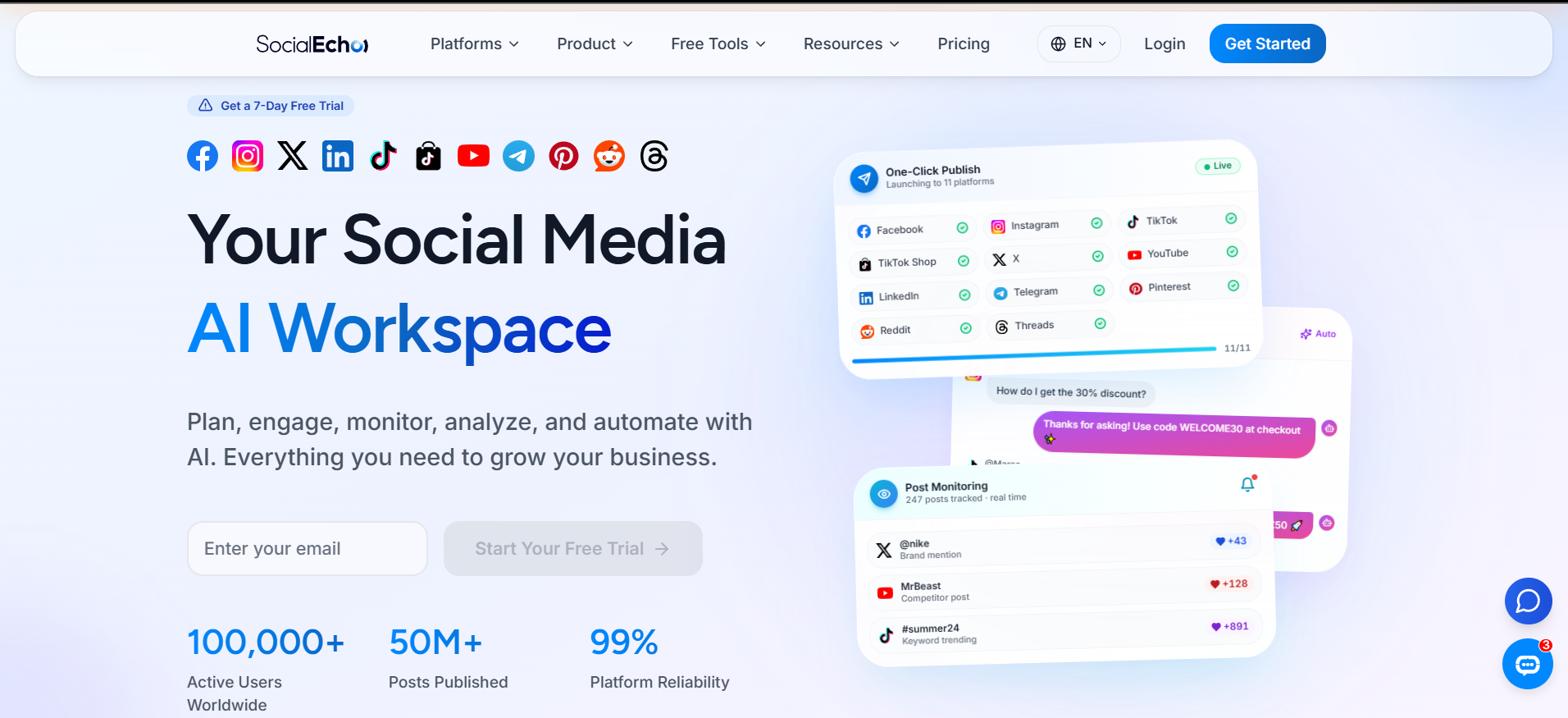
To achieve true desktop-based scheduled and batch publishing, it's typically necessary to use third-party management tools that support official API access, rather than simply relying on a web-based version. The core value of these tools is that they move the entire workflow—content preparation, scheduling, publishing, and post-launch analysis—to the computer, reducing the need for mobile phone operations. For example, SocialEcho, an overseas social media AI workbench:
For teams that frequently need to plan content a week or even a month in advance, batch scheduling offers several direct benefits:
- Editing and scheduling can be done in a concentrated period of time, staggering the creation and release times, and reducing the sense of rushing to come up with a title just before release.
- When multiple accounts are scheduled simultaneously, there is no need to switch login status back and forth between several accounts.
- Some tools can be combined with optimal release time tools or release frequency planning tools to help determine the release rhythm and reduce the randomness of scheduling based on intuition.
Taking SocialEcho's content publishing module as an example, it connects directly to platforms like Instagram via official OAuth, supporting the scheduling of multiple Reels on the desktop, setting timed publishing times, and unified management of multiple accounts without requiring operation on each mobile phone individually. These tools typically also offer two relatively independent capabilities: batch publishing and scheduled publishing . The former addresses the efficiency issue of "publishing multiple pieces of content at once," while the latter addresses the issue of "automatically launching content at a scheduled time."
Ultimately, timed and batch publishing capabilities address operational issues, not creative ones—content quality still depends on editing and copywriting itself; the tool simply makes the "publishing" process easier.
It's important to note that different tools have varying methods and permissions when integrating with Instagram. When choosing a tool, it's essential to confirm whether it's using an official authorized channel to avoid potential account security risks. If your team also manages short video content on other platforms like TikTok , YouTube , or Threads , using a unified workspace for scheduling is usually more time-efficient than switching between multiple official backends.
How can I manage subtitles, covers, and content from multiple accounts all at once on my desktop?
Subtitle recording and cover selection should be handled centrally during the pre-release preparation stage, rather than being done piecemeal. This will significantly reduce repetitive work. The advantage of using a computer is that it allows for more relaxed processing of detailed content. Integrating this step with the release process will result in a more significant efficiency improvement than expected.
In practical terms, here are a few common approaches:
- Use editing software to apply the same subtitle style to a batch of videos to maintain visual consistency, rather than designing each one separately.
- Several frames are captured in advance as candidate covers, and a cover title checker is used to determine whether the text on the cover is clear and whether it will be cropped or obscured by the platform.
- If the same content needs to be distributed across platforms, such as simultaneously posting on Instagram, Reels, and TikTok, you can use cross-platform content adaptation tools to check in advance whether the size and text length need to be adjusted, rather than discovering that it has been cut off after publication.
- If the content of multiple accounts has a similar style, you can use a set of master materials and then make partial rewrites for different accounts to reduce the time spent creating from scratch.
For matrix-style creators, this "batch processing - unified scheduling" approach is particularly important. SocialEcho's AI creation module can generate initial drafts of images, videos, or text based on a single sentence, and automatically rewrite the content style for different platforms, supporting multiple language versions. This saves a lot of repetitive work when operating multiple accounts simultaneously and needing to quickly produce variations of content; while the publishing process still returns to the content publishing module to handle scheduling and distribution. This type of workbench is more suitable for multi-account matrix operations or brand overseas marketing . For individual users who occasionally post one or two pieces of content, such a complete process may not be necessary.
After release, content performance is also worth tracking. Reels' post-launch interaction data (completion rate, comments, shares) can guide the direction of the next batch of content. For example, the data analysis module can be used to view the overall performance of multiple accounts, or interaction management can be used to uniformly reply to comments and private messages, avoiding situations where comments accumulate without response. If you also need to monitor competitor or keyword trends, the social media monitoring function can supplement this, but this is a more advanced operational step and not a necessary step for posting a Reels update.
FAQ
Instagram's web version allows video uploads, but why can't I find the entry point for posting to Reels? This is usually related to the account's region and the progress of the gray-scale testing; the entry point location may also change with version updates. If you really can't find it, a safer approach is to post using the mobile app first, or switch to a third-party tool that supports stable integration, rather than repeatedly refreshing the page waiting for the entry point to appear.
Will posting Reels from a computer versus a mobile phone result in different content effects? The posting channel itself doesn't directly determine the content's reach; what truly matters are factors like content quality, posting time, and the account's historical performance. Posting from a computer primarily addresses "efficiency," such as easier editing and scheduling, but the final performance will vary depending on the account's foundation, content quality, industry, and execution method.
Will scheduled Reels publishing affect account security? As long as scheduled publishing is done through a tool with official authorization (OAuth), the risk is generally manageable because the publishing action uses the platform's official open interface, not simulated logins or script operations. When choosing a tool, it's recommended to prioritize confirming whether it uses official authorization channels, rather than requiring you to provide your account and password.
If you want to manage multiple Instagram accounts on your computer, is it necessary to use a dedicated tool? If you only operate one account and post infrequently, a mobile app is perfectly adequate, and additional tools may not be necessary. However, if the number of accounts is increasing, or if staggered posting or team collaboration is required, a unified management tool can reduce the time cost of repeatedly switching login statuses, making the investment more worthwhile.
Summary
- Instagram's official website partially supports video uploads, but the access point is unstable and not suitable as a long-term, reliable publishing channel.
- Currently, there are three main paths for sending Reels from a computer: mobile app as a transfer intermediary, direct upload via web page, and batch management using third-party tools. Each path has its own advantages and disadvantages.
- The timed and batch capabilities currently rely mainly on third-party publishing tools that support access to the official API; the official web interface does not yet have these native functions.
- It is recommended to process the subtitles and cover images together before publishing. For content from multiple accounts, you can improve efficiency by using master materials and making partial rewrites.
- Regardless of the method used, content quality and the stability of the release schedule remain the core variables that determine long-term results.
Returning to Aya's scenario, her later approach was to import all edited videos into a scheduling tool, plan the release dates for the week in advance, and complete the subtitles and covers during the export process, eliminating the need for daily manual transfers to her phone and searching for entry points. While not the only solution, this certainly saved considerable time on repetitive tasks. Tools like SocialEcho can help with the efficiency of the publishing and management process; the quality and creativity of the content itself still require the creator's control. Results vary depending on the account's foundation, content quality, industry, and execution method. Tools can optimize processes, but they cannot replace the polishing of the content itself.
;}.cls-2{fill:%230868f7;}.cls-3{fill:url(%23未命名的渐变_44);}.cls-4{fill:%23333;}%3c/style%3e%3clinearGradient%20id='未命名的渐变_8'%20x1='33.73'%20y1='100.61'%20x2='-0.03'%20y2='-1.06'%20gradientUnits='userSpaceOnUse'%3e%3cstop%20offset='0'%20stop-color='%237ae9fb'/%3e%3cstop%20offset='0.67'%20stop-color='%232b90f8'/%3e%3cstop%20offset='1'%20stop-color='%230868f7'/%3e%3c/linearGradient%3e%3clinearGradient%20id='未命名的渐变_44'%20x1='27.86'%20y1='18.67'%20x2='68.36'%20y2='22.22'%20gradientUnits='userSpaceOnUse'%3e%3cstop%20offset='0'%20stop-color='%235ac7f2'/%3e%3cstop%20offset='1'%20stop-color='%230868f7'/%3e%3c/linearGradient%3e%3c/defs%3e%3cpath%20class='cls-1'%20d='M29,28.74V81.91l-9.51-3.68v0L8.52,74A7.17,7.17,0,0,1,4,67.32V24.54A3.76,3.76,0,0,1,9.08,21Z'/%3e%3cpath%20class='cls-2'%20d='M68.09,78.07a13.15,13.15,0,0,1-17.9,12.06L29,81.91h0V28.74L50.19,37A13.17,13.17,0,0,0,68.08,25.3h0Z'/%3e%3cpath%20class='cls-3'%20d='M68.08,25.3a13.19,13.19,0,0,1-6.73,10.87A13.09,13.09,0,0,1,50.19,37L29,28.74V6A3.76,3.76,0,0,1,34.1,2.52l25.59,9.91A13.22,13.22,0,0,1,68.08,25.3Z'/%3e%3cpath%20class='cls-4'%20d='M129.06,81.76a4.33,4.33,0,0,1-3.19-1.31,4.4,4.4,0,0,1-1.31-3.24V56.86H97.65V77.21a4.36,4.36,0,0,1-1.35,3.2A4.68,4.68,0,0,1,93,81.76a4.32,4.32,0,0,1-3.19-1.31,4.37,4.37,0,0,1-1.32-3.24V27.27A4.58,4.58,0,0,1,89.83,24a4.59,4.59,0,0,1,7.82,3.27V48.15h26.91V27.27A4.58,4.58,0,0,1,125.91,24a4.59,4.59,0,0,1,7.82,3.27V77.21a4.37,4.37,0,0,1-1.36,3.2A4.65,4.65,0,0,1,129.06,81.76Z'/%3e%3cpath%20class='cls-4'%20d='M163.77,81.66c-6.57,0-11.76-1.92-15.44-5.7s-5.54-9.07-5.54-15.74a26.76,26.76,0,0,1,2.09-10.43,17.72,17.72,0,0,1,6.67-8.06,19.15,19.15,0,0,1,10.68-2.95,19,19,0,0,1,10.46,2.8,18.7,18.7,0,0,1,6.55,7.36,22.53,22.53,0,0,1,2.36,10.28A4.51,4.51,0,0,1,177,63.77H152.23a10.8,10.8,0,0,0,3.49,6.65c2,1.68,4.88,2.52,8.66,2.52a22.25,22.25,0,0,0,7.54-1.21c.74-.3,1.55-.67,2.37-1.07a3.75,3.75,0,0,1,1.84-.4,4.09,4.09,0,0,1,3,1.15,4,4,0,0,1,1.12,3,4.38,4.38,0,0,1-2.58,3.82,32.34,32.34,0,0,1-6.36,2.61A28.67,28.67,0,0,1,163.77,81.66ZM172.4,55.9a9.72,9.72,0,0,0-1.63-4.56A9.9,9.9,0,0,0,167,48a10.38,10.38,0,0,0-4.64-1.14,12,12,0,0,0-4.77,1.06,9.54,9.54,0,0,0-4.89,5.66,11.78,11.78,0,0,0-.51,2.3Z'/%3e%3cpath%20class='cls-4'%20d='M193,81.64a4.49,4.49,0,0,1-4.51-4.55V27.28A4.58,4.58,0,0,1,189.84,24a4.48,4.48,0,0,1,3.28-1.36A4.36,4.36,0,0,1,196.35,24a4.46,4.46,0,0,1,1.31,3.31V77.09a4.34,4.34,0,0,1-1.35,3.2A4.67,4.67,0,0,1,193,81.64Z'/%3e%3cpath%20class='cls-4'%20d='M263.79,81.71a5.7,5.7,0,0,1-4.2-1.74,5.76,5.76,0,0,1-1.73-4.19V27.37a4.58,4.58,0,0,1,1.35-3.27A4.59,4.59,0,0,1,267,27.37V72.53h24a4.58,4.58,0,0,1,3.27,7.82A4.66,4.66,0,0,1,291,81.71Z'/%3e%3cpath%20class='cls-4'%20d='M424.48,81.74a4.71,4.71,0,0,1-2.71-.88,5.43,5.43,0,0,1-1-1l-.07-.09-12.41-17-5.41,5v9.44a4.31,4.31,0,0,1-1.36,3.19,4.66,4.66,0,0,1-3.3,1.36A4.29,4.29,0,0,1,395,80.42a4.36,4.36,0,0,1-1.32-3.23V27.37A4.58,4.58,0,0,1,395,24.1a4.52,4.52,0,0,1,6.58.12,4.54,4.54,0,0,1,1.24,3.15V56.31l17.72-16.38.05,0a4.8,4.8,0,0,1,2.94-1.11,4.4,4.4,0,0,1,3.27,1.2,4.57,4.57,0,0,1,1.2,3.27,4.44,4.44,0,0,1-.77,2.33,7.45,7.45,0,0,1-1.43,1.65l-11,9.64,13.34,17.68a5,5,0,0,1,1,2.71,4.12,4.12,0,0,1-1.36,3.24A4.64,4.64,0,0,1,424.48,81.74Z'/%3e%3cpath%20class='cls-4'%20d='M317.93,81.76a21.5,21.5,0,1,1,21.17-21.5A21.37,21.37,0,0,1,317.93,81.76Zm0-34.1a12.61,12.61,0,1,0,12.42,12.6A12.52,12.52,0,0,0,317.93,47.66Z'/%3e%3cpath%20class='cls-4'%20d='M212.18,101.22a4.12,4.12,0,0,1-3.05-1.26,4.17,4.17,0,0,1-1.26-3.1V43.34a4.37,4.37,0,0,1,1.3-3.14,4.26,4.26,0,0,1,3.13-1.3,4.19,4.19,0,0,1,3.1,1.26,4.32,4.32,0,0,1,1.26,3.16,20.77,20.77,0,0,1,13-4.54,21.51,21.51,0,0,1,0,43,20.51,20.51,0,0,1-13-4.57V96.86a4.15,4.15,0,0,1-1.3,3.06A4.5,4.5,0,0,1,212.18,101.22Zm17.43-53.63c-6.23,0-12.93,4.11-12.93,12.72a12.73,12.73,0,0,0,25.46,0A12.71,12.71,0,0,0,229.61,47.59Z'/%3e%3cpath%20class='cls-4'%20d='M365.76,81.76a21.5,21.5,0,1,1,21.18-21.5A21.37,21.37,0,0,1,365.76,81.76Zm0-34.1a12.61,12.61,0,1,0,12.42,12.6A12.52,12.52,0,0,0,365.76,47.66Z'/%3e%3c/svg%3e)