
Product Update Log - 2026/11/11

When you are away from your computer and need to confirm whether a post was published successfully or quickly check the latest data for several accounts, doing so has not always been convenient.
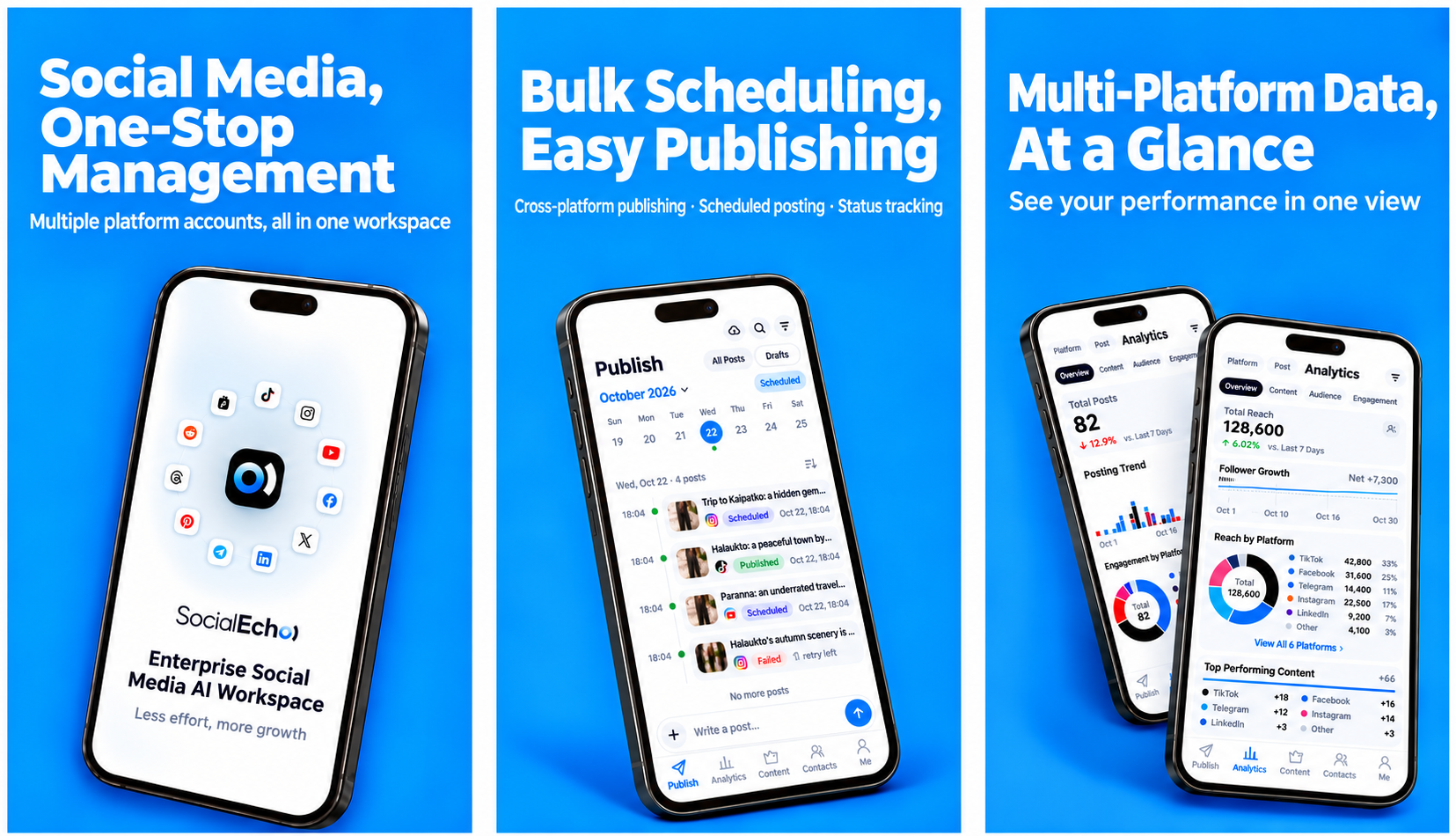
The SocialEcho Android app is now available.
TL;DR
- Manage content scheduling, publishing status, account data, and account connections from your phone.
- Connected accounts, published content, operational data, and subscription plans sync with the PC version.
- Publish across platforms, review account performance, reuse shared assets, and handle authorization while away from your desk.
You can handle and review content scheduling, publishing status, account data, and account connections directly on your phone. There is no need to register again: sign in with your existing SocialEcho account. Connected accounts, published content, operational data, and subscription plans sync with the PC version.
Publish Across Platforms from Your Phone
The SocialEcho mobile app lets you create content directly. When publishing, you can select accounts on multiple platforms, with the format adapted for each platform. When the same content needs to go to several platforms, you do not need to switch accounts and repeat the process. One action distributes it across platforms.
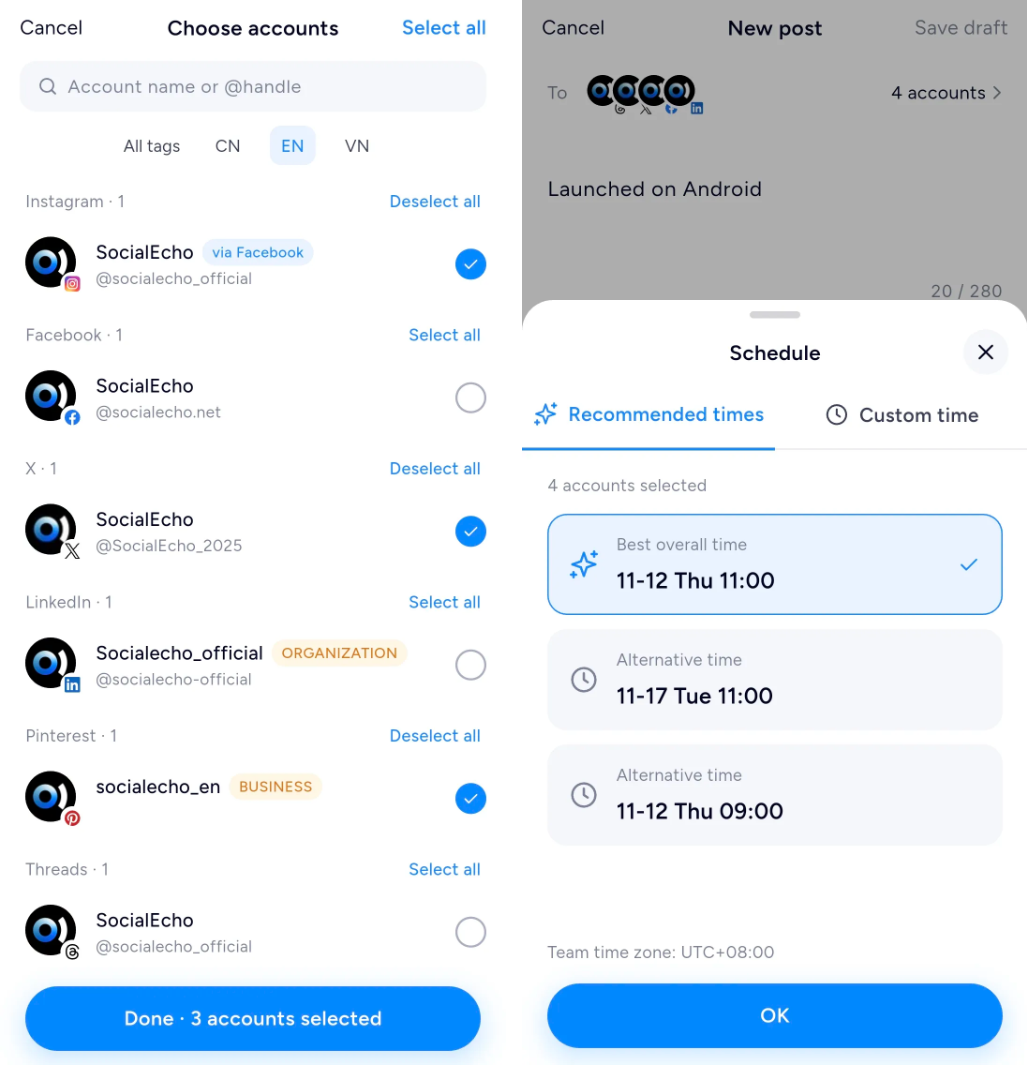
After editing a video on your phone, you can open the SocialEcho app and distribute it to each platform without transferring it to a computer first.
Check Publishing Status in the App
After opening the app, the publishing page shows content scheduled for the day. When you manage multiple accounts and platforms, you can open your phone to understand overall progress first.
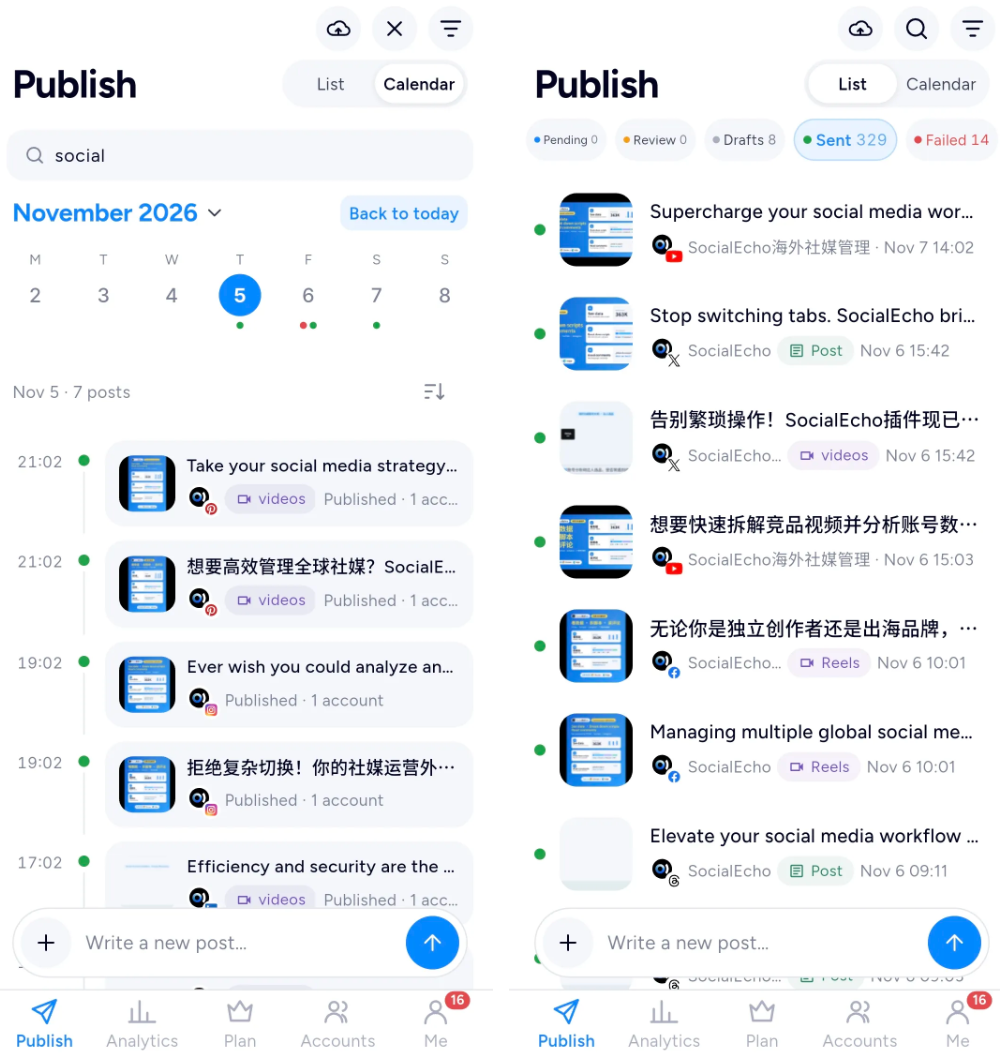
Tap the magnifying-glass icon in the upper-right corner to search for posts containing a keyword. The more-options icon also supports custom filters, so you can narrow the results according to your workflow and review content more efficiently.
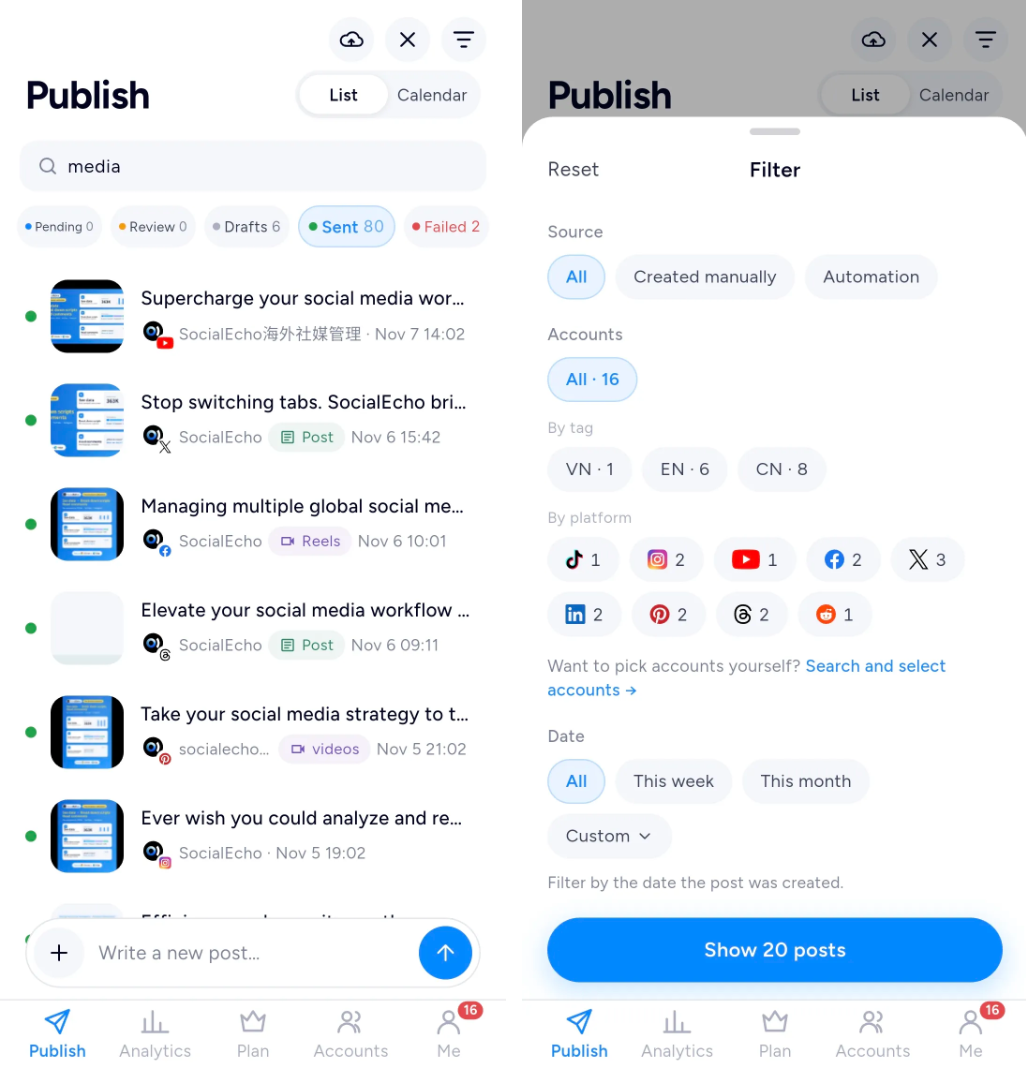
Publishing records from the computer are synchronized to the phone. For global teams working across time zones, operators can check content status promptly from a mobile context and follow up on items that need attention, reducing the chance of discovering an urgent issue only the next day.
Create on Your Phone, Continue Editing on Your Computer
Content scheduled on the phone is synchronized to the computer. Once you are back at your desk, you can continue editing copy and assets, review the full schedule, edit drafts, or delete content you no longer need.
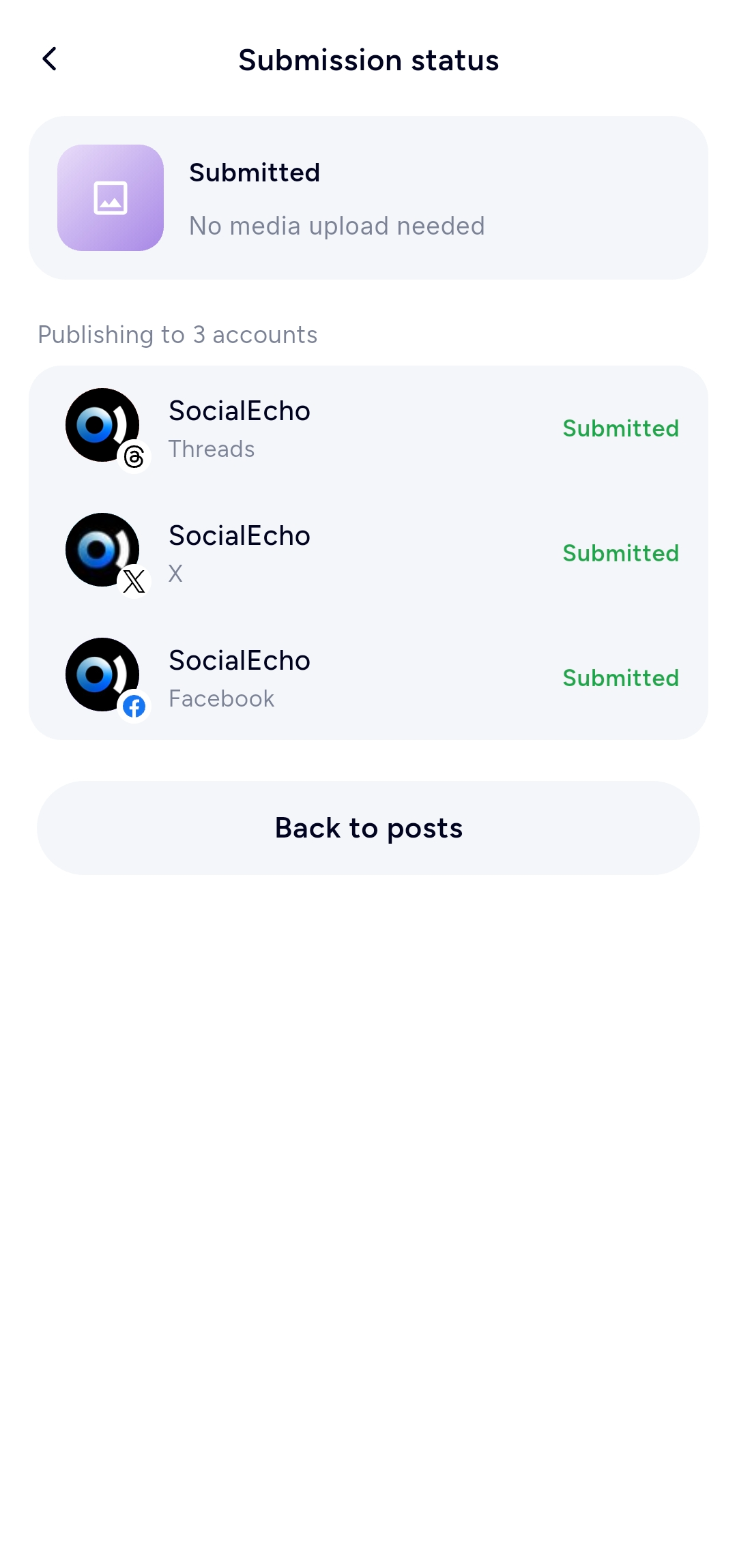

The phone is suited to quick creation and scheduling, while the computer is better for long-form copy, batch management, and overall scheduling. Both use the same account, content, and cloud-drive data, so you do not need to create content or upload assets twice.
Review Account Data Away from Your Computer
The account analytics page shows follower changes, new posts, reach, and engagement. During a business trip, between meetings, or when you need to provide a quick update, you can use your phone to check recent account performance.
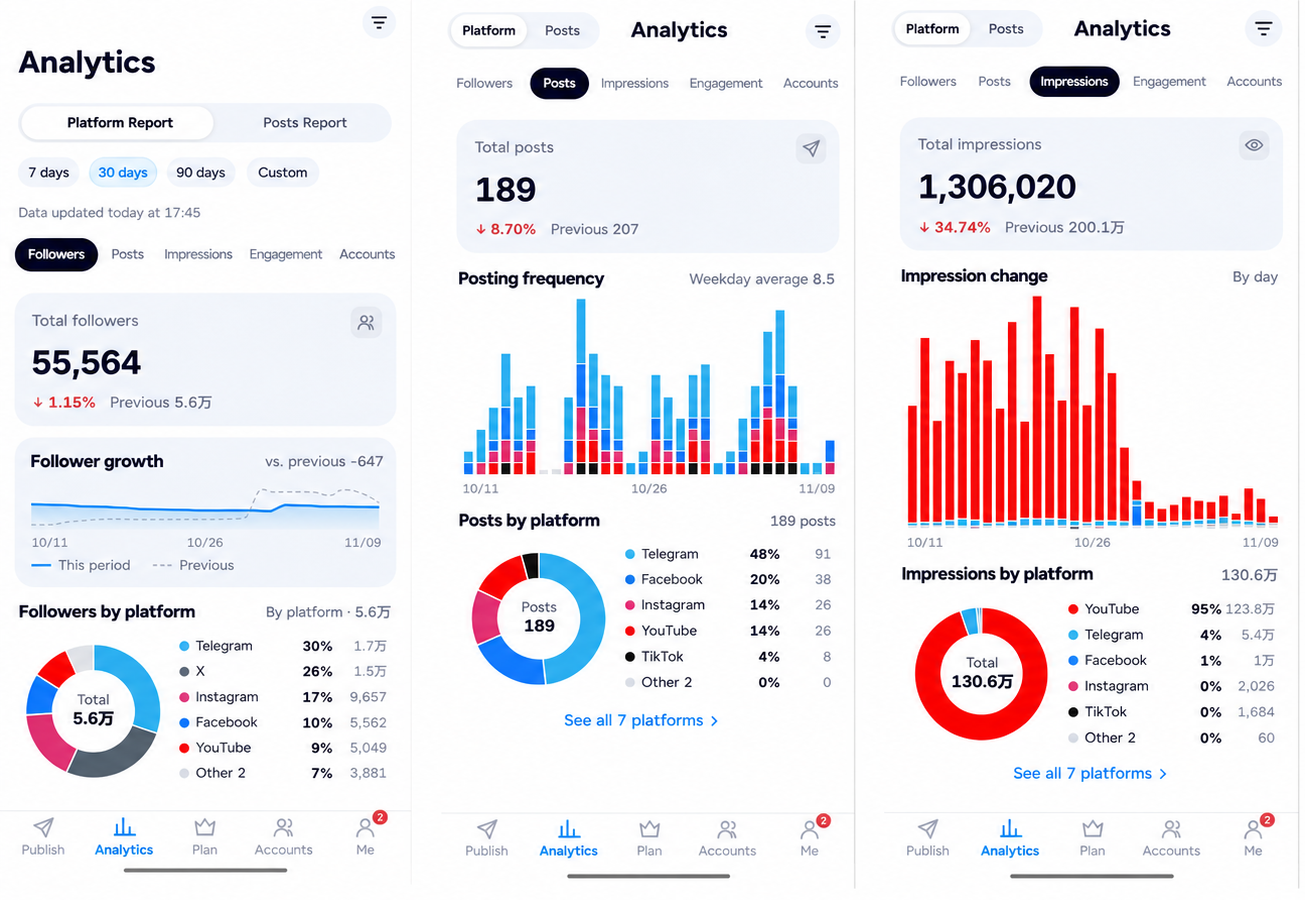
On the account analytics page, you can review follower changes, new posts, reach, engagement, and other operating activity to identify which accounts deserve closer attention.
For teams that review account performance regularly, the mobile app is suitable for quickly checking the current status, while the computer is better for complete analysis and report preparation.
Share Assets Across Devices with the Cloud Drive
The SocialEcho mobile cloud drive is shared with the computer version. Images previously used for posts on the computer remain available in the mobile cloud drive, so you do not need to transfer them to your phone again.
For teams that reuse brand assets, product images, and campaign graphics, this reduces back-and-forth transfers. When you need to publish from your phone, simply select the asset you need.
Handle Account Status and Authorization on Your Phone
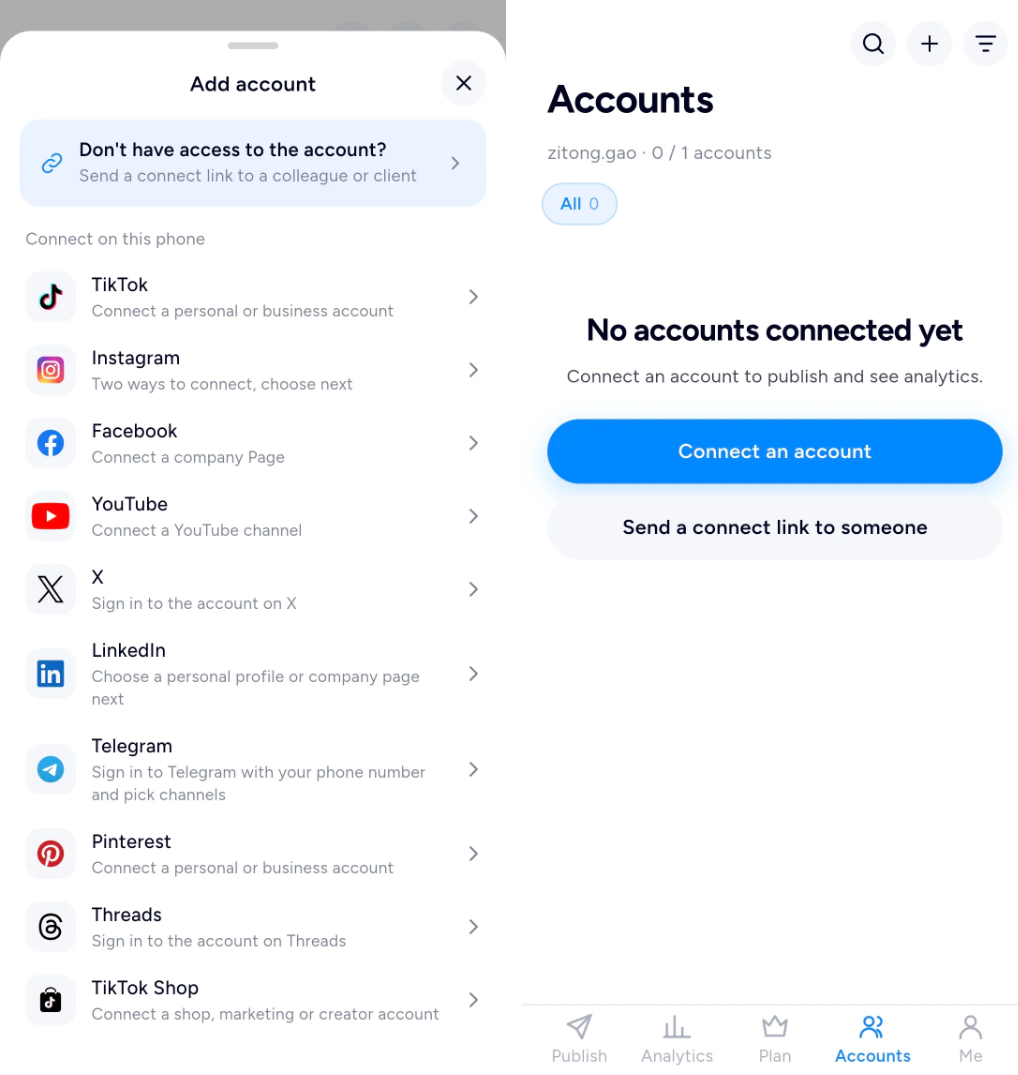
When you operate multiple accounts, connection status needs regular review. The SocialEcho mobile app lets you view account status in one place, making it easier to understand the current state of each account.
If an account needs to be connected again, follow the on-screen instructions to complete authorization without waiting until you return to your computer. For teams managing multiple brand, regional, or client accounts, handling this from a mobile device is more convenient.
Handle Balance, Points, and Renewals on Mobile
You can also check your account balance and points from your phone. When you need to add accounts or renew a plan, you can pay directly, making routine account management more convenient.
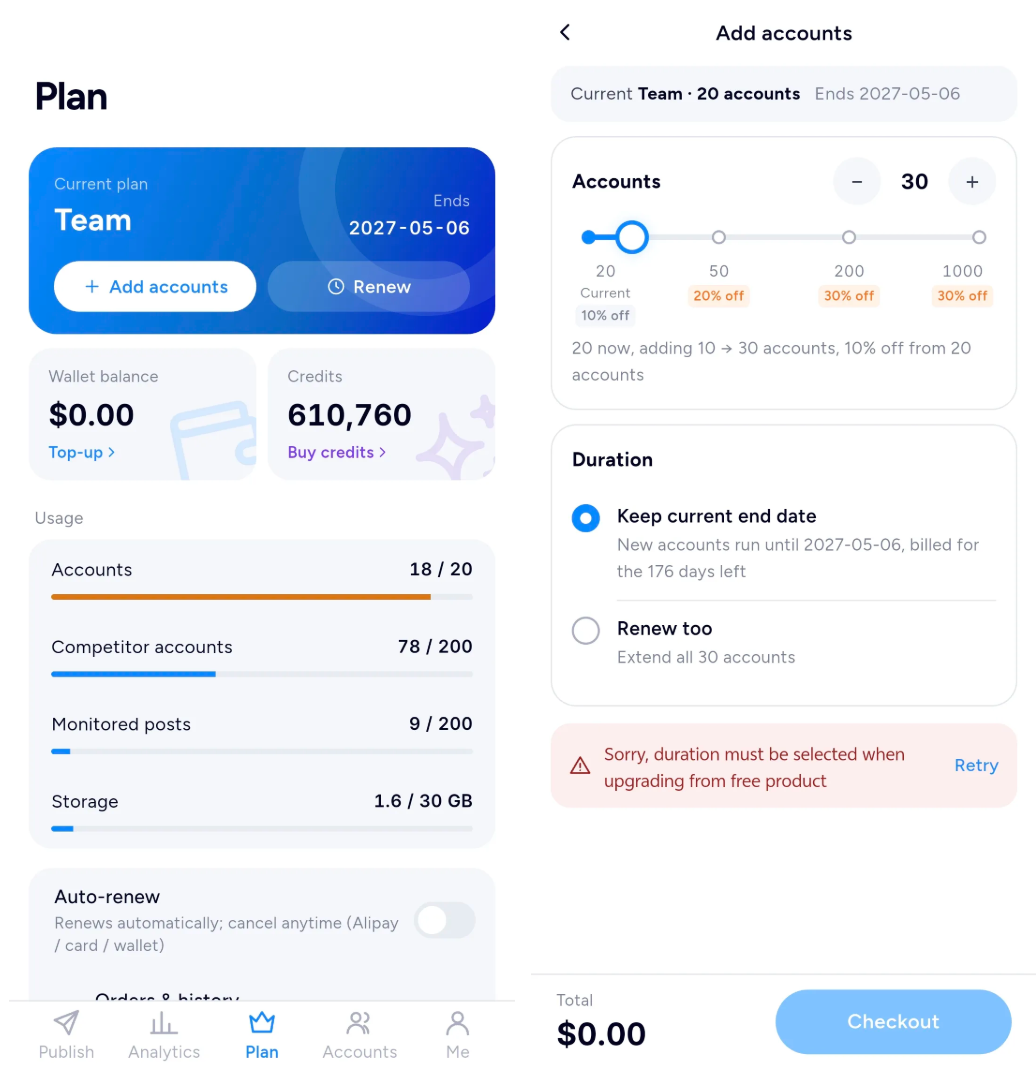
Adding an operating account temporarily or handling plan-related matters while away no longer requires opening a computer browser. Team leads and account administrators can check account usage at any time and arrange the next action promptly.
When the Mobile App Is Most Convenient
Business trips or time away
Check the day's publishing activity, review content and exceptions, and confirm that nothing was missed.
Managing multiple accounts
Review the status of multiple brands, platforms, and accounts in one place, with less switching between pages.
Publishing on short notice
Select an image from the shared cloud drive, choose the accounts, and publish or schedule the post.
An account suddenly becomes unavailable
Complete authorization again from your phone instead of waiting to get back to your computer.
A team lead needs to check progress
Without editing every piece of content, review publishing status, account data, and the schedule to understand current team progress.
Download SocialEcho for Android
The SocialEcho mobile app is now available on Google Play. Visit Google Play to download SocialEcho, sign in, and start managing your overseas social media accounts. You can also visit the official download page.
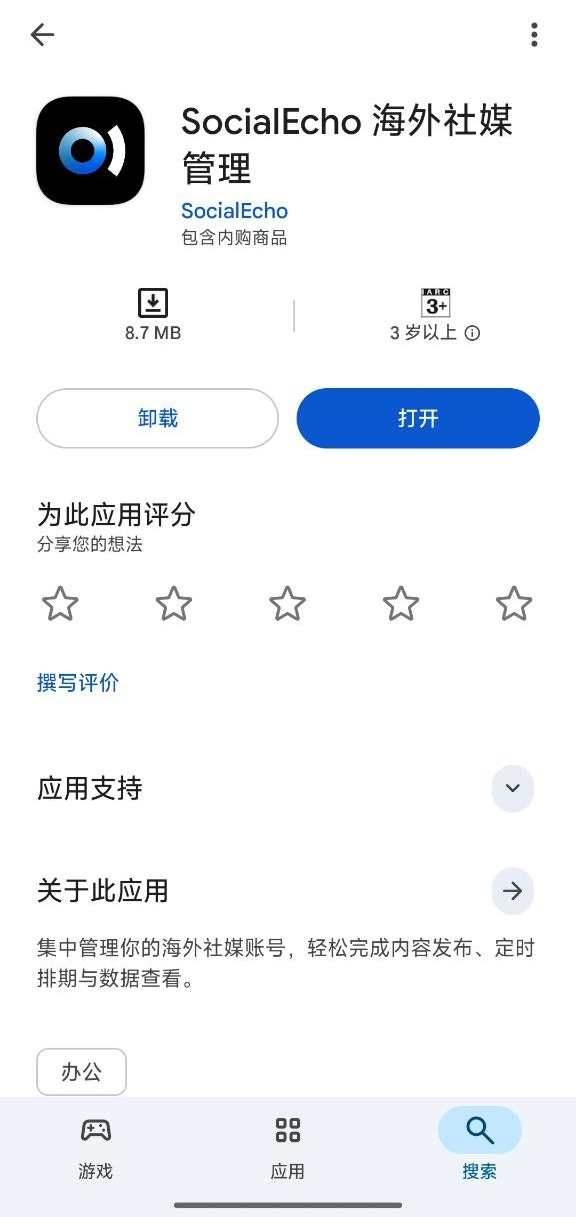
When using the app for the first time, confirm that your frequently used accounts are connected, review the recent schedule, and organize frequently used images in the shared cloud drive. You can then create a test post to become familiar with mobile publishing and scheduling.
The mobile app is suited to quick checks and actions anywhere, while the computer is suited to centralized creation, batch management, and data analysis. Using both together means daily operations do not have to stay tied to a single computer.
Key takeaways
- The Android app keeps accounts, content, schedules, data, and subscription information aligned with the PC version.
- Mobile workflows cover cross-platform publishing, status checks, analytics, shared assets, authorization, and account administration.
- Download SocialEcho from Google Play or the official website and sign in with your existing account.
Results can vary by account status, platform rules, and network conditions.
;}.cls-2{fill:%230868f7;}.cls-3{fill:url(%23未命名的渐变_44);}.cls-4{fill:%23333;}%3c/style%3e%3clinearGradient%20id='未命名的渐变_8'%20x1='33.73'%20y1='100.61'%20x2='-0.03'%20y2='-1.06'%20gradientUnits='userSpaceOnUse'%3e%3cstop%20offset='0'%20stop-color='%237ae9fb'/%3e%3cstop%20offset='0.67'%20stop-color='%232b90f8'/%3e%3cstop%20offset='1'%20stop-color='%230868f7'/%3e%3c/linearGradient%3e%3clinearGradient%20id='未命名的渐变_44'%20x1='27.86'%20y1='18.67'%20x2='68.36'%20y2='22.22'%20gradientUnits='userSpaceOnUse'%3e%3cstop%20offset='0'%20stop-color='%235ac7f2'/%3e%3cstop%20offset='1'%20stop-color='%230868f7'/%3e%3c/linearGradient%3e%3c/defs%3e%3cpath%20class='cls-1'%20d='M29,28.74V81.91l-9.51-3.68v0L8.52,74A7.17,7.17,0,0,1,4,67.32V24.54A3.76,3.76,0,0,1,9.08,21Z'/%3e%3cpath%20class='cls-2'%20d='M68.09,78.07a13.15,13.15,0,0,1-17.9,12.06L29,81.91h0V28.74L50.19,37A13.17,13.17,0,0,0,68.08,25.3h0Z'/%3e%3cpath%20class='cls-3'%20d='M68.08,25.3a13.19,13.19,0,0,1-6.73,10.87A13.09,13.09,0,0,1,50.19,37L29,28.74V6A3.76,3.76,0,0,1,34.1,2.52l25.59,9.91A13.22,13.22,0,0,1,68.08,25.3Z'/%3e%3cpath%20class='cls-4'%20d='M129.06,81.76a4.33,4.33,0,0,1-3.19-1.31,4.4,4.4,0,0,1-1.31-3.24V56.86H97.65V77.21a4.36,4.36,0,0,1-1.35,3.2A4.68,4.68,0,0,1,93,81.76a4.32,4.32,0,0,1-3.19-1.31,4.37,4.37,0,0,1-1.32-3.24V27.27A4.58,4.58,0,0,1,89.83,24a4.59,4.59,0,0,1,7.82,3.27V48.15h26.91V27.27A4.58,4.58,0,0,1,125.91,24a4.59,4.59,0,0,1,7.82,3.27V77.21a4.37,4.37,0,0,1-1.36,3.2A4.65,4.65,0,0,1,129.06,81.76Z'/%3e%3cpath%20class='cls-4'%20d='M163.77,81.66c-6.57,0-11.76-1.92-15.44-5.7s-5.54-9.07-5.54-15.74a26.76,26.76,0,0,1,2.09-10.43,17.72,17.72,0,0,1,6.67-8.06,19.15,19.15,0,0,1,10.68-2.95,19,19,0,0,1,10.46,2.8,18.7,18.7,0,0,1,6.55,7.36,22.53,22.53,0,0,1,2.36,10.28A4.51,4.51,0,0,1,177,63.77H152.23a10.8,10.8,0,0,0,3.49,6.65c2,1.68,4.88,2.52,8.66,2.52a22.25,22.25,0,0,0,7.54-1.21c.74-.3,1.55-.67,2.37-1.07a3.75,3.75,0,0,1,1.84-.4,4.09,4.09,0,0,1,3,1.15,4,4,0,0,1,1.12,3,4.38,4.38,0,0,1-2.58,3.82,32.34,32.34,0,0,1-6.36,2.61A28.67,28.67,0,0,1,163.77,81.66ZM172.4,55.9a9.72,9.72,0,0,0-1.63-4.56A9.9,9.9,0,0,0,167,48a10.38,10.38,0,0,0-4.64-1.14,12,12,0,0,0-4.77,1.06,9.54,9.54,0,0,0-4.89,5.66,11.78,11.78,0,0,0-.51,2.3Z'/%3e%3cpath%20class='cls-4'%20d='M193,81.64a4.49,4.49,0,0,1-4.51-4.55V27.28A4.58,4.58,0,0,1,189.84,24a4.48,4.48,0,0,1,3.28-1.36A4.36,4.36,0,0,1,196.35,24a4.46,4.46,0,0,1,1.31,3.31V77.09a4.34,4.34,0,0,1-1.35,3.2A4.67,4.67,0,0,1,193,81.64Z'/%3e%3cpath%20class='cls-4'%20d='M263.79,81.71a5.7,5.7,0,0,1-4.2-1.74,5.76,5.76,0,0,1-1.73-4.19V27.37a4.58,4.58,0,0,1,1.35-3.27A4.59,4.59,0,0,1,267,27.37V72.53h24a4.58,4.58,0,0,1,3.27,7.82A4.66,4.66,0,0,1,291,81.71Z'/%3e%3cpath%20class='cls-4'%20d='M424.48,81.74a4.71,4.71,0,0,1-2.71-.88,5.43,5.43,0,0,1-1-1l-.07-.09-12.41-17-5.41,5v9.44a4.31,4.31,0,0,1-1.36,3.19,4.66,4.66,0,0,1-3.3,1.36A4.29,4.29,0,0,1,395,80.42a4.36,4.36,0,0,1-1.32-3.23V27.37A4.58,4.58,0,0,1,395,24.1a4.52,4.52,0,0,1,6.58.12,4.54,4.54,0,0,1,1.24,3.15V56.31l17.72-16.38.05,0a4.8,4.8,0,0,1,2.94-1.11,4.4,4.4,0,0,1,3.27,1.2,4.57,4.57,0,0,1,1.2,3.27,4.44,4.44,0,0,1-.77,2.33,7.45,7.45,0,0,1-1.43,1.65l-11,9.64,13.34,17.68a5,5,0,0,1,1,2.71,4.12,4.12,0,0,1-1.36,3.24A4.64,4.64,0,0,1,424.48,81.74Z'/%3e%3cpath%20class='cls-4'%20d='M317.93,81.76a21.5,21.5,0,1,1,21.17-21.5A21.37,21.37,0,0,1,317.93,81.76Zm0-34.1a12.61,12.61,0,1,0,12.42,12.6A12.52,12.52,0,0,0,317.93,47.66Z'/%3e%3cpath%20class='cls-4'%20d='M212.18,101.22a4.12,4.12,0,0,1-3.05-1.26,4.17,4.17,0,0,1-1.26-3.1V43.34a4.37,4.37,0,0,1,1.3-3.14,4.26,4.26,0,0,1,3.13-1.3,4.19,4.19,0,0,1,3.1,1.26,4.32,4.32,0,0,1,1.26,3.16,20.77,20.77,0,0,1,13-4.54,21.51,21.51,0,0,1,0,43,20.51,20.51,0,0,1-13-4.57V96.86a4.15,4.15,0,0,1-1.3,3.06A4.5,4.5,0,0,1,212.18,101.22Zm17.43-53.63c-6.23,0-12.93,4.11-12.93,12.72a12.73,12.73,0,0,0,25.46,0A12.71,12.71,0,0,0,229.61,47.59Z'/%3e%3cpath%20class='cls-4'%20d='M365.76,81.76a21.5,21.5,0,1,1,21.18-21.5A21.37,21.37,0,0,1,365.76,81.76Zm0-34.1a12.61,12.61,0,1,0,12.42,12.6A12.52,12.52,0,0,0,365.76,47.66Z'/%3e%3c/svg%3e)